
How to Scrape Hacker News (HN) with Python: Stories + Pagination + Comments
Hacker News is a great target for learning scraping because:
- it’s mostly server-rendered HTML (no JS required)
- the structure is consistent
- pagination is explicit
- comments are nested and interesting
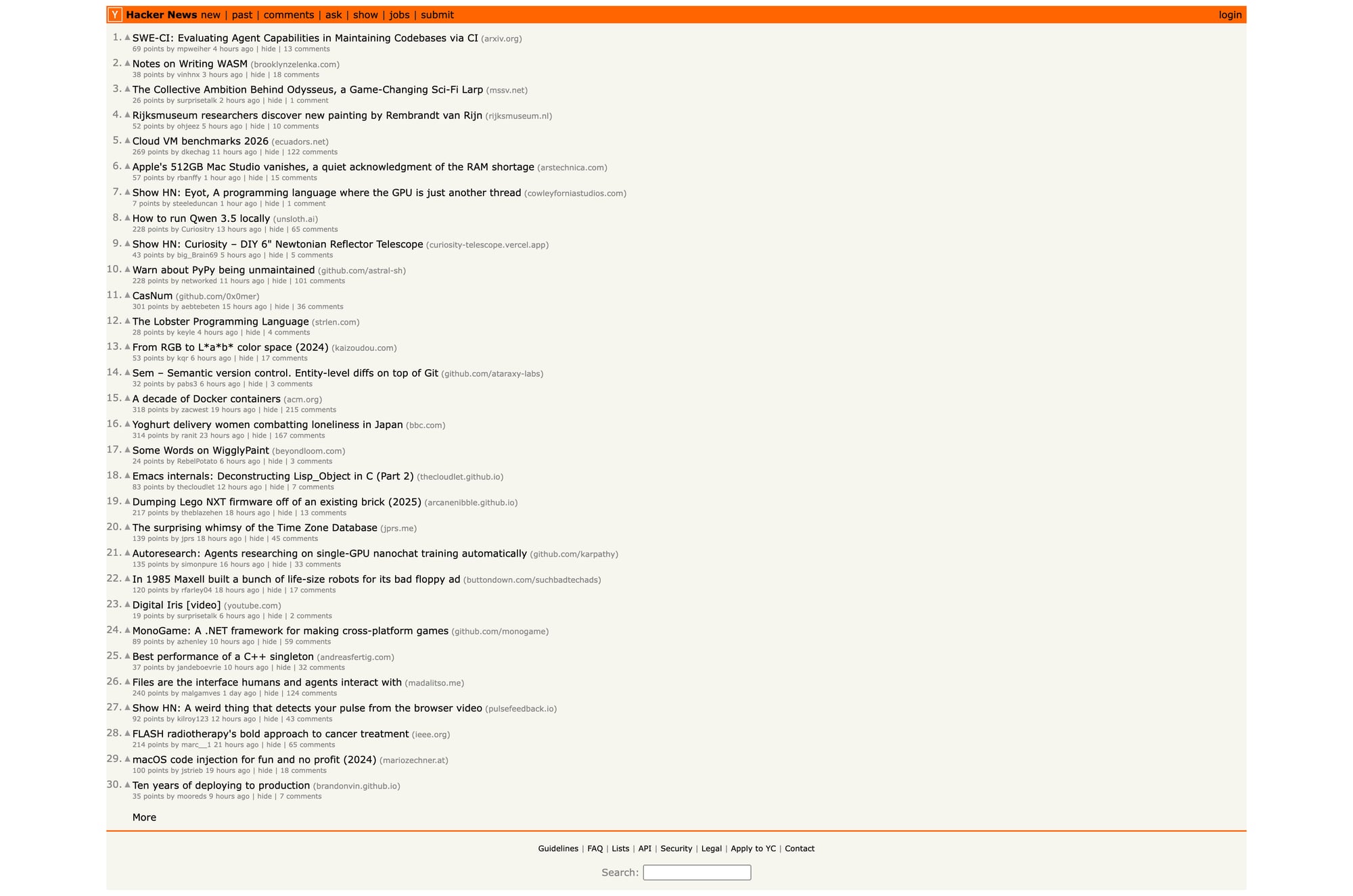
In this guide we’ll build a real scraper in Python that extracts:
- stories from the front page (title, url, id, points, author, age, comment count)
- multiple pages via the
?p=pagination - full comment threads for a story
Hacker News is friendly — but your next target won’t be. ProxiesAPI helps keep crawls stable when your request count (and failure rate) grows.
What we’re scraping (HN structure)
HN lives at:
- front page:
https://news.ycombinator.com/ - pagination:
https://news.ycombinator.com/?p=2 - item page:
https://news.ycombinator.com/item?id=ITEM_ID
Terminal sanity check
curl -s https://news.ycombinator.com/ | head -n 6
<!doctype html>
<html lang="en" op="news">
  <head>
    <meta name="referrer" content="origin">
    <meta name="viewport" content="width=device-width, initial-scale=1.0">
Setup
python -m venv .venv
source .venv/bin/activate
pip install requests beautifulsoup4 lxml
We’ll use:
requestsfor HTTPBeautifulSoup(lxml)for reliable parsing
Step 1: Fetch a page (with a real timeout)
import requests

BASE = "https://news.ycombinator.com"
TIMEOUT = (10, 30)  # connect, read

session = requests.Session()


def fetch(path: str) -> str:
    url = path if path.startswith("http") else f"{BASE}{path}"
    r = session.get(url, timeout=TIMEOUT)
    r.raise_for_status()
    return r.text

html = fetch("/")
print(len(html))
print(html[:200])
Step 2: Understand the HTML (no guessed selectors)
HN story rows are laid out in a table.
Each story has:
- a main row:
tr.athing(contains the title + link) - a subtext row right after it (contains points/author/age/comments)
Here’s what the title link looks like (simplified):
<tr class="athing" id="43898916">
  ...
  <span class="titleline">
    <a href="https://example.com/article">Some title</a>
  </span>
</tr>
And the metadata is in the next row:
<td class="subtext">
  <span class="score" id="score_43898916">123 points</span>
  <a class="hnuser" href="user?id=pg">pg</a>
  <span class="age"><a href="item?id=43898916">3 hours ago</a></span>
  <a href="item?id=43898916">42 comments</a>
</td>
That’s the whole game.
Step 3: Parse stories from a page
import re
from bs4 import BeautifulSoup


def parse_int(text: str) -> int | None:
    m = re.search(r"(\d+)", text or "")
    return int(m.group(1)) if m else None


def parse_front_page(html: str) -> list[dict]:
    soup = BeautifulSoup(html, "lxml")

    stories = []
    for row in soup.select("tr.athing"):
        story_id = row.get("id")

        title_a = row.select_one("span.titleline > a")
        title = title_a.get_text(strip=True) if title_a else None
        href = title_a.get("href") if title_a else None

        # the subtext row is the next <tr>
        subtext_row = row.find_next_sibling("tr")
        subtext = subtext_row.select_one("td.subtext") if subtext_row else None

        points = None
        author = None
        age = None
        comments = None

        if subtext:
            score = subtext.select_one("span.score")
            points = parse_int(score.get_text(" ", strip=True) if score else "")

            user = subtext.select_one("a.hnuser")
            author = user.get_text(strip=True) if user else None

            age_a = subtext.select_one("span.age a")
            age = age_a.get_text(strip=True) if age_a else None

            # last link in subtext is usually comments
            links = subtext.select("a")
            if links:
                comments = parse_int(links[-1].get_text(" ", strip=True))

        stories.append({
            "id": story_id,
            "title": title,
            "url": href,
            "points": points,
            "author": author,
            "age": age,
            "comments": comments,
            "item_url": f"{BASE}/item?id={story_id}" if story_id else None,
        })

    return stories


stories = parse_front_page(fetch("/"))
print("stories:", len(stories))
print(stories[0])
Terminal run (typical)
stories: 30
{'id': '43898916', 'title': '...', 'url': 'https://...', 'points': 123,
 'author': '...', 'age': '3 hours ago', 'comments': 42,
 'item_url': 'https://news.ycombinator.com/item?id=43898916'}
Step 4: Pagination (crawl N pages)
HN supports ?p=N.
def crawl_front_pages(pages: int = 3) -> list[dict]:
    all_stories = []
    seen = set()

    for p in range(1, pages + 1):
        path = "/" if p == 1 else f"/?p={p}"
        html = fetch(path)
        batch = parse_front_page(html)

        for s in batch:
            sid = s.get("id")
            if not sid or sid in seen:
                continue
            seen.add(sid)
            all_stories.append(s)

        print("page", p, "stories", len(batch), "total", len(all_stories))

    return all_stories


all_stories = crawl_front_pages(5)
print("total unique:", len(all_stories))
Bonus: Scrape comments for a story
Comments live on the item page:
/item?id=43898916
HN comments are nested visually via indentation in HTML.
We’ll extract:
- comment id
- author
- age
- text (basic)
- indent level (so you can rebuild the tree)
def parse_comments(html: str) -> list[dict]:
    soup = BeautifulSoup(html, "lxml")

    out = []
    for tr in soup.select("tr.athing.comtr"):
        cid = tr.get("id")

        ind = tr.select_one("td.ind")
        indent = 0
        if ind:
            img = ind.select_one("img")
            indent = int(img.get("width", 0)) if img else 0

        user = tr.select_one("a.hnuser")
        author = user.get_text(strip=True) if user else None

        age_a = tr.select_one("span.age a")
        age = age_a.get_text(strip=True) if age_a else None

        comment = tr.select_one("span.commtext")
        text = comment.get_text("\n", strip=True) if comment else ""

        out.append({
            "id": cid,
            "author": author,
            "age": age,
            "indent": indent,
            "text": text,
        })

    return out


item_html = fetch(all_stories[0]["item_url"])
comments = parse_comments(item_html)
print("comments:", len(comments))
print(comments[:2])
Export: JSON lines (easy to stream)
import json

with open("hn_stories.jsonl", "w", encoding="utf-8") as f:
    for s in all_stories:
        f.write(json.dumps(s, ensure_ascii=False) + "\n")

print("wrote hn_stories.jsonl", len(all_stories))
For comments (one file per story id):
story = all_stories[0]
item_html = fetch(story["item_url"])
comments = parse_comments(item_html)

with open(f"hn_comments_{story['id']}.json", "w", encoding="utf-8") as f:
    json.dump(comments, f, ensure_ascii=False, indent=2)

print("wrote", f"hn_comments_{story['id']}.json", len(comments))
Where ProxiesAPI fits (honestly)
HN itself is friendly. You can scrape it without proxies.
But the scraper you just built (crawl pages → fetch details → extract → export) is the same shape you’ll use everywhere.
When you scale to many sites / many URLs, ProxiesAPI helps by making the network layer stable and consistent.
QA checklist
- Titles and points look sane (spot-check 3–5 stories)
- Pagination increases unique story count
- Comment extraction returns non-empty text
- Your exporter writes valid JSON
- Your fetch() uses timeouts (no hanging requests)
Next upgrades
- build a real comment tree from
indent - store results in SQLite for incremental updates
- add caching so re-runs don’t re-fetch unchanged items
Hacker News is friendly — but your next target won’t be. ProxiesAPI helps keep crawls stable when your request count (and failure rate) grows.