
Scrape Podcast Data from Apple Podcasts (Charts + Show/Episode Metadata) with Python + ProxiesAPI
Apple Podcasts is an underrated data source.
If you’re doing market research, competitive analysis, or building a discovery product, you often want:
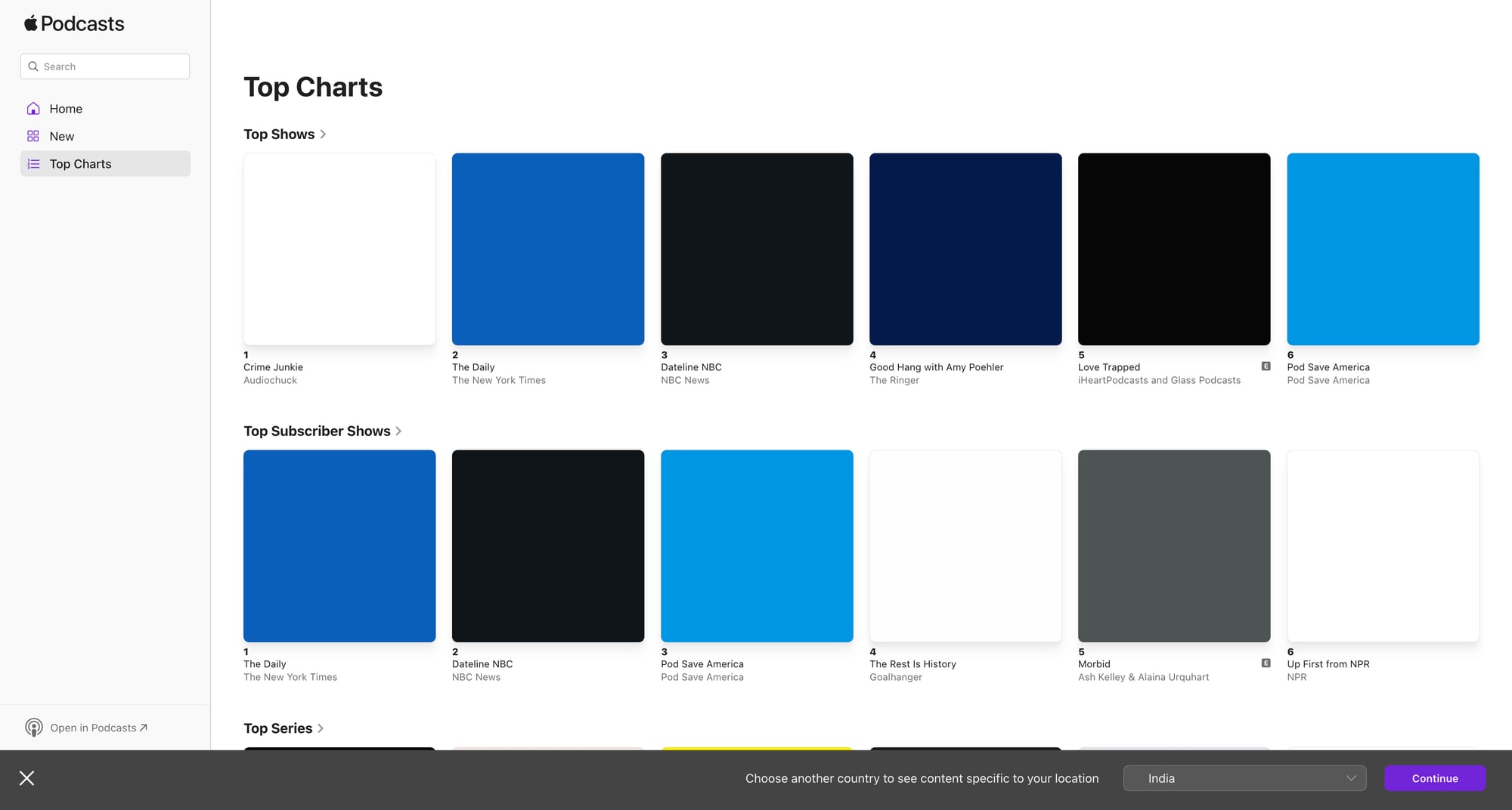
- what’s trending today (charts)
- show-level metadata (title, publisher, categories)
- a list of episodes (titles + publish dates)
- stable identifiers so you can update your dataset incrementally
In this guide we’ll build a charts → shows → episodes pipeline in Python.
We’ll do it in a way that’s practical:
- don’t assume one page template forever
- use stable IDs (Apple uses numeric IDs like
id123456789) - store “last seen” timestamps so updates are fast
And we’ll keep the network layer clean so you can optionally route requests through ProxiesAPI when you scale.
Charts pages and show pages can throttle when you scale. ProxiesAPI helps keep your crawl runs stable while you focus on parsing and data quality.
What we’re scraping
There are (at least) two useful surfaces:
- Charts pages (top shows / top episodes)
These pages contain a ranked list where each entry links to a show or episode.
- Show pages
These contain:
- show title
- publisher
- description
- categories
- episode list (often paginated / infinite scroll)
We’ll build a pipeline that starts at a charts URL, collects show URLs + show IDs, then visits each show URL to extract metadata + episodes.
Setup
python3 -m venv .venv
source .venv/bin/activate
pip install requests beautifulsoup4 lxml
Step 1: Fetch HTML with timeouts + optional ProxiesAPI
Keep scraping code maintainable by having exactly one place where HTTP happens.
import os
import time
import requests

TIMEOUT = (10, 30)

session = requests.Session()

DEFAULT_HEADERS = {
    "User-Agent": (
        "Mozilla/5.0 (Macintosh; Intel Mac OS X 10_15_7) "
        "AppleWebKit/537.36 (KHTML, like Gecko) "
        "Chrome/123.0.0.0 Safari/537.36"
    ),
    "Accept": "text/html,application/xhtml+xml,application/xml;q=0.9,*/*;q=0.8",
    "Accept-Language": "en-US,en;q=0.9",
}

# Template: set this to your ProxiesAPI proxy URL if you want to route traffic.
# Example shape: http://USER:PASS@proxy.proxiesapi.com:PORT
PROXIESAPI_PROXY_URL = os.getenv("PROXIESAPI_PROXY_URL")


def fetch_html(url: str, *, retries: int = 3, sleep_s: float = 1.0) -> str:
    proxies = None
    if PROXIESAPI_PROXY_URL:
        proxies = {"http": PROXIESAPI_PROXY_URL, "https": PROXIESAPI_PROXY_URL}

    last_err = None
    for attempt in range(1, retries + 1):
        try:
            r = session.get(url, headers=DEFAULT_HEADERS, timeout=TIMEOUT, proxies=proxies)
            r.raise_for_status()

            text = r.text
            lower = text.lower()
            if "access denied" in lower and attempt < retries:
                raise RuntimeError("soft-block html")

            return text
        except Exception as e:
            last_err = e
            if attempt < retries:
                time.sleep(sleep_s * attempt)
                continue
            raise

    raise last_err  # pragma: no cover
Step 2: Parse stable IDs from Apple Podcasts URLs
Apple show URLs often contain an id segment like:
.../id123456789
That numeric ID is gold because it’s stable for incremental updates.
import re


def extract_apple_id(url: str) -> str | None:
    m = re.search(r"\bid(\d+)\b", url or "")
    return m.group(1) if m else None
Step 3: Scrape charts (ranked list → show links)
Charts HTML changes by region and by Apple’s experiments.
So the robust approach is:
- find links that look like Apple Podcasts show links
- keep the list order as rank
- de-dupe by show id
from bs4 import BeautifulSoup
from urllib.parse import urljoin


def parse_chart_shows(html: str, base_url: str) -> list[dict]:
    soup = BeautifulSoup(html, "lxml")

    # Many chart entries link to a show page; we look for anchors containing '/podcast/' or '/us/podcast/'
    candidates = []
    for a in soup.select("a[href]"):
        href = a.get("href")
        if not href:
            continue

        href_abs = urljoin(base_url, href)

        if "/podcast/" not in href_abs:
            continue

        show_id = extract_apple_id(href_abs)
        text = a.get_text(" ", strip=True)
        if not show_id or not text:
            continue

        candidates.append({
            "show_id": show_id,
            "show_url": href_abs,
            "anchor_text": text,
        })

    # Preserve order (rank) and de-dupe by show_id
    seen = set()
    ranked = []
    for c in candidates:
        if c["show_id"] in seen:
            continue
        seen.add(c["show_id"])
        c["rank"] = len(ranked) + 1
        ranked.append(c)

    return ranked
Example charts URL
Apple has multiple chart surfaces. One place to start is Apple’s chart support page and follow through, but for scraping you’ll use an actual chart URL you care about (country/genre).
Once you have it, run:
chart_url = "PASTE_YOUR_CHART_URL_HERE"
html = fetch_html(chart_url)
shows = parse_chart_shows(html, chart_url)
print("chart shows:", len(shows))
print(shows[:5])
Step 4: Scrape show metadata + episodes
Show pages can be heavy. We’ll extract:
- title
- publisher (when available)
- description
- episode list entries (title + date when present)
Show parser (best-effort)
from bs4 import BeautifulSoup


def parse_show_page(html: str, url: str) -> dict:
    soup = BeautifulSoup(html, "lxml")

    show_id = extract_apple_id(url)

    # Title often in h1
    h1 = soup.select_one("h1")
    title = h1.get_text(" ", strip=True) if h1 else None

    # Description often in meta tags or visible blocks
    meta_desc = soup.select_one('meta[name="description"]')
    description = meta_desc.get("content") if meta_desc else None

    # Publisher/author varies; try common patterns
    publisher = None
    for sel in ["[data-testid='publisher']", "[data-qa='publisher']", ".product-header__subtitle"]:
        el = soup.select_one(sel)
        if el:
            publisher = el.get_text(" ", strip=True)
            break

    # Episodes: look for list items with links and dates.
    episodes = []
    for item in soup.select("a[href]"):
        href = item.get("href")
        if not href:
            continue

        # Many episode links include '/podcast/' as well, but we only need text-rich entries.
        t = item.get_text(" ", strip=True)
        if not t or len(t) < 8:
            continue

        episodes.append({"title": t, "url": href})

    # De-dupe episode titles (page contains many nav links)
    seen_titles = set()
    clean_eps = []
    for ep in episodes:
        if ep["title"] in seen_titles:
            continue
        seen_titles.add(ep["title"])
        clean_eps.append(ep)

    return {
        "show_id": show_id,
        "show_url": url,
        "title": title,
        "publisher": publisher,
        "description": description,
        "episodes": clean_eps[:200],  # cap for safety; paginate if you need full history
    }
Crawl shows from charts
import json


def crawl_chart(chart_url: str, max_shows: int = 50) -> list[dict]:
    chart_html = fetch_html(chart_url)
    shows = parse_chart_shows(chart_html, chart_url)

    out = []
    for s in shows[:max_shows]:
        show_html = fetch_html(s["show_url"])
        data = parse_show_page(show_html, s["show_url"])
        data["rank"] = s["rank"]
        out.append(data)
        print("fetched", data.get("show_id"), data.get("title"))

    return out


# Example:
# dataset = crawl_chart(chart_url, max_shows=25)
# with open('apple_podcasts_chart.json', 'w', encoding='utf-8') as f:
#     json.dump(dataset, f, ensure_ascii=False, indent=2)
Incremental updates (the part that saves you time)
Instead of re-scraping everything daily:
- scrape charts daily (fast)
- keep a store of
show_id → last_checked - only refresh a show if:
- it’s in the current chart, or
- it hasn’t been checked in N days
A simple approach with a JSON “state” file:
import json
import time


def load_state(path="state.json"):
    try:
        return json.load(open(path, "r", encoding="utf-8"))
    except FileNotFoundError:
        return {"shows": {}}


def save_state(state, path="state.json"):
    json.dump(state, open(path, "w", encoding="utf-8"), ensure_ascii=False, indent=2)


def should_refresh(state, show_id: str, ttl_days: int = 7) -> bool:
    rec = state["shows"].get(show_id)
    if not rec:
        return True
    last = rec.get("last_checked", 0)
    return (time.time() - last) > (ttl_days * 86400)
Where ProxiesAPI fits (honestly)
Apple Podcasts pages can throttle when you scale across countries/genres or when you run daily crawls.
ProxiesAPI helps by giving you a proxy layer so:
- repeated crawls are less likely to hit IP-based limits
- retries are more effective
- you can keep the rest of your code unchanged
It’s not magic: you still need good caching, conservative crawl rate, and robust parsing.
QA checklist
- You can extract a list of show URLs from your chart URL
-
extract_apple_id()returns a numeric ID for shows - You can fetch show pages and get a non-empty title
- Episode extraction returns at least some titles (then refine selectors for your target pages)
- Your crawler logs progress and can resume
Charts pages and show pages can throttle when you scale. ProxiesAPI helps keep your crawl runs stable while you focus on parsing and data quality.