
Scrape IMDb Top 250 into a Weekly Tracker (Rank Changes, Ratings, Votes)
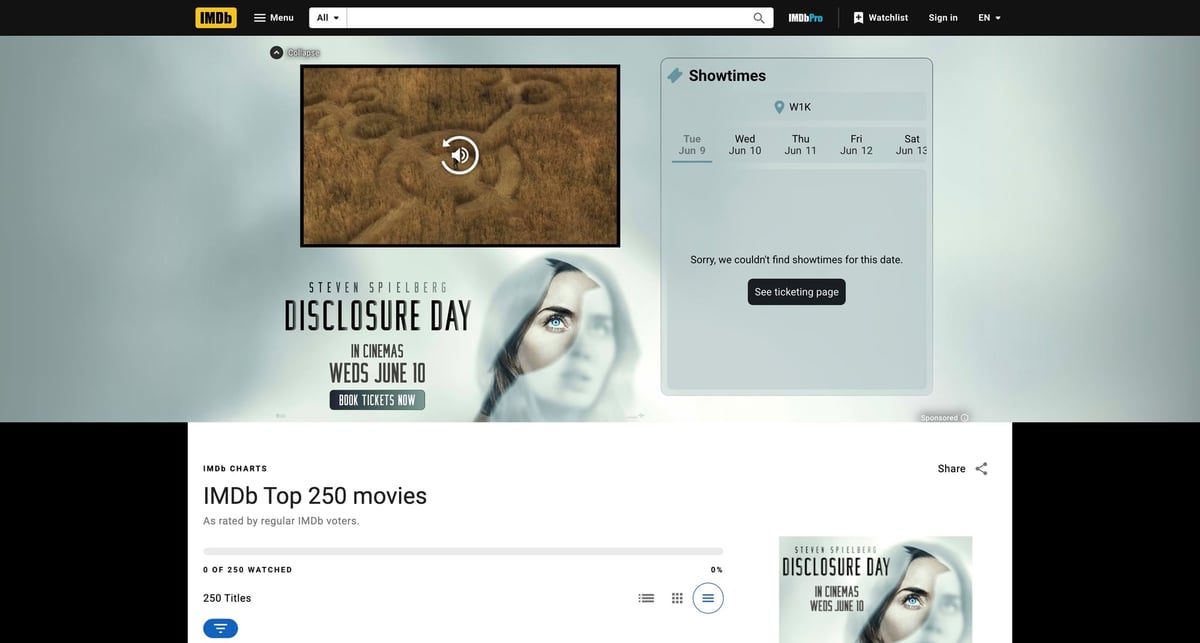
IMDb's Top 250 is perfect tracking data.
It changes slowly, but not randomly. Rankings drift. Vote counts climb. Ratings compress at the top. And if you take a clean weekly snapshot, you can answer questions like:
- which films moved up or down this week?
- which titles gained the most votes?
- where are ratings stable even when rank changes?
The reliable approach is not plain requests.get(). In this environment, a raw IMDb fetch returned a blocked response. A browser-rendered page worked, so that is the path to build on.
For IMDb, the hard part is often just getting a stable page load. ProxiesAPI can sit underneath your browser automation as the proxy layer while your extraction code stays unchanged.
The scraping strategy
IMDb changes frontend classes often, so I would not anchor this scraper to one deep CSS chain.
The safer pattern is:
- render the page in a browser
- grab the page source
- parse the structured data first
- use DOM selectors only for fields the structured blob does not give you cleanly
The two selectors worth remembering are:
- title links:
a[href*="/title/tt"] - structured data:
script[type="application/ld+json"]
Install
python -m venv .venv
source .venv/bin/activate
pip install selenium beautifulsoup4 lxml pandas
Step 1: Load the rendered page
from __future__ import annotations

import os
from selenium import webdriver
from selenium.webdriver.chrome.options import Options
from selenium.webdriver.common.by import By
from selenium.webdriver.support.ui import WebDriverWait
from selenium.webdriver.support import expected_conditions as EC


def build_driver() -> webdriver.Chrome:
    options = Options()
    options.add_argument("--headless=new")
    options.add_argument("--window-size=1440,2400")
    options.add_argument(
        "--user-agent=Mozilla/5.0 (Macintosh; Intel Mac OS X 10_15_7) "
        "AppleWebKit/537.36 (KHTML, like Gecko) Chrome/125.0 Safari/537.36"
    )

    proxy_url = os.getenv("PROXIESAPI_PROXY_URL")
    if proxy_url:
        options.add_argument(f"--proxy-server={proxy_url}")

    return webdriver.Chrome(options=options)


def get_rendered_html() -> str:
    driver = build_driver()
    try:
        driver.get("https://www.imdb.com/chart/top/")
        WebDriverWait(driver, 30).until(
            EC.presence_of_element_located((By.CSS_SELECTOR, 'a[href*="/title/tt"]'))
        )
        return driver.page_source
    finally:
        driver.quit()
That wait condition matters. If you do not see title links, you do not have the chart.
Step 2: Parse the JSON-LD item list
IMDb usually ships structured metadata in application/ld+json. That is more stable than scraping presentation classes.
import json
from bs4 import BeautifulSoup


def extract_itemlist(soup: BeautifulSoup) -> dict:
    for node in soup.select('script[type="application/ld+json"]'):
        text = node.string or node.get_text()
        if not text:
            continue
        data = json.loads(text)
        if isinstance(data, dict) and data.get("@type") == "ItemList":
            return data
    raise ValueError("Could not find IMDb ItemList JSON-LD")
From there, each movie is typically in itemListElement with a position and nested item payload.
Step 3: Turn the item list into rows
import re


def imdb_id_from_url(url: str) -> str | None:
    m = re.search(r"/title/(tt\d+)/", url or "")
    return m.group(1) if m else None


def parse_top250(html: str) -> list[dict]:
    soup = BeautifulSoup(html, "lxml")
    itemlist = extract_itemlist(soup)
    rows = []

    for entry in itemlist.get("itemListElement", []):
        movie = entry.get("item", {})
        agg = movie.get("aggregateRating", {}) or {}
        rows.append(
            {
                "rank": int(entry.get("position")),
                "title": movie.get("name"),
                "url": movie.get("url"),
                "title_id": imdb_id_from_url(movie.get("url")),
                "rating": float(agg["ratingValue"]) if agg.get("ratingValue") else None,
                "votes": int(str(agg["ratingCount"]).replace(",", "")) if agg.get("ratingCount") else None,
            }
        )

    return rows
This is the cleanest path because it avoids depending on IMDb's current card layout.
Step 4: Save a weekly snapshot
from pathlib import Path
import pandas as pd


def snapshot_top250(snapshot_date: str) -> pd.DataFrame:
    html = get_rendered_html()
    rows = parse_top250(html)
    df = pd.DataFrame(rows).sort_values("rank").reset_index(drop=True)
    df["snapshot_date"] = snapshot_date
    return df


def save_snapshot(df: pd.DataFrame, output_dir: str = "data") -> Path:
    out_dir = Path(output_dir)
    out_dir.mkdir(parents=True, exist_ok=True)
    path = out_dir / f"imdb_top250_{df['snapshot_date'].iloc[0]}.csv"
    df.to_csv(path, index=False)
    return path
Step 5: Compare this week vs last week
This is where the tracker becomes more interesting than the one-off scrape.
def compare_snapshots(current: pd.DataFrame, previous: pd.DataFrame) -> pd.DataFrame:
    merged = current.merge(
        previous[["title_id", "rank", "rating", "votes"]],
        on="title_id",
        how="left",
        suffixes=("", "_prev"),
    )

    merged["rank_change"] = merged["rank_prev"] - merged["rank"]
    merged["rating_change"] = merged["rating"] - merged["rating_prev"]
    merged["votes_change"] = merged["votes"] - merged["votes_prev"]

    return merged[
        [
            "title_id",
            "title",
            "rank",
            "rank_prev",
            "rank_change",
            "rating",
            "rating_prev",
            "rating_change",
            "votes",
            "votes_prev",
            "votes_change",
        ]
    ].sort_values(["rank"])
If a film moves from rank 8 to rank 5, rank_change will be +3.
End-to-end run
if __name__ == "__main__":
    current = snapshot_top250("2026-06-03")
    current_path = save_snapshot(current)
    print("saved snapshot:", current_path)

    previous = pd.read_csv("data/imdb_top250_2026-05-27.csv")
    changes = compare_snapshots(current, previous)
    changes.to_csv("data/imdb_top250_changes_2026-06-03.csv", index=False)

    movers = changes.loc[changes["rank_change"].fillna(0) != 0, ["title", "rank", "rank_prev", "rank_change"]]
    print(movers.head(15).to_string(index=False))
Example output:
                      title  rank  rank_prev  rank_change
       12 Angry Men           5          6            1
       The Lord of the Rings  7          5           -2
Why this approach is more robust
1. JSON-LD is usually steadier than UI classes
IMDb can rename layout classes. It is less likely to stop publishing a machine-readable item list for a flagship page.
2. Browser rendering solves the blocked raw request problem
If direct requests start returning partial HTML, challenge pages, or empty content, the browser route gives you the post-render DOM.
3. The weekly diff is the product
Most people stop at "I scraped the list." The useful version is "I can see what changed."
Where ProxiesAPI fits
If your browser automation becomes flaky because of IP reputation, keep the Selenium logic and add a proxy layer:
export PROXIESAPI_PROXY_URL="http://USER:PASS@proxy.proxiesapi.com:PORT"
Then the only code change is:
options.add_argument(f"--proxy-server={proxy_url}")
That is the right boundary:
- Selenium renders
- BeautifulSoup parses
- ProxiesAPI helps the requests arrive more consistently
Final notes
Two practical safeguards will save you time:
- Fail fast if you extract fewer than 200 rows.
- Keep snapshots keyed by
title_id, not title text alone.
With that, you have a weekly IMDb Top 250 tracker that can chart:
- rank movement
- rating drift
- vote growth
And that is much more interesting than a static CSV.
For IMDb, the hard part is often just getting a stable page load. ProxiesAPI can sit underneath your browser automation as the proxy layer while your extraction code stays unchanged.