
Scrape Product Data from Target.com with Python + ProxiesAPI
Target product pages are a classic e-commerce scraping use case:
- price monitoring (competitive intel)
- availability tracking (in-stock/out-of-stock)
- catalog enrichment (names, brand, bullets)
In this tutorial we’ll build a practical Target.com PDP scraper in Python that extracts:
- product title
- current price (including sale price when present)
- availability / stock messaging
- canonical URL + TCIN (Target Catalog Item Number) when available
We’ll also add:
- retries + timeouts
- defensive parsing (no “magic selectors” without fallback)
- CSV export
- a network layer that’s easy to route through ProxiesAPI
Retail sites can rate-limit, geo-fence, or intermittently serve different markup. ProxiesAPI helps keep your fetch layer stable so your parser sees consistent HTML when you scale beyond a handful of pages.
Important notes (read before you scrape)
- Terms & policies: Always review Target’s terms and robots.txt. This guide is for educational purposes.
- HTML variability: Target is a modern retail site. You may see different HTML depending on:
- location / store pickup settings
- A/B experiments
- bot detection responses
- Prefer “data in the page” over brittle selectors: Many retail PDPs embed structured data (
application/ld+json) or JSON blobs that are more stable than CSS class names.
Our approach:
- Fetch the page HTML reliably
- Try to extract data from embedded JSON first (best)
- Fall back to HTML selectors
- Normalize to a clean record
What we’re scraping: a Target product detail page (PDP)
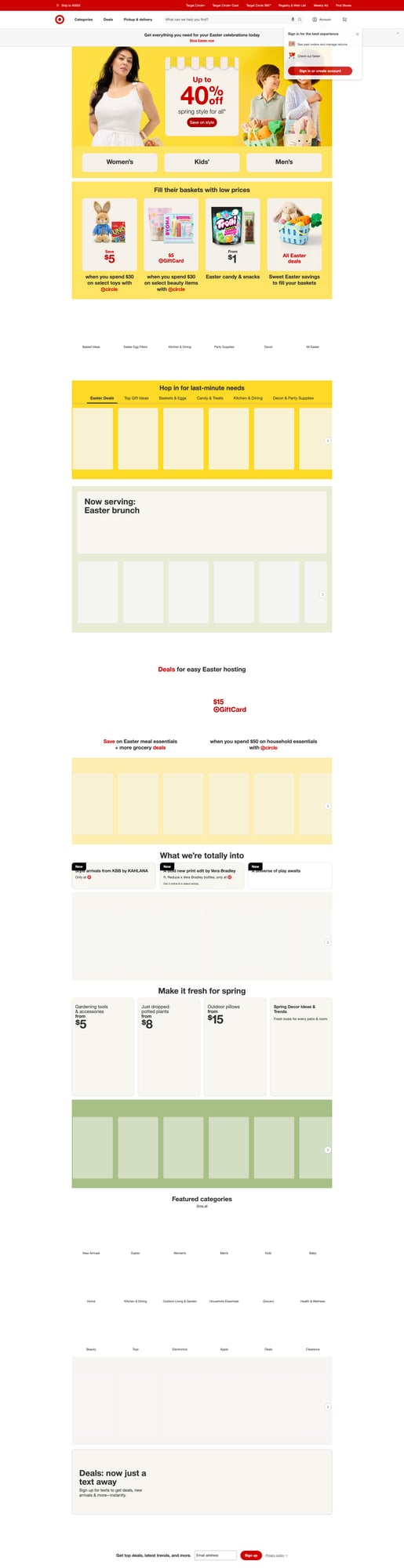
A Target PDP typically looks like:
- URL like
https://www.target.com/p/.../-/A-<id> - A product title near the top
- Price module (regular price or sale)
- Availability messaging (shipping/pickup)
Quick sanity check with curl
Pick a Target PDP URL you’re allowed to test with (use your browser to copy a product page URL).
curl -s "https://www.target.com/" | head -n 5
If you can load HTML, you can parse it.
Setup
python3 -m venv .venv
source .venv/bin/activate
pip install requests beautifulsoup4 lxml tenacity pandas
We’ll use:
requestsfor HTTPBeautifulSoup(lxml)for parsingtenacityfor retriespandasfor CSV export (optional but convenient)
Step 1: Build a reliable fetch() (timeouts + retries)
A scraper fails more often due to networking than parsing. Start with a robust fetch.
from __future__ import annotations

import random
import time
from dataclasses import dataclass

import requests
from tenacity import retry, stop_after_attempt, wait_exponential_jitter


DEFAULT_HEADERS = {
    "User-Agent": (
        "Mozilla/5.0 (Macintosh; Intel Mac OS X 10_15_7) "
        "AppleWebKit/537.36 (KHTML, like Gecko) "
        "Chrome/122.0.0.0 Safari/537.36"
    ),
    "Accept": "text/html,application/xhtml+xml,application/xml;q=0.9,*/*;q=0.8",
    "Accept-Language": "en-US,en;q=0.9",
}


@dataclass
class FetchConfig:
    timeout: tuple[int, int] = (10, 30)  # connect, read
    max_attempts: int = 4
    min_sleep: float = 0.4
    max_sleep: float = 1.2


class HttpClient:
    def __init__(self, config: FetchConfig | None = None):
        self.config = config or FetchConfig()
        self.session = requests.Session()

    @retry(
        stop=stop_after_attempt(4),
        wait=wait_exponential_jitter(initial=1, max=12),
        reraise=True,
    )
    def get_html(self, url: str) -> str:
        # Light jitter between attempts (helps with transient blocks)
        time.sleep(random.uniform(self.config.min_sleep, self.config.max_sleep))

        r = self.session.get(url, headers=DEFAULT_HEADERS, timeout=self.config.timeout)

        # Common “soft blocks” still return 200 with unexpected HTML.
        # You’ll detect them in the parsing/validation step.
        r.raise_for_status()
        return r.text
Where ProxiesAPI fits
You usually integrate ProxiesAPI at the network layer. There are two common patterns:
- Proxy URL (set
proxies=inrequests) - Gateway fetch API (you call ProxiesAPI to fetch the page and return HTML)
Because ProxiesAPI deployments vary by account and product configuration, keep the integration isolated to a single function.
Here’s a proxy-based hook you can adapt with your ProxiesAPI endpoint/credentials:
import os


def build_proxies() -> dict | None:
    # Example only. Replace with your ProxiesAPI proxy URL(s).
    proxy = os.getenv("PROXIESAPI_PROXY_URL")
    if not proxy:
        return None
    return {"http": proxy, "https": proxy}


class HttpClient:
    def __init__(self, config: FetchConfig | None = None):
        self.config = config or FetchConfig()
        self.session = requests.Session()
        self.proxies = build_proxies()

    @retry(stop=stop_after_attempt(4), wait=wait_exponential_jitter(initial=1, max=12), reraise=True)
    def get_html(self, url: str) -> str:
        time.sleep(random.uniform(self.config.min_sleep, self.config.max_sleep))
        r = self.session.get(
            url,
            headers=DEFAULT_HEADERS,
            timeout=self.config.timeout,
            proxies=self.proxies,
        )
        r.raise_for_status()
        return r.text
If you don’t set PROXIESAPI_PROXY_URL, it will run without proxies.
Step 2: Extract product data from embedded JSON (preferred)
Many product pages include structured data in JSON-LD:
<script type="application/ld+json">{ ... }</script>
When it’s present, it’s often the most stable way to get:
- name/title
- offers/price
- availability
Let’s parse JSON-LD safely.
import json
from bs4 import BeautifulSoup


def extract_json_ld(soup: BeautifulSoup) -> list[dict]:
    out: list[dict] = []
    for tag in soup.select('script[type="application/ld+json"]'):
        raw = tag.get_text("\n", strip=True)
        if not raw:
            continue
        try:
            data = json.loads(raw)
        except json.JSONDecodeError:
            continue

        if isinstance(data, dict):
            out.append(data)
        elif isinstance(data, list):
            out.extend([d for d in data if isinstance(d, dict)])
    return out


def pick_product_schema(json_ld_docs: list[dict]) -> dict | None:
    # Look for @type Product or something that contains product-ish fields
    for doc in json_ld_docs:
        t = doc.get("@type")
        if t == "Product":
            return doc
    return None
Now we can extract fields.
from urllib.parse import urlparse


def normalize_availability(value: str | None) -> str | None:
    if not value:
        return None
    v = value.lower()
    if "instock" in v or "in_stock" in v:
        return "in_stock"
    if "outofstock" in v or "out_of_stock" in v:
        return "out_of_stock"
    if "preorder" in v:
        return "preorder"
    return value


def extract_from_product_schema(product: dict) -> dict:
    name = product.get("name")
    url = product.get("url")

    offers = product.get("offers")
    price = None
    availability = None

    # offers can be dict or list
    if isinstance(offers, dict):
        price = offers.get("price")
        availability = offers.get("availability")
    elif isinstance(offers, list) and offers:
        o0 = offers[0]
        if isinstance(o0, dict):
            price = o0.get("price")
            availability = o0.get("availability")

    # basic normalization
    try:
        price = float(price) if price is not None else None
    except (TypeError, ValueError):
        price = None

    return {
        "title": name,
        "canonical_url": url,
        "price": price,
        "availability": normalize_availability(availability),
    }
Step 3: Fallback parsing from HTML (when JSON-LD is missing)
If JSON-LD isn’t available (or doesn’t contain offers), fall back to HTML.
Two rules:
- Prefer semantic attributes (
[data-test],meta[property], etc.) over CSS class names. - Add multiple fallbacks for each field.
import re


def text_or_none(el) -> str | None:
    if not el:
        return None
    t = el.get_text(" ", strip=True)
    return t or None


def parse_price(text: str | None) -> float | None:
    if not text:
        return None
    # capture something like $12.34
    m = re.search(r"(\d+[\d,]*\.?\d*)", text.replace(",", ""))
    if not m:
        return None
    try:
        return float(m.group(1))
    except ValueError:
        return None


def extract_from_html(soup: BeautifulSoup) -> dict:
    # Title: try common patterns
    title = (
        text_or_none(soup.select_one('h1'))
        or soup.title.get_text(strip=True) if soup.title else None
    )

    # Price: try a few likely containers
    price_text = (
        text_or_none(soup.select_one('[data-test="product-price"]'))
        or text_or_none(soup.select_one('[data-test="product-price"] span'))
        or text_or_none(soup.select_one('[data-test="offerPrice"]'))
        or text_or_none(soup.select_one('meta[property="product:price:amount"]'))
    )

    # meta tag case
    if price_text and hasattr(soup.select_one('meta[property="product:price:amount"]'), 'get'):
        meta = soup.select_one('meta[property="product:price:amount"]')
        if meta and meta.get('content'):
            price_text = meta.get('content')

    price = parse_price(price_text)

    # Availability: look for common strings in shipping/pickup modules
    availability = None
    candidates = soup.select('[data-test*="fulfillment"], [data-test*="ship"], [data-test*="pickup"]')
    joined = " | ".join([c.get_text(" ", strip=True) for c in candidates[:8] if c.get_text(strip=True)])
    if joined:
        low = joined.lower()
        if "out of stock" in low or "sold out" in low:
            availability = "out_of_stock"
        elif "in stock" in low or "available" in low:
            availability = "in_stock"

    # Canonical URL
    canonical = None
    link = soup.select_one('link[rel="canonical"]')
    if link:
        canonical = link.get('href')

    return {
        "title": title,
        "canonical_url": canonical,
        "price": price,
        "availability": availability,
    }
HTML differs across products and regions. That’s why the next step is validation.
Step 4: Put it together: scrape_product()
from bs4 import BeautifulSoup


def scrape_target_product(url: str, client: HttpClient | None = None) -> dict:
    client = client or HttpClient()

    html = client.get_html(url)
    soup = BeautifulSoup(html, "lxml")

    # 1) Try JSON-LD
    json_ld_docs = extract_json_ld(soup)
    product_doc = pick_product_schema(json_ld_docs)

    data = {}
    if product_doc:
        data.update(extract_from_product_schema(product_doc))

    # 2) Fill missing from HTML
    if not data.get("title") or data.get("price") is None:
        data.update({k: v for k, v in extract_from_html(soup).items() if v is not None})

    # 3) Normalize URL
    if not data.get("canonical_url"):
        data["canonical_url"] = url

    # 4) Basic validation (detect blocks)
    if not data.get("title"):
        raise ValueError("Missing title — possible block/consent page or markup change")

    return {
        "source": "target",
        "input_url": url,
        **data,
    }
Step 5: Run it on a list of product URLs and export to CSV
import pandas as pd


def run(urls: list[str]) -> None:
    client = HttpClient()
    rows = []

    for u in urls:
        try:
            row = scrape_target_product(u, client=client)
            rows.append(row)
            print("OK", u, row.get("price"), row.get("availability"))
        except Exception as e:
            print("FAIL", u, repr(e))

    df = pd.DataFrame(rows)
    df.to_csv("target_products.csv", index=False)
    print("wrote target_products.csv", len(df))


if __name__ == "__main__":
    urls = [
        "https://www.target.com/p/EXAMPLE/-/A-00000000",
    ]
    run(urls)
Replace the example URL with real Target PDP URLs you’re allowed to scrape.
Debugging checklist (when it fails)
- Is it a soft block?
- title missing
- HTML looks like a challenge/consent page
- Did markup change?
- inspect the HTML (save it to disk for a failing URL)
- Location-based changes
- price/availability depends on store/zip
- Add caching
- avoid re-fetching unchanged pages during development
Save failing HTML for inspection
from pathlib import Path


def save_html(slug: str, html: str) -> None:
    Path("debug").mkdir(exist_ok=True)
    Path("debug") .joinpath(f"{slug}.html").write_text(html, encoding="utf-8")
Where ProxiesAPI helps (realistic)
If you’re scraping a few pages occasionally, you might be fine without proxies.
When you scale to:
- many product pages
- repeated price checks
- multiple regions
…you start seeing more rate limits, timeouts, and inconsistent responses.
ProxiesAPI helps by giving you a consistent proxy layer so your get_html() call succeeds more often — and your parsing logic runs on valid HTML instead of random error pages.
Next upgrades
- extract more fields (brand, images, rating, reviews)
- add concurrency with
httpx+ async - store results in SQLite (incremental updates)
- implement “change detection” so you only alert when price changes
Retail sites can rate-limit, geo-fence, or intermittently serve different markup. ProxiesAPI helps keep your fetch layer stable so your parser sees consistent HTML when you scale beyond a handful of pages.