
Scrape Secondhand Fashion Listings from Vinted
Vinted is a great target when you need secondhand pricing data, brand coverage, or image catalogs for resale research.
The trick is not the grid layout itself. The trick is understanding where the listing data actually lives. On the public search page, Vinted ships structured listing data in the HTML response, so you can parse the embedded payload first and keep brittle CSS scraping as a fallback.
In this guide we will:
- fetch a Vinted search page
- extract listing records from the response
- normalize titles, brands, prices, favorites, and image URLs
- paginate politely across result pages
- export clean CSV and JSON
Marketplace listing pages are easy at small volume and noisy at scale. ProxiesAPI gives you a clean fetch layer so you can add retries, IP rotation, and location control without rewriting your parser.
What we are scraping
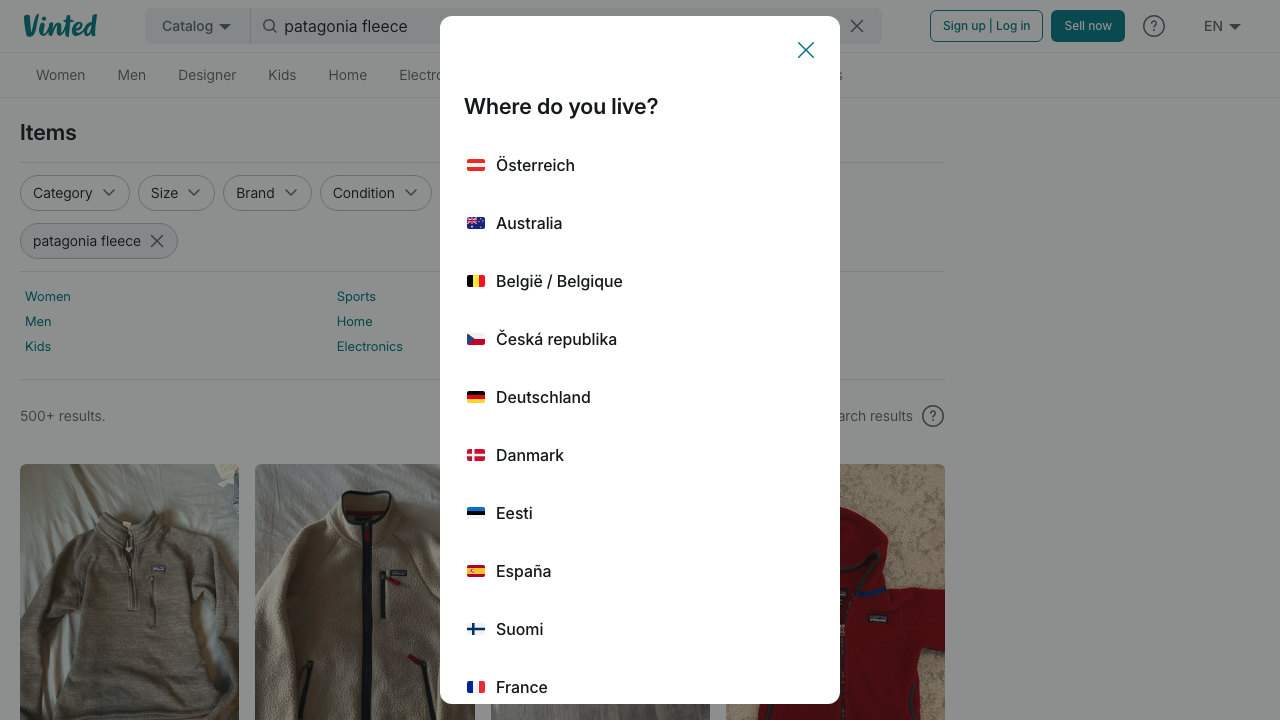
For a query like patagonia fleece, the public catalog URL looks like this:
https://www.vinted.com/catalog?search_text=patagonia%20fleece&page=1
From the live page, you can confirm the search results grid includes:
- listing links such as
/items/... - visible price and buyer-protection price
- brand labels like
Patagonia - images served from Vinted's CDN
- search metadata such as total results and pagination
That means a robust scraper should prefer structured page data or stable JSON fragments over scraping every visible text node from every card.
Setup
python3 -m venv .venv
source .venv/bin/activate
pip install requests beautifulsoup4 lxml
Optional environment variable for ProxiesAPI:
export PROXIESAPI_KEY="YOUR_PROXIESAPI_KEY"
Step 1: Build a fetch layer with optional ProxiesAPI routing
from __future__ import annotations

import os
import random
import time
from urllib.parse import quote

import requests

PROXIESAPI_KEY = os.getenv("PROXIESAPI_KEY", "").strip()
TIMEOUT = (10, 30)

HEADERS = {
    "User-Agent": (
        "Mozilla/5.0 (Macintosh; Intel Mac OS X 10_15_7) "
        "AppleWebKit/537.36 (KHTML, like Gecko) "
        "Chrome/126.0.0.0 Safari/537.36"
    ),
    "Accept-Language": "en-US,en;q=0.9",
}


class HttpClient:
    def __init__(self) -> None:
        self.session = requests.Session()
        self.session.headers.update(HEADERS)

    def _wrap_url(self, target_url: str) -> str:
        if not PROXIESAPI_KEY:
            return target_url
        encoded = quote(target_url, safe="")
        return f"https://api.proxiesapi.com/?auth_key={PROXIESAPI_KEY}&url={encoded}"

    def get_html(self, target_url: str, retries: int = 4) -> str:
        last_error = None

        for attempt in range(1, retries + 1):
            try:
                response = self.session.get(self._wrap_url(target_url), timeout=TIMEOUT)
                response.raise_for_status()
                if len(response.text) < 4000:
                    raise RuntimeError(f"suspiciously short HTML: {len(response.text)} bytes")
                return response.text
            except Exception as exc:
                last_error = exc
                time.sleep(min(2 ** attempt, 8) + random.random())

        raise RuntimeError(f"failed to fetch {target_url}: {last_error}")
The fetch layer stays boring on purpose. Retries, timeouts, and proxy wiring belong in one place so the parser code stays easy to maintain.
Step 2: Extract the search payload
Vinted's response includes an items array and pagination object inside the HTML. A narrow regex is enough for the catalog use case.
import json
import re
from urllib.parse import urlencode

BASE = "https://www.vinted.com"

ITEMS_BLOCK_RE = re.compile(
    r'"items":(\[.*?\]),"pagination":(\{.*?\})',
    re.DOTALL,
)


def build_search_url(query: str, page: int = 1) -> str:
    params = {"search_text": query, "page": page}
    return f"{BASE}/catalog?{urlencode(params)}"


def extract_items_payload(html: str) -> tuple[list[dict], dict]:
    match = ITEMS_BLOCK_RE.search(html)
    if not match:
        raise ValueError("could not find Vinted items payload in HTML")

    items = json.loads(match.group(1))
    pagination = json.loads(match.group(2))
    return items, pagination
Why use this instead of card selectors first?
- it survives class-name churn better
- it gives you image URLs directly
- it preserves IDs and pagination metadata
Step 3: Normalize listing rows
from urllib.parse import urljoin


def normalize_item(item: dict) -> dict:
    price = item.get("price") or {}
    total_item_price = item.get("total_item_price") or {}
    photo = item.get("photo") or {}
    tracking = item.get("search_tracking_params") or {}

    return {
        "id": item.get("id"),
        "title": item.get("title"),
        "brand": item.get("brand_title"),
        "size": item.get("size_title"),
        "condition": item.get("status"),
        "price_amount": price.get("amount"),
        "price_currency": price.get("currency_code"),
        "buyer_price_amount": total_item_price.get("amount"),
        "buyer_price_currency": total_item_price.get("currency_code"),
        "favourite_count": item.get("favourite_count"),
        "url": urljoin(BASE, item.get("url", "")),
        "image_url": photo.get("url"),
        "search_score": tracking.get("score"),
    }
Now combine fetch + parse + normalization:
def scrape_search_page(query: str, page: int = 1) -> tuple[list[dict], dict]:
    client = HttpClient()
    html = client.get_html(build_search_url(query, page=page))
    raw_items, pagination = extract_items_payload(html)
    rows = [normalize_item(item) for item in raw_items]
    return rows, pagination


rows, meta = scrape_search_page("patagonia fleece", page=1)
print("rows:", len(rows))
print("pagination:", meta)
print(rows[0])
Typical output:
rows: 96
pagination: {'current_page': 1, 'total_pages': 10, 'total_entries': 960, 'per_page': 96}
{'id': 9307983496, 'title': 'Quarter zip sweater', 'brand': 'Patagonia', ...}
Step 4: Paginate politely
def scrape_many_pages(query: str, max_pages: int = 3, pause_seconds: float = 1.5) -> list[dict]:
    client = HttpClient()
    all_rows: list[dict] = []
    seen_ids: set[int] = set()

    for page in range(1, max_pages + 1):
        html = client.get_html(build_search_url(query, page=page))
        raw_items, pagination = extract_items_payload(html)

        for item in raw_items:
            row = normalize_item(item)
            item_id = row.get("id")
            if item_id in seen_ids:
                continue
            seen_ids.add(item_id)
            all_rows.append(row)

        print(f"page={page} total={len(all_rows)} / pages={pagination['total_pages']}")
        time.sleep(pause_seconds)

        if page >= pagination["total_pages"]:
            break

    return all_rows
This is where ProxiesAPI starts to matter. One page is easy. Repeated catalog jobs across many brands, locales, or scheduled runs are where retries and cleaner routing pay off.
Step 5: Optional detail-page enrichment
Search pages are enough for many pricing and brand-monitoring jobs. If you also want richer descriptions or additional image metadata, visit the item page and parse stable meta tags.
from bs4 import BeautifulSoup


def parse_detail_page(html: str) -> dict:
    soup = BeautifulSoup(html, "lxml")

    title_meta = soup.select_one('meta[property="og:title"]')
    image_meta = soup.select_one('meta[property="og:image"]')
    description_meta = soup.select_one('meta[name="description"]')

    return {
        "title": title_meta.get("content") if title_meta else None,
        "image_url": image_meta.get("content") if image_meta else None,
        "description": description_meta.get("content") if description_meta else None,
    }
Use browser automation only if the page starts hiding core data behind a script-only flow. Start with raw HTML first.
Export to CSV and JSON
import csv
import json


def write_csv(rows: list[dict], path: str) -> None:
    if not rows:
        return

    with open(path, "w", newline="", encoding="utf-8") as fh:
        writer = csv.DictWriter(fh, fieldnames=rows[0].keys())
        writer.writeheader()
        writer.writerows(rows)


def write_json(rows: list[dict], path: str) -> None:
    with open(path, "w", encoding="utf-8") as fh:
        json.dump(rows, fh, ensure_ascii=False, indent=2)


if __name__ == "__main__":
    listings = scrape_many_pages("patagonia fleece", max_pages=2)
    write_csv(listings, "vinted_patagonia_fleece.csv")
    write_json(listings, "vinted_patagonia_fleece.json")
    print("saved", len(listings), "rows")
Practical advice
- Expect markup drift. Keep the parser centered on the embedded payload, not on presentational CSS.
- Keep the request rate low. Marketplace data is public, but bursty crawls are what trigger defenses.
- Log page counts and duplicate IDs. That catches soft failures before they corrupt your dataset.
- Store image URLs unless you truly need the binaries. It is cheaper and easier to update later.
For resale analytics, this pattern scales nicely: search page for breadth, detail page for enrichment, CSV or JSON for downstream analysis.
Marketplace listing pages are easy at small volume and noisy at scale. ProxiesAPI gives you a clean fetch layer so you can add retries, IP rotation, and location control without rewriting your parser.