
Scrape Yahoo Finance Insider Transactions with Python
Yahoo Finance has a dedicated insider-transactions page for many public tickers. It is a convenient way to turn visible insider trade rows into a simple dataset you can filter, export, and review later.
In this guide we will scrape:
- insider name
- relation
- latest transaction type
- transaction date
- shares traded
- price per share
- shares owned after the trade
Mandatory screenshot of the target site:
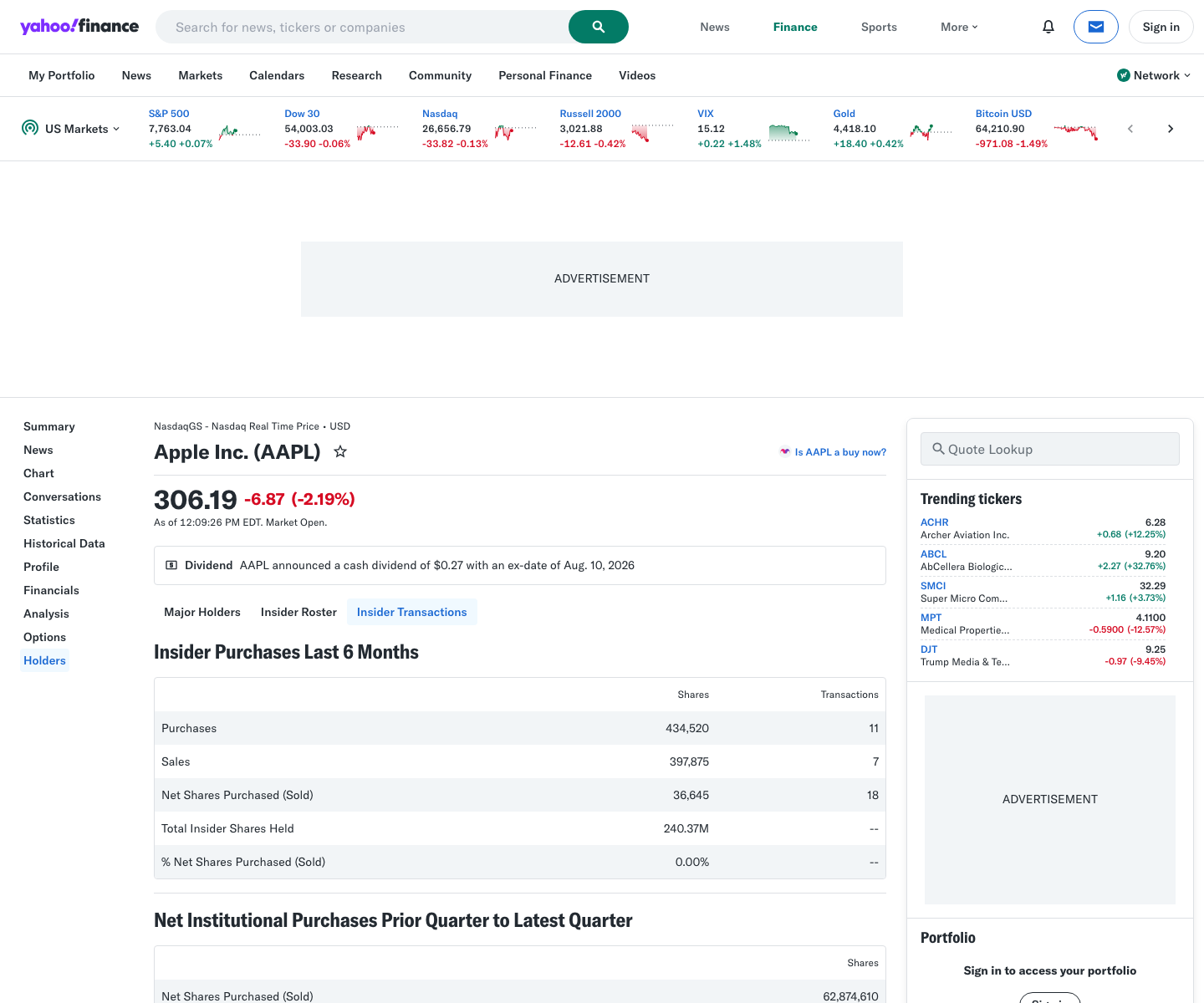
One quote page is easy. A watchlist of insider pages is repetitive traffic that gets flaky fast. ProxiesAPI gives you a cleaner fetch layer without changing the parser.
What we are scraping
Yahoo Finance publishes insider pages at URLs like:
https://finance.yahoo.com/quote/AAPL/insider-transactions/https://finance.yahoo.com/quote/MSFT/insider-transactions/
Search results and public pages confirm that the insider transactions surface is live and ticker-specific. In practice, Yahoo renders the visible table through frontend data plus a large page payload, so the most reliable approach is:
- fetch the full HTML
- extract the embedded
root.App.mainJSON - read insider rows from the structured payload
That avoids brittle class-name scraping while still staying anchored to what the page shows.
Setup
python3 -m venv .venv
source .venv/bin/activate
pip install requests pandas
We only need requests and pandas because the table data is easier to read from the embedded JSON than from the rendered DOM.
Step 1: Fetch the insider page with retries
from __future__ import annotations

import os
import random
import time
from urllib.parse import urlencode

import requests

TIMEOUT = (10, 30)
PROXIESAPI_KEY = os.getenv("PROXIESAPI_KEY", "")

session = requests.Session()
session.headers.update(
    {
        "User-Agent": (
            "Mozilla/5.0 (Macintosh; Intel Mac OS X 10_15_7) "
            "AppleWebKit/537.36 (KHTML, like Gecko) "
            "Chrome/126.0.0.0 Safari/537.36"
        ),
        "Accept-Language": "en-US,en;q=0.9",
    }
)


def build_proxiesapi_url(target_url: str) -> str:
    return "https://api.proxiesapi.com/?" + urlencode(
        {
            "auth_key": PROXIESAPI_KEY,
            "url": target_url,
        }
    )


def fetch_html(url: str, *, use_proxiesapi: bool = False, attempts: int = 4) -> str:
    last_error = None

    for attempt in range(1, attempts + 1):
        try:
            target = build_proxiesapi_url(url) if use_proxiesapi else url
            response = session.get(target, timeout=TIMEOUT)
            response.raise_for_status()

            html = response.text
            if "root.App.main" not in html:
                raise RuntimeError("Expected Yahoo page payload was not found")

            return html
        except Exception as exc:
            last_error = exc
            time.sleep(min(15, 2 ** (attempt - 1)) + random.random())

    raise RuntimeError(f"fetch failed for {url}: {last_error}")
Even if Yahoo responds successfully, we reject responses that do not contain the page payload we actually need.
Step 2: Extract the embedded JSON payload
Yahoo Finance pages commonly expose page data through root.App.main = {...};.
import json
import re


ROOT_APP_RE = re.compile(r"root\\.App\\.main\\s*=\\s*(\\{.*?\\});\\n", re.DOTALL)


def extract_root_app(html: str) -> dict:
    match = ROOT_APP_RE.search(html)
    if not match:
        raise RuntimeError("Could not locate root.App.main JSON")
    return json.loads(match.group(1))
This pattern is useful because Yahoo tends to move markup more often than it moves the underlying page store.
Step 3: Pull insider transactions from the page store
def get_quote_store(payload: dict) -> dict:
    return payload["context"]["dispatcher"]["stores"]["QuoteSummaryStore"]


def parse_insider_rows(payload: dict, symbol: str) -> list[dict]:
    quote_store = get_quote_store(payload)

    # Yahoo's structure can vary slightly by page, so we check a few likely containers.
    raw_rows = (
        quote_store.get("insiderTransactions", {})
        .get("transactions", [])
    )

    rows = []
    for row in raw_rows:
        rows.append(
            {
                "symbol": symbol.upper(),
                "insider": (row.get("filerName") or {}).get("raw") or row.get("filerName"),
                "relation": (row.get("filerRelation") or {}).get("raw") or row.get("filerRelation"),
                "transaction_type": (row.get("transactionText") or {}).get("raw") or row.get("transactionText"),
                "transaction_date": (row.get("startDate") or {}).get("fmt") or row.get("startDate"),
                "shares_traded": (row.get("shares") or {}).get("fmt") or row.get("shares"),
                "price_per_share": (row.get("value") or {}).get("fmt") or row.get("value"),
                "shares_owned_after": (row.get("ownership") or {}).get("fmt") or row.get("ownership"),
                "money_text": (row.get("moneyText") or {}).get("raw") or row.get("moneyText"),
            }
        )

    return rows
The exact field names can vary by ticker and Yahoo page version, but this is the right pattern: inspect the structured store first, then normalize into your own columns.
Step 4: Scrape one ticker end to end
def scrape_insider_transactions(symbol: str, *, use_proxiesapi: bool = False) -> list[dict]:
    url = f"https://finance.yahoo.com/quote/{symbol.upper()}/insider-transactions/"
    html = fetch_html(url, use_proxiesapi=use_proxiesapi)
    payload = extract_root_app(html)
    rows = parse_insider_rows(payload, symbol)

    for row in rows:
        row["source_url"] = url

    return rows
Step 5: Export a watchlist to CSV
import pandas as pd


def export_watchlist(symbols: list[str], *, use_proxiesapi: bool = False, path: str = "insider_transactions.csv") -> pd.DataFrame:
    rows = []

    for symbol in symbols:
        batch = scrape_insider_transactions(symbol, use_proxiesapi=use_proxiesapi)
        print(f"{symbol}: {len(batch)} insider rows")
        rows.extend(batch)
        time.sleep(random.uniform(1.0, 2.2))

    df = pd.DataFrame(rows)
    df.to_csv(path, index=False)
    return df


if __name__ == "__main__":
    df = export_watchlist(["AAPL", "MSFT", "NVDA"], use_proxiesapi=False)
    print(df.head(10).to_string(index=False))
Typical output:
AAPL: 20 insider rows
MSFT: 16 insider rows
NVDA: 14 insider rows
Why JSON beats DOM scraping here
You could try to scrape the visible table directly, but the embedded payload wins on three fronts:
| Approach | Strength | Weakness |
|---|---|---|
| Visible table selectors | Easy to understand visually | Fragile when Yahoo changes markup |
Embedded root.App.main JSON | Cleaner fields and easier export | Requires regex extraction first |
| Browser automation only | Works when content is late-rendered | Slower and more expensive |
For repeated watchlist jobs, the payload route is usually the sweet spot.
Practical data hygiene
Before you act on the CSV, normalize these quirks:
- transaction types may include grants, awards, and sales, not just open-market buys
- some rows may use formatted strings instead of raw numbers
- different tickers can expose slightly different field shapes
- one page is not a legal or compliance feed
A useful next step is to convert shares_traded and price_per_share into numeric columns, then filter for:
- open-market purchases
- large dollar values
- repeated buys by the same executive
When to use ProxiesAPI
Direct requests are fine for:
- checking one symbol
- iterating on field names
- testing the export flow
ProxiesAPI helps more when you:
- scrape larger watchlists
- schedule recurring runs
- fetch several Yahoo surfaces in the same job
The parser does not change. Only the fetch URL does.
Final thoughts
Yahoo Finance insider pages are a good example of modern scraping done the practical way:
- use the real public page
- extract the structured page payload
- normalize the rows yourself
- export clean CSV
That gives you a lightweight insider watchlist dataset without building a full browser workflow for every run.
One quote page is easy. A watchlist of insider pages is repetitive traffic that gets flaky fast. ProxiesAPI gives you a cleaner fetch layer without changing the parser.