
Scrape Stock Prices and Financial Data with Python
Yahoo Finance is one of the fastest ways to turn public market pages into a useful internal dataset.
In this tutorial we will scrape three things for a ticker like AAPL:
- quote-page metadata such as company name and live price
- summary table fields like previous close, open, and market cap
- historical daily rows you can export to CSV
The key idea is simple: use the visible quote page for human-facing fields, and use Yahoo Finance's own chart endpoint for clean historical candles.
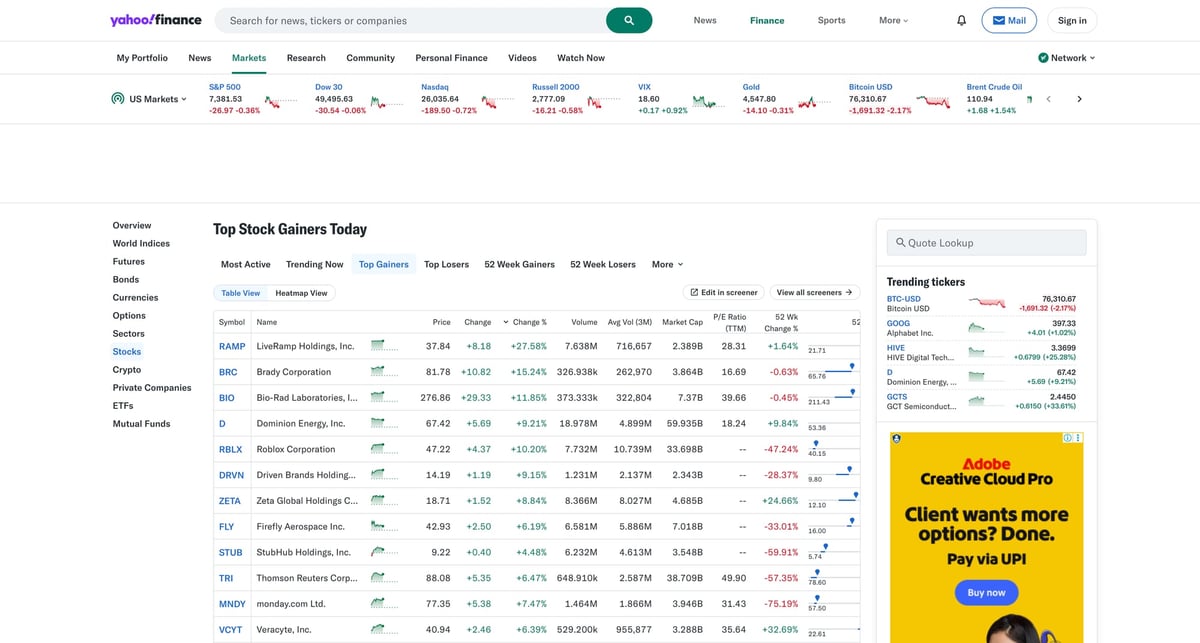
Quote pages and finance endpoints look easy until your daily jobs start seeing throttling, redirects, and intermittent failures. ProxiesAPI gives you a cleaner fetch layer without changing your parsing logic.
What we are scraping
The main page is:
https://finance.yahoo.com/quote/AAPL/
For daily price history, Yahoo Finance also requests a chart JSON endpoint behind the scenes:
https://query1.finance.yahoo.com/v8/finance/chart/AAPL?interval=1d&range=1mo&includePrePost=false&events=div%2Csplits
That makes the workflow much more reliable than trying to parse an on-page historical table that can change layout.
Setup
python3 -m venv .venv
source .venv/bin/activate
pip install requests beautifulsoup4 lxml
Set your ProxiesAPI key:
export PROXIESAPI_KEY="YOUR_KEY"
This guide uses the simple gateway form:
http://api.proxiesapi.com/?key=YOUR_KEY&url=ENCODED_TARGET_URL
Step 1: Build a fetch helper with ProxiesAPI
We want one function that can fetch either HTML pages or JSON endpoints, with timeouts, retries, and polite pacing.
from __future__ import annotations

import json
import os
import random
import time
from typing import Any
from urllib.parse import quote

import requests

API_KEY = os.environ["PROXIESAPI_KEY"]
TIMEOUT = (10, 30)  # connect, read

session = requests.Session()
session.headers.update({
    "User-Agent": (
        "Mozilla/5.0 (Macintosh; Intel Mac OS X 10_15_7) "
        "AppleWebKit/537.36 (KHTML, like Gecko) "
        "Chrome/125.0.0.0 Safari/537.36"
    ),
    "Accept-Language": "en-US,en;q=0.9",
})


def proxied_url(target_url: str) -> str:
    encoded = quote(target_url, safe="")
    return f"http://api.proxiesapi.com/?key={API_KEY}&url={encoded}"


def fetch_text(target_url: str, attempts: int = 4) -> str:
    last_error: Exception | None = None

    for attempt in range(1, attempts + 1):
        time.sleep(random.uniform(0.8, 1.6))
        try:
            response = session.get(proxied_url(target_url), timeout=TIMEOUT)
            if response.status_code in (403, 429, 500, 502, 503, 504):
                raise RuntimeError(f"retryable status {response.status_code}")
            response.raise_for_status()
            return response.text
        except Exception as exc:  # noqa: BLE001
            last_error = exc
            time.sleep(min(10, attempt * 1.8) + random.random())

    raise RuntimeError(f"failed to fetch {target_url}") from last_error


def fetch_json(target_url: str) -> Any:
    return json.loads(fetch_text(target_url))
This is the reusable part. Once your fetch layer is stable, everything else becomes normal parsing code.
Step 2: Parse quote-page fields
Yahoo Finance quote pages contain both visible tables and embedded JSON. A good pattern is:
- parse the
h1and summary rows from HTML - pull
regularMarketPriceand related values from embedded page JSON
import re
from bs4 import BeautifulSoup


def clean(text: str | None) -> str | None:
    if not text:
        return None
    return re.sub(r"\s+", " ", text).strip()


def parse_quote_page(html: str) -> dict:
    soup = BeautifulSoup(html, "lxml")

    heading = soup.select_one("h1")
    company_heading = clean(heading.get_text(" ", strip=True) if heading else None)

    summary = {}
    for row in soup.select("table tr"):
        cells = row.select("td")
        if len(cells) < 2:
            continue
        label = clean(cells[0].get_text(" ", strip=True))
        value = clean(cells[1].get_text(" ", strip=True))
        if label and value:
            summary[label] = value

    price_match = re.search(r'"regularMarketPrice"\s*:\s*\{"raw":\s*([0-9.]+)', html)
    change_match = re.search(r'"regularMarketChangePercent"\s*:\s*\{"raw":\s*([-0-9.]+)', html)
    currency_match = re.search(r'"currency"\s*:\s*"([A-Z]+)"', html)

    return {
        "company_heading": company_heading,
        "regular_market_price": float(price_match.group(1)) if price_match else None,
        "regular_market_change_percent": float(change_match.group(1)) if change_match else None,
        "currency": currency_match.group(1) if currency_match else None,
        "summary": summary,
    }
The summary dictionary usually gives you fields like:
Previous CloseOpenBidAskMarket CapPE Ratio (TTM)52 Week Range
That is already enough to build a useful company snapshot dataset.
Step 3: Pull historical daily rows from the chart endpoint
For time-series data, the chart endpoint is cleaner than scraping a rendered table.
from datetime import datetime, timezone


def chart_url(symbol: str, range_: str = "6mo", interval: str = "1d") -> str:
    return (
        "https://query1.finance.yahoo.com/v8/finance/chart/"
        f"{symbol}?interval={interval}&range={range_}&includePrePost=false&events=div%2Csplits"
    )


def parse_history(chart_payload: dict) -> list[dict]:
    result = chart_payload["chart"]["result"][0]
    timestamps = result.get("timestamp") or []
    quote = result["indicators"]["quote"][0]

    rows = []
    for idx, ts in enumerate(timestamps):
        rows.append({
            "date": datetime.fromtimestamp(ts, tz=timezone.utc).date().isoformat(),
            "open": quote["open"][idx],
            "high": quote["high"][idx],
            "low": quote["low"][idx],
            "close": quote["close"][idx],
            "volume": quote["volume"][idx],
        })

    return rows
This gives you real daily OHLCV rows in a format that is much easier to test and store.
Step 4: Combine both sources into one export
import csv


def scrape_symbol(symbol: str) -> tuple[dict, list[dict]]:
    quote_html = fetch_text(f"https://finance.yahoo.com/quote/{symbol}/")
    quote_data = parse_quote_page(quote_html)

    chart_payload = fetch_json(chart_url(symbol, range_="3mo", interval="1d"))
    history_rows = parse_history(chart_payload)

    snapshot = {
        "symbol": symbol,
        "company_heading": quote_data["company_heading"],
        "currency": quote_data["currency"],
        "regular_market_price": quote_data["regular_market_price"],
        "regular_market_change_percent": quote_data["regular_market_change_percent"],
        "previous_close": quote_data["summary"].get("Previous Close"),
        "open": quote_data["summary"].get("Open"),
        "market_cap": quote_data["summary"].get("Market Cap"),
        "pe_ratio_ttm": quote_data["summary"].get("PE Ratio (TTM)"),
        "week_52_range": quote_data["summary"].get("52 Week Range"),
    }

    return snapshot, history_rows


def write_csv(path: str, rows: list[dict]) -> None:
    if not rows:
        return
    with open(path, "w", newline="", encoding="utf-8") as handle:
        writer = csv.DictWriter(handle, fieldnames=list(rows[0].keys()))
        writer.writeheader()
        writer.writerows(rows)


if __name__ == "__main__":
    snapshot, history = scrape_symbol("AAPL")
    write_csv("aapl-history.csv", history)
    write_csv("aapl-snapshot.csv", [snapshot])
    print(snapshot)
    print("history rows:", len(history))
Now you have:
- one company snapshot CSV
- one daily historical CSV
Scale it by looping over a ticker list.
Practical tips
1. Keep the page parser narrow
Do not try to scrape every visible widget on Yahoo Finance. Start with:
- heading
- regular market price
- top summary rows
- chart endpoint
That covers most use cases without turning the scraper into a maintenance headache.
2. Treat missing fields as normal
Some tickers, funds, and foreign listings expose slightly different labels. Store missing values as None and move on.
3. Cache during development
While you are tuning selectors, save the HTML locally and work against that copy. It cuts down requests and makes debugging faster.
4. Respect data licensing
This is a scraping tutorial, not legal advice. If you need licensed market data for a commercial product, use an approved vendor.
Wrap-up
That is a practical Python workflow for scraping stock prices and financial data:
- use ProxiesAPI to stabilize requests
- parse the quote page for company fields and key stats
- pull historical candles from the chart endpoint
- export the result as plain CSV
It is simple enough to run from cron, but sturdy enough to grow into a real internal data pipeline.
Quote pages and finance endpoints look easy until your daily jobs start seeing throttling, redirects, and intermittent failures. ProxiesAPI gives you a cleaner fetch layer without changing your parsing logic.