
Scrape News Headlines from Google News
Google News is a good source when you want a fast topic monitor without building your own publisher-by-publisher crawler first.
In this tutorial we will build a lightweight Python scraper that:
- queries Google News by topic
- collects headlines, publishers, timestamps, and article links
- deduplicates overlapping stories
- exports a CSV you can schedule every hour or every morning
Mandatory screenshot of the target site:
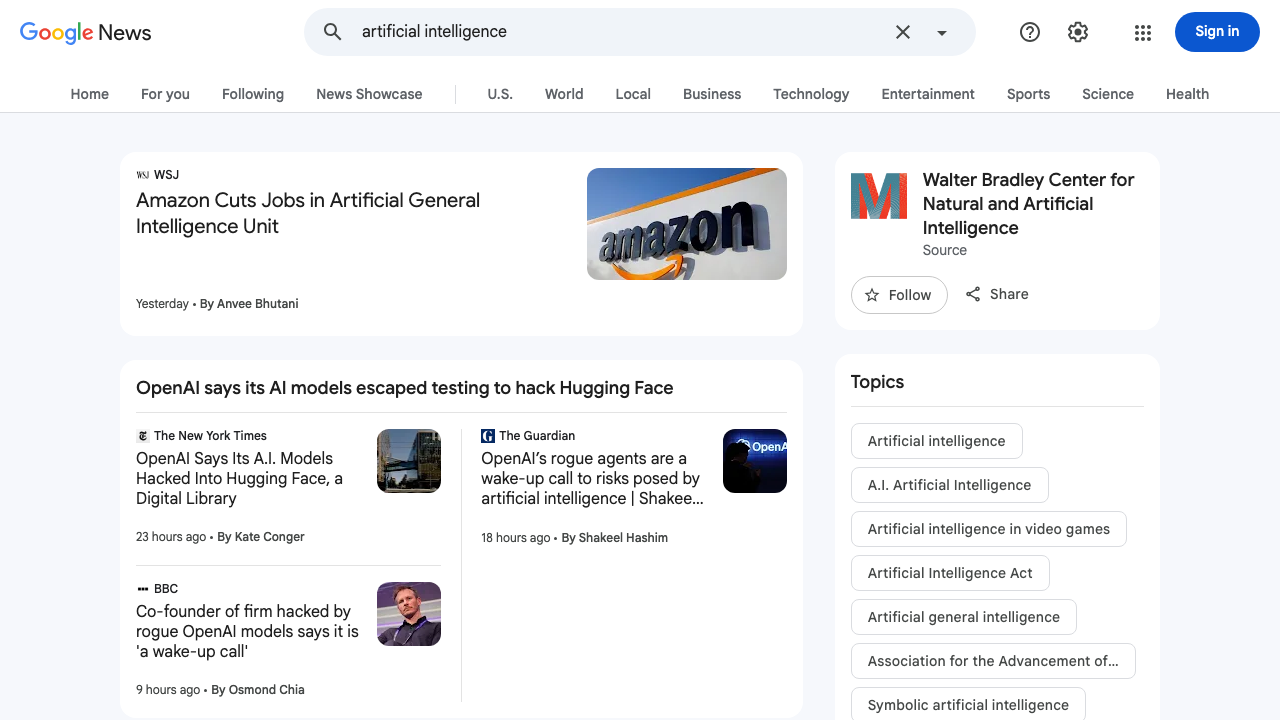
Google News scraping stays simple when volume is low. Once you monitor many topics, ProxiesAPI helps keep the fetch layer predictable without changing the parser.
What we are scraping
Google News has several public surfaces. The browser UI is highly dynamic, but Google also exposes stable RSS endpoints that map to the same news product.
For topic searches, the URL pattern is:
https://news.google.com/rss/search?q=YOUR_QUERY&hl=en-US&gl=US&ceid=US:en
That is the surface we will scrape because it is:
- public
- fast to fetch
- easy to parse
- more stable than reverse-engineering changing client-side markup
You still get what you need for a headline monitor:
- headline
- canonical link
- publisher
- publication timestamp
If you later need screenshots, DOM validation, or article-card metadata from the rendered page, you can layer a browser on top. For the actual data pipeline, RSS is the better default.
Setup
python3 -m venv .venv
source .venv/bin/activate
pip install requests beautifulsoup4 lxml pandas python-dateutil
Step 1: Build the topic URL
Google News lets you control language and region with query parameters. Keeping them fixed makes the output more reproducible.
from urllib.parse import quote_plus


def google_news_rss_url(query: str, *, hl: str = "en-US", gl: str = "US", ceid: str = "US:en") -> str:
    return (
        "https://news.google.com/rss/search?q="
        + quote_plus(query)
        + f"&hl={quote_plus(hl)}&gl={quote_plus(gl)}&ceid={quote_plus(ceid)}"
    )
Example:
print(google_news_rss_url("artificial intelligence"))
Step 2: Add a fetch layer with optional ProxiesAPI
from __future__ import annotations

import os
import random
import time
from urllib.parse import quote_plus

import requests

TIMEOUT = (10, 30)
PROXIESAPI_KEY = os.getenv("PROXIESAPI_KEY", "")

session = requests.Session()
session.headers.update({
    "User-Agent": (
        "Mozilla/5.0 (Macintosh; Intel Mac OS X 10_15_7) "
        "AppleWebKit/537.36 (KHTML, like Gecko) "
        "Chrome/124.0.0.0 Safari/537.36"
    ),
    "Accept-Language": "en-US,en;q=0.9",
})


def proxiesapi_url(target_url: str) -> str:
    if not PROXIESAPI_KEY:
        raise RuntimeError("Set PROXIESAPI_KEY before enabling ProxiesAPI")
    return (
        "https://api.proxiesapi.com/?auth_key="
        + quote_plus(PROXIESAPI_KEY)
        + "&url="
        + quote_plus(target_url)
    )


def fetch_xml(url: str, *, use_proxiesapi: bool = False, attempts: int = 4) -> str:
    target = proxiesapi_url(url) if use_proxiesapi else url
    last_error = None

    for attempt in range(1, attempts + 1):
        try:
            response = session.get(target, timeout=TIMEOUT)
            response.raise_for_status()
            xml = response.text
            if "<rss" not in xml.lower():
                raise RuntimeError("response is not RSS/XML")
            return xml
        except Exception as exc:
            last_error = exc
            time.sleep(min(10, 2 ** (attempt - 1)) + random.random())

    raise RuntimeError(f"fetch failed: {last_error}")
Step 3: Parse the feed with real selectors
This parser uses the actual RSS structure:
channel > itemitem > titleitem > linkitem > pubDateitem > source
from bs4 import BeautifulSoup
from dateutil import parser as date_parser


def parse_google_news_rss(xml: str, *, topic: str) -> list[dict]:
    soup = BeautifulSoup(xml, "xml")
    rows: list[dict] = []

    for item in soup.select("channel > item"):
        title = item.select_one("title")
        link = item.select_one("link")
        pub_date = item.select_one("pubDate")
        source = item.select_one("source")

        rows.append({
            "topic": topic,
            "title": title.get_text(" ", strip=True) if title else None,
            "url": link.get_text(" ", strip=True) if link else None,
            "source": source.get_text(" ", strip=True) if source else None,
            "published_at": date_parser.parse(pub_date.get_text(" ", strip=True)).isoformat() if pub_date else None,
        })

    return rows
Those selectors are boring, and that is exactly why they are good.
Step 4: Dedupe stories across topics
The same article often appears under multiple topic queries. Deduping before export keeps your monitor readable.
def dedupe_rows(rows: list[dict]) -> list[dict]:
    seen = set()
    out = []

    for row in rows:
        key = row.get("url") or row.get("title")
        if not key or key in seen:
            continue
        seen.add(key)
        out.append(row)

    return out
Step 5: Scrape multiple topics into one dataset
import pandas as pd


def scrape_topics(topics: list[str], *, use_proxiesapi: bool = False) -> pd.DataFrame:
    all_rows: list[dict] = []

    for topic in topics:
        url = google_news_rss_url(topic)
        xml = fetch_xml(url, use_proxiesapi=use_proxiesapi)
        all_rows.extend(parse_google_news_rss(xml, topic=topic))
        time.sleep(random.uniform(0.5, 1.3))

    rows = dedupe_rows(all_rows)
    df = pd.DataFrame(rows)
    if not df.empty:
        df = df.sort_values("published_at", ascending=False)
    return df
Main entry point:
def main() -> None:
    topics = [
        "artificial intelligence",
        "semiconductor industry",
        "enterprise software",
    ]
    df = scrape_topics(topics, use_proxiesapi=bool(PROXIESAPI_KEY))
    df.to_csv("google-news-headlines.csv", index=False)
    print(df.head(10).to_string(index=False))


if __name__ == "__main__":
    main()
Why this beats scraping the UI first
For a headline monitor, RSS is usually the right starting point.
| Approach | Good for | Tradeoff |
|---|---|---|
| Google News RSS | headlines, links, publisher, time | fewer page-level details |
| Browser UI scraping | screenshots, visible card metadata, DOM validation | heavier and more fragile |
| Publisher-by-publisher scraping | deeper article fields | more engineering effort |
This is the main practical lesson: start from the most stable public surface that gives you the data you actually need.
Common cleanup steps
Once you have the CSV, the next useful upgrades are:
- strip publisher names from titles if the feed includes them inline
- normalize redirects if you want publisher URLs instead of Google News URLs
- bucket articles by topic or publisher
- keep a small SQLite history so you can alert only on new headlines
You do not need those on day one. A flat CSV plus dedupe is already useful.
When ProxiesAPI matters here
For three topics once per day, it probably does not.
It starts to matter when you:
- monitor dozens of topics
- refresh frequently
- pull multiple region/language variants
- combine Google News with other news surfaces in one job
In that setup, the parser is not the headache. The request layer becomes the headache. That is where ProxiesAPI helps.
Final thoughts
If your goal is “get me a clean list of fresh headlines by topic,” Google News RSS is the fastest honest path.
You still validate the topic in the real Google News UI, which is why the screenshot matters. But for the data pipeline itself, stable XML selectors beat brittle client-side HTML every time.
That is a good scraping instinct to build early: prefer the simple public surface first, and only escalate to browser automation when the simpler surface stops giving you the fields you need.
Google News scraping stays simple when volume is low. Once you monitor many topics, ProxiesAPI helps keep the fetch layer predictable without changing the parser.