
Scrape Etsy Product Listings with Python (Prices, Ratings, Shops)
Etsy search pages are one of the most common “I need this for my price tracker / product research / competitor monitor” targets.
They’re also a classic example of why scraping needs more than just parsing HTML:
- requests get throttled quickly when you paginate
- HTML changes (A/B tests)
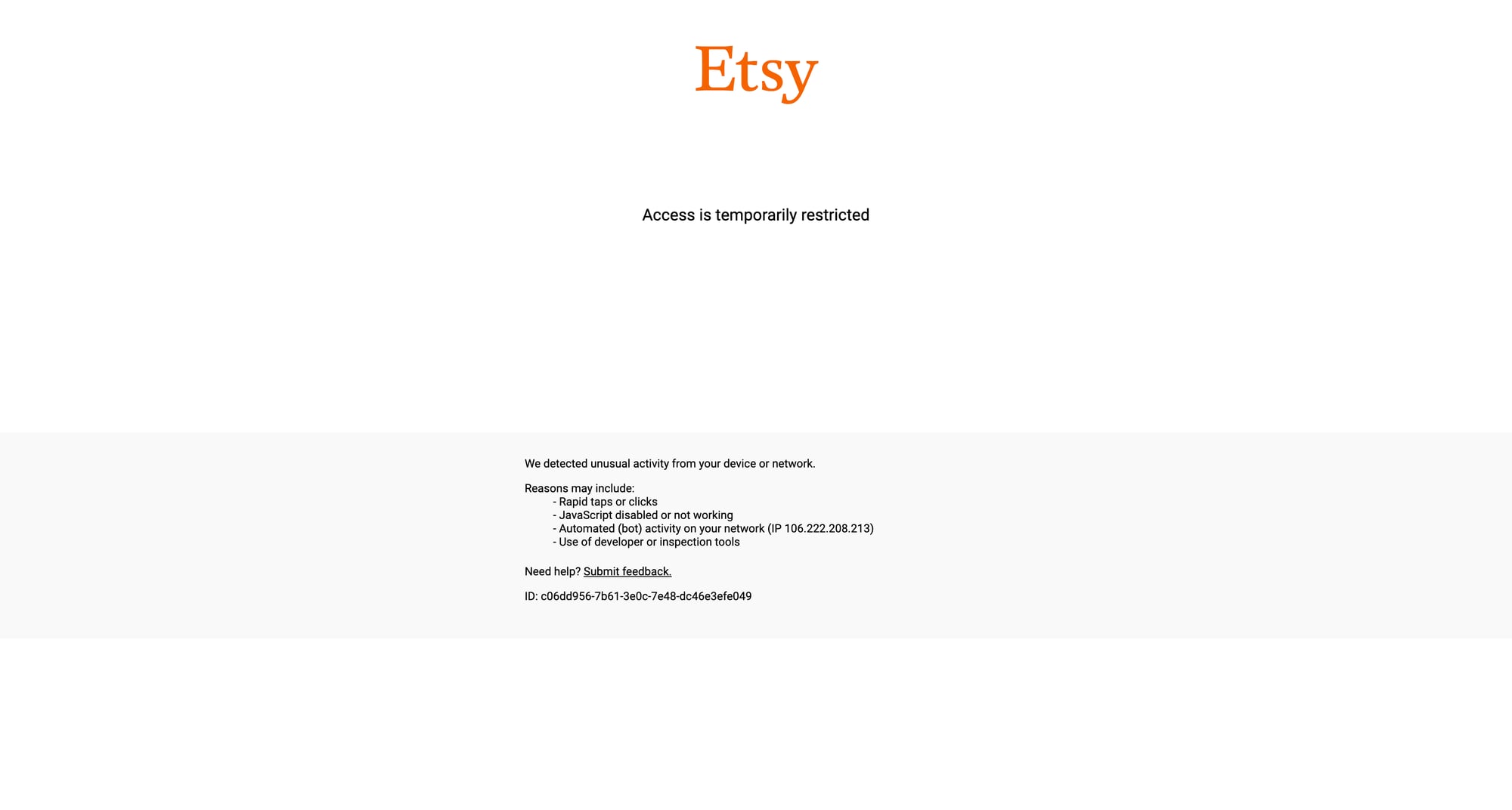
- you’ll see intermittent 403/429 responses
In this guide we’ll build a practical Etsy search scraper in Python that:
- fetches multiple search pages (pagination)
- extracts listings: title, price, rating, review count, shop name, listing URL
- uses ProxiesAPI for a stable network layer (rotation + fewer blocks)
- exports to JSONL/CSV for downstream pipelines
Marketplace pages block aggressively at scale. ProxiesAPI gives you a clean, rotating proxy layer + retries so your scraper fails less and needs less babysitting.
What we’re scraping (Etsy search pages)
Example search URL:
https://www.etsy.com/search?q=linen%20shirt
Pagination is typically done via a ref=pagination link and/or a page= query param. In practice you’ll encounter URLs like:
- page 1:
https://www.etsy.com/search?q=linen%20shirt - page 2:
https://www.etsy.com/search?q=linen%20shirt&page=2
Your first job is to verify how the site behaves today.
Quick sanity check
curl -I "https://www.etsy.com/search?q=linen%20shirt" | head -n 5
If you get 403/429 intermittently, that’s normal at higher volumes — which is exactly where a proxy layer helps.
Setup
python -m venv .venv
source .venv/bin/activate
pip install requests beautifulsoup4 lxml python-dotenv
We’ll use:
requestsfor HTTPBeautifulSoup(lxml)to parse server HTMLdotenvfor environment config
Create a .env file:
PROXIESAPI_KEY="YOUR_KEY_HERE"
ProxiesAPI request helper (retries + timeouts)
A “toy” scraper dies on the first flaky response.
A production scraper treats the network as unreliable:
- always set timeouts
- retry transient failures
- rotate IPs when blocked
Below is a simple helper that sends requests through ProxiesAPI.
Note: ProxiesAPI has multiple integration modes. This example uses a proxy endpoint style where you pass your destination URL as a parameter. If your account uses a different pattern, keep the retry logic and replace only the URL construction.
import os
import time
import urllib.parse
import requests

PROXIESAPI_KEY = os.environ.get("PROXIESAPI_KEY", "")

TIMEOUT = (10, 30)  # connect, read

session = requests.Session()
session.headers.update({
    # Keep this modest. Overly-botty headers don’t magically fix blocking.
    "User-Agent": (
        "Mozilla/5.0 (Macintosh; Intel Mac OS X 10_15_7) "
        "AppleWebKit/537.36 (KHTML, like Gecko) "
        "Chrome/123.0.0.0 Safari/537.36"
    ),
    "Accept-Language": "en-US,en;q=0.9",
})


def proxiesapi_url(target_url: str) -> str:
    # Common pattern: https://api.proxiesapi.com/?auth_key=...&url=...
    qs = urllib.parse.urlencode({
        "auth_key": PROXIESAPI_KEY,
        "url": target_url,
    })
    return f"https://api.proxiesapi.com/?{qs}"


def fetch_html(url: str, retries: int = 5) -> str:
    last_exc = None

    for attempt in range(1, retries + 1):
        try:
            r = session.get(proxiesapi_url(url), timeout=TIMEOUT)

            # Treat common anti-bot responses as retryable.
            if r.status_code in (403, 429, 500, 502, 503, 504):
                wait = min(2 ** attempt, 20)
                time.sleep(wait)
                continue

            r.raise_for_status()
            return r.text

        except requests.RequestException as e:
            last_exc = e
            wait = min(2 ** attempt, 20)
            time.sleep(wait)

    raise RuntimeError(f"Failed to fetch after {retries} tries: {url}") from last_exc
This isn’t fancy, but it’s the difference between “works on my laptop once” and “runs every day”.
Step 1: Identify stable selectors on Etsy
Etsy’s markup changes, and it often includes multiple list formats.
The safest approach is:
- find the listing card container selector that returns many results
- within each card, extract fields defensively (some are missing)
- never assume price/rating exists
Today, Etsy search results are usually rendered with listing cards that contain:
- a link to the listing (often an
<a>with/listing/in thehref) - a title element (sometimes
h3) - a price element near a currency symbol
- rating/review counts (if present)
We’ll use “pattern selectors” and validate outputs.
Step 2: Parse listing cards
import re
from bs4 import BeautifulSoup

BASE = "https://www.etsy.com"


def clean_text(s: str) -> str:
    return re.sub(r"\s+", " ", (s or "")).strip()


def parse_price(text: str) -> str | None:
    # Keep as a string so you don’t lose currency, decimals, etc.
    t = clean_text(text)
    return t if t else None


def parse_rating(text: str) -> float | None:
    # Example: "4.8 out of 5 stars"
    m = re.search(r"(\d+(?:\.\d+)?)", text or "")
    return float(m.group(1)) if m else None


def parse_review_count(text: str) -> int | None:
    # Example: "(1,234)" or "123"
    if not text:
        return None
    t = text.replace(",", "")
    m = re.search(r"(\d+)", t)
    return int(m.group(1)) if m else None


def parse_search_page(html: str) -> list[dict]:
    soup = BeautifulSoup(html, "lxml")

    # Strategy:
    # - Find links that look like listing URLs
    # - Walk up to a reasonable card container
    # Etsy is dynamic; this is intentionally resilient, not pretty.

    listing_links = soup.select('a[href*="/listing/"]')

    seen = set()
    out = []

    for a in listing_links:
        href = a.get("href") or ""
        if "/listing/" not in href:
            continue

        # Normalize to absolute URL
        url = href if href.startswith("http") else f"{BASE}{href}"

        # De-dupe: same listing link appears multiple times in a card
        m = re.search(r"/listing/(\d+)", url)
        listing_id = m.group(1) if m else url
        if listing_id in seen:
            continue
        seen.add(listing_id)

        # Heuristic: listing title is usually inside the same card.
        card = a
        for _ in range(6):
            if not card:
                break
            # Stop climbing when we hit a list item/article-ish container.
            if card.name in ("li", "article", "div"):
                # Cards often have data-listing-id or similar.
                if card.get("data-listing-id") or "listing" in " ".join(card.get("class", [])):
                    break
            card = card.parent

        container = card or a.parent

        title = None
        # Try common patterns
        h = container.select_one("h3") if container else None
        if h:
            title = clean_text(h.get_text(" ", strip=True))
        if not title:
            title = clean_text(a.get_text(" ", strip=True))

        # Price: find first element with a currency-ish pattern.
        price = None
        if container:
            price_el = container.select_one('[data-buy-box-region="price"], .currency-value')
            if price_el:
                price = parse_price(price_el.get_text(" ", strip=True))

        if not price and container:
            text = container.get_text(" ", strip=True)
            mprice = re.search(r"([$€£₹]\s*\d[\d,]*(?:\.\d{1,2})?)", text)
            price = mprice.group(1) if mprice else None

        # Rating + reviews
        rating = None
        reviews = None
        shop = None

        if container:
            # Rating often appears in aria-label on a star element
            star = container.select_one('[aria-label*="out of 5"]')
            if star:
                rating = parse_rating(star.get("aria-label", ""))

            # Review count may be near rating or in parentheses
            rt = container.get_text(" ", strip=True)
            mrevs = re.search(r"\((\d[\d,]*)\)", rt)
            reviews = parse_review_count(mrevs.group(1)) if mrevs else None

            # Shop name is commonly shown as a small label; we’ll use a soft heuristic.
            shop_el = container.select_one('p:has(a[href*="/shop/"])')
            if shop_el:
                shop_a = shop_el.select_one('a[href*="/shop/"]')
                if shop_a:
                    shop = clean_text(shop_a.get_text(" ", strip=True))

        out.append({
            "listing_id": listing_id,
            "title": title or None,
            "price": price,
            "rating": rating,
            "review_count": reviews,
            "shop": shop,
            "url": url,
        })

    # Filter obvious junk: keep entries that have URL + at least title.
    out = [x for x in out if x.get("url") and x.get("title")]

    return out
This parser uses heuristics because Etsy’s DOM isn’t a stable “API”. That’s the point: you want something that survives minor structure changes.
Step 3: Pagination (crawl multiple pages)
import urllib.parse


def build_search_url(query: str, page: int) -> str:
    qs = urllib.parse.urlencode({"q": query, "page": page})
    return f"https://www.etsy.com/search?{qs}"


def crawl_search(query: str, pages: int = 3) -> list[dict]:
    all_items = []
    seen = set()

    for p in range(1, pages + 1):
        url = build_search_url(query, p)
        html = fetch_html(url)
        batch = parse_search_page(html)

        for item in batch:
            lid = item.get("listing_id")
            if not lid or lid in seen:
                continue
            seen.add(lid)
            all_items.append(item)

        print(f"page {p}: {len(batch)} items, total unique: {len(all_items)}")

        # polite delay (even with proxies)
        time.sleep(1.5)

    return all_items


if __name__ == "__main__":
    items = crawl_search("linen shirt", pages=5)
    print("total:", len(items))
    print(items[0] if items else None)
Export: JSONL + CSV
import csv
import json


def export_jsonl(path: str, rows: list[dict]):
    with open(path, "w", encoding="utf-8") as f:
        for r in rows:
            f.write(json.dumps(r, ensure_ascii=False) + "\n")


def export_csv(path: str, rows: list[dict]):
    if not rows:
        return
    cols = list(rows[0].keys())
    with open(path, "w", encoding="utf-8", newline="") as f:
        w = csv.DictWriter(f, fieldnames=cols)
        w.writeheader()
        for r in rows:
            w.writerow(r)


items = crawl_search("linen shirt", pages=3)
export_jsonl("etsy_listings.jsonl", items)
export_csv("etsy_listings.csv", items)
print("wrote", len(items))
Common failure modes (and how to handle them)
1) 403/429 spikes after page 1
- reduce concurrency
- add backoff (already in
fetch_html) - rotate IPs (ProxiesAPI)
- store a “blocked” sample HTML so you can detect it programmatically
2) Missing price/rating/shop fields
Normal. Not every listing shows all metadata in search cards.
For a high-quality dataset, do a 2-step crawl:
- scrape search pages → collect listing URLs
- visit listing detail pages → extract canonical fields
3) HTML changes
Build a small validation layer:
- if a page returns < 5 listings, flag it
- store the HTML to disk for debugging
- keep selectors in one file so changes are easy
Where ProxiesAPI fits (honestly)
You can scrape Etsy without proxies for small experiments.
But if you’re doing:
- hundreds/thousands of listing pages
- daily refreshes
- multiple search terms
…a rotating proxy layer becomes the difference between “randomly breaks” and “reliable pipeline”.
QA checklist
- page 1 returns a realistic number of listings
- pagination increases unique listing count
- you’re exporting valid JSONL/CSV
- retries/backoff trigger on 403/429
- you can spot-check 5 listings manually in the browser
Marketplace pages block aggressively at scale. ProxiesAPI gives you a clean, rotating proxy layer + retries so your scraper fails less and needs less babysitting.