
Scrape Expedia Flight and Hotel Data with Python (Step-by-Step)
Expedia is one of those “it works… until it doesn’t” targets.
- Results pages are heavily dynamic.
- Markup changes frequently (experiments).
- Some content loads only after scroll.
So instead of pretending there’s a single magic CSS selector, we’ll build a scraper that:
- Navigates like a user (Playwright).
- Extracts results using multiple resilient hooks (data-testids, ARIA labels, JSON state when available).
- Uses bounded pagination + retries so you don’t DDoS yourself.
We’ll focus on hotel search results (the most consistent UX). I’ll also show where flight offers usually live and what to target if you need flights.
Travel sites are high-variance: A/B tests, geo-based results, and aggressive bot defenses. ProxiesAPI gives you a consistent, rotating network layer so your Playwright scrapers fail less when you scale runs.
Important note (read this once)
Travel sites often have strict Terms. Use this guide for:
- personal research
- price monitoring with permission
- internal analytics
And always respect robots/ToS/legal constraints for your use case.
What we’re scraping
Hotels
Typical flow:
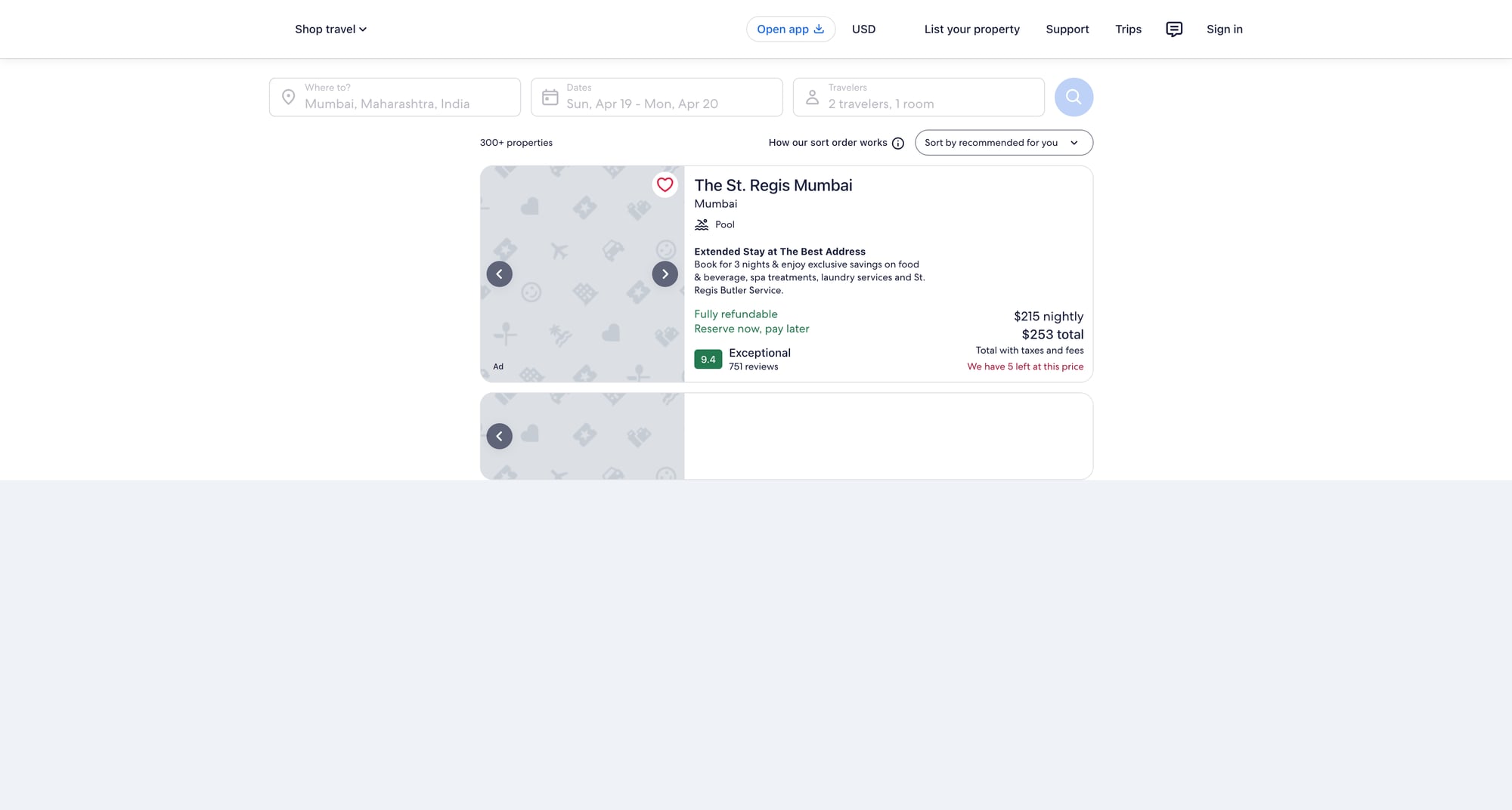
- search form → results list of hotel cards
- each card has: name, price (per night), review score, location text, and deep link
URL patterns vary, but it’s usually:
https://www.expedia.com/Hotel-Search?...
Flights (where the data is)
Flights pages are even more dynamic. Depending on region/experience, you’ll see:
- results rendered from an API response stored in page state
- offer cards that don’t have stable semantic HTML
If you absolutely need flights, a robust approach is:
- use Playwright to load the search
- capture network responses (XHR/JSON)
- parse the offer JSON instead of the DOM
We’ll keep the code in this article focused and production-friendly (hotels DOM extraction + optional hook to inspect JSON).
Setup
python -m venv .venv
source .venv/bin/activate
pip install playwright pandas
playwright install
We’ll use:
- Playwright: real browser automation + waiting for dynamic content
- pandas (optional): convenient CSV export
A scraper strategy that survives UI changes
When scraping Expedia-like sites, you want selectors that are:
- semantic (ARIA labels)
- test hooks (data-testid)
- URL-based (hotel links contain predictable patterns)
We’ll implement three extraction layers:
- First try: extract hotel cards by
data-testid/ roles. - Fallback: find all links that look like hotel detail links, then walk up to a “card container”.
- Last resort: dump a small HTML sample and fail loudly (so you can update selectors quickly).
Step 1: Open a hotel search results page
You can start from a pre-built URL (fastest), or automate the form fill.
Option A: Use a pre-built URL (recommended for stability)
Generate a URL manually in your browser once (for your city + dates), then paste it here.
from playwright.sync_api import sync_playwright

HOTEL_SEARCH_URL = "https://www.expedia.com/Hotel-Search"  # replace with your real URL


def open_results(page):
    page.goto(HOTEL_SEARCH_URL, wait_until="domcontentloaded")
    # results often finish loading after a burst of XHR
    page.wait_for_timeout(2000)
    # a second, more meaningful wait: at least one link should exist
    page.wait_for_selector("a", timeout=30000)
Option B: Fill the form
This is more brittle (labels/flows vary), so I generally only do it when I must.
Step 2: Extract hotel cards (resilient selectors)
Here’s a pragmatic extraction function.
It tries to find “cards”, but if that fails it collects hotel-ish links.
import re
from urllib.parse import urljoin

EXPEDIA_BASE = "https://www.expedia.com"


def clean_text(s: str | None) -> str | None:
    if not s:
        return None
    s = re.sub(r"\s+", " ", s).strip()
    return s or None


def parse_price(text: str | None) -> float | None:
    if not text:
        return None
    # examples: "$142", "$142 total", "₹12,345"
    m = re.search(r"([0-9][0-9,\.]+)", text)
    if not m:
        return None
    num = m.group(1).replace(",", "")
    try:
        return float(num)
    except ValueError:
        return None


def extract_hotels(page, max_items: int = 50) -> list[dict]:
    hotels: list[dict] = []

    # 1) Try common “card-ish” patterns (these may change)
    candidates = []
    for sel in [
        "[data-testid*='property-card']",
        "[data-testid*='property']",
        "[data-stid*='property']",
    ]:
        try:
            els = page.query_selector_all(sel)
            if els:
                candidates = els
                break
        except Exception:
            pass

    # 2) Fallback: hotel-looking links
    if not candidates:
        link_els = page.query_selector_all("a[href]")
        hotel_links = []
        for a in link_els:
            href = a.get_attribute("href") or ""
            if "/Hotel-" in href or "/ho" in href or "hotel" in href.lower():
                hotel_links.append(a)
        candidates = hotel_links

    for el in candidates[: max_items * 2]:
        # If el is a link, use it; otherwise find a link inside it.
        link = el
        if el.get_attribute("href") is None:
            link = el.query_selector("a[href]")

        href = link.get_attribute("href") if link else None
        url = urljoin(EXPEDIA_BASE, href) if href else None

        # Try to get a title.
        name = None
        for name_sel in [
            "[data-testid*='title']",
            "h3",
            "h2",
            "[role='heading']",
        ]:
            t = (el.query_selector(name_sel) or (link.query_selector(name_sel) if link else None))
            if t:
                name = clean_text(t.inner_text())
                if name:
                    break

        # Price / rating / location are usually somewhere inside the card.
        text_blob = clean_text(el.inner_text()) if el else None

        # Price extraction: search common tokens.
        price = None
        price_text = None
        if text_blob:
            # look for currency symbol near digits
            m = re.search(r"([$₹€£]\s*[0-9][0-9,\.]+)", text_blob)
            if m:
                price_text = m.group(1)
                price = parse_price(price_text)

        rating = None
        if text_blob:
            m = re.search(r"([0-9]\.?[0-9]?)\s*/\s*10", text_blob)
            if m:
                try:
                    rating = float(m.group(1))
                except ValueError:
                    rating = None

        hotels.append({
            "name": name,
            "url": url,
            "price": price,
            "price_text": price_text,
            "rating": rating,
        })

        if len(hotels) >= max_items:
            break

    # Drop empty rows
    cleaned = [h for h in hotels if h.get("name") or h.get("url")]
    return cleaned
This is intentionally “messy but resilient”. In practice, you’ll tune selectors once you lock the exact Expedia experience you’re scraping.
Step 3: Paginate safely (bounded + backoff)
Expedia paginates in different ways (sometimes infinite scroll, sometimes “Next”).
We’ll implement:
- a max page limit
- a short jittered delay
- a “stop if no new unique URLs” condition
import random
import time


def crawl_hotels(page, pages: int = 3, per_page: int = 40) -> list[dict]:
    out: list[dict] = []
    seen = set()

    for p in range(1, pages + 1):
        batch = extract_hotels(page, max_items=per_page)

        added = 0
        for h in batch:
            key = h.get("url") or h.get("name")
            if not key or key in seen:
                continue
            seen.add(key)
            out.append(h)
            added += 1

        print(f"page {p}: got {len(batch)} cards, added {added}, total {len(out)}")

        # Try click next if it exists
        next_clicked = False
        for next_sel in [
            "button:has-text('Next')",
            "a[aria-label='Next']",
            "button[aria-label='Next']",
        ]:
            btn = page.query_selector(next_sel)
            if btn and btn.is_enabled():
                btn.click()
                next_clicked = True
                break

        if not next_clicked:
            # if there's no next, stop.
            break

        time.sleep(1.5 + random.random())
        page.wait_for_timeout(1500)

    return out
Step 4: Export to JSON + CSV
import json
import pandas as pd


def export(hotels: list[dict], base_name: str = "expedia_hotels"):
    with open(f"{base_name}.json", "w", encoding="utf-8") as f:
        json.dump(hotels, f, ensure_ascii=False, indent=2)

    df = pd.DataFrame(hotels)
    df.to_csv(f"{base_name}.csv", index=False)

    print("wrote", len(hotels), "rows")
Full script (copy/paste)
from playwright.sync_api import sync_playwright

HOTEL_SEARCH_URL = "PASTE_YOUR_EXPEDIA_HOTEL_SEARCH_URL_HERE"

# --- include helper functions above: clean_text, parse_price, extract_hotels, crawl_hotels, export ---


def main():
    with sync_playwright() as p:
        browser = p.chromium.launch(headless=True)
        context = browser.new_context(
            viewport={"width": 1280, "height": 720},
            user_agent=(
                "Mozilla/5.0 (Macintosh; Intel Mac OS X 10_15_7) "
                "AppleWebKit/537.36 (KHTML, like Gecko) "
                "Chrome/123.0.0.0 Safari/537.36"
            ),
        )
        page = context.new_page()

        page.goto(HOTEL_SEARCH_URL, wait_until="domcontentloaded")
        page.wait_for_timeout(2500)

        hotels = crawl_hotels(page, pages=3, per_page=40)
        export(hotels)

        context.close()
        browser.close()


if __name__ == "__main__":
    main()
Where ProxiesAPI fits (without overclaiming)
Playwright runs a real browser, but your weakest link is still the network layer:
- geo-targeted content
- rate limits and bot protections
- occasional IP reputation issues
When you scale (more cities, more dates, more concurrent runs), ProxiesAPI can help by providing:
- rotating IPs
- consistent egress
- fewer “random” 403/429 bursts
The best pattern is to keep your scraper deterministic, then swap in ProxiesAPI at the network layer when failure rate increases.
Troubleshooting checklist
- If you get a blank list: dump
page.content()for 1 run and update selectors. - If the page never loads: increase waits and check if a consent modal is blocking clicks.
- If you’re blocked: reduce crawl speed, add random jitter, and consider proxy rotation.
Next steps
- Parse detail pages for amenities (requires opening each hotel URL).
- Capture structured data if present (
application/ld+json). - For flights: capture and parse XHR JSON responses (more stable than DOM).
Travel sites are high-variance: A/B tests, geo-based results, and aggressive bot defenses. ProxiesAPI gives you a consistent, rotating network layer so your Playwright scrapers fail less when you scale runs.