
Scrape UK Property Prices from Rightmove (Dataset Builder + Screenshots)
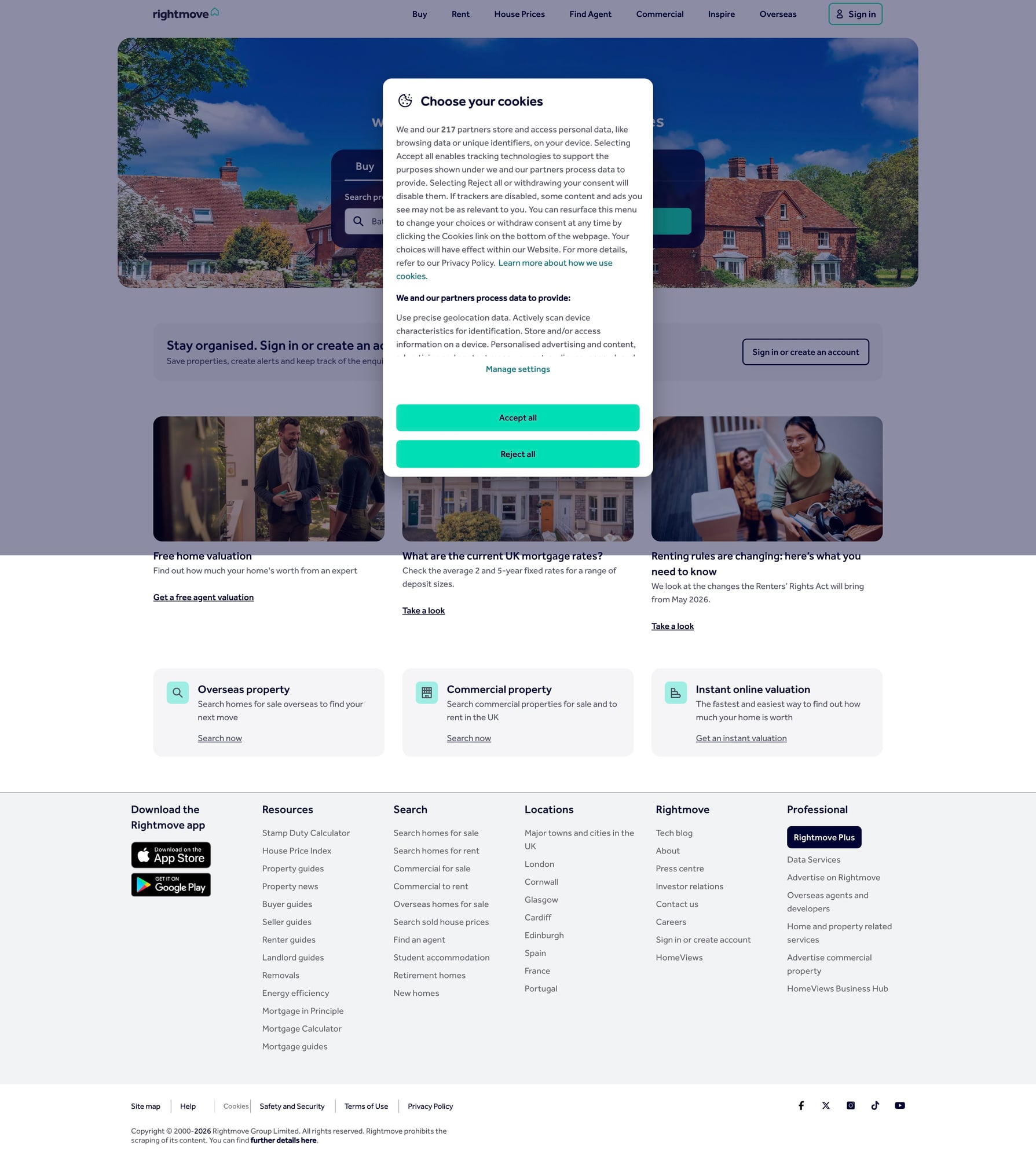
Rightmove is one of the biggest UK property portals. If you’re building a market research dataset (sold prices, property attributes, locations), you typically need two layers of scraping:
- search / results pages → discover listing URLs
- detail pages → extract structured fields (price, address, bedrooms, sold date, etc.)
In this guide, we’ll build a production-grade Rightmove sold-price dataset builder in Python:
- pagination with repeatable URL building
- robust HTML parsing (no “magic” selectors you can’t explain)
- retries + backoff for transient errors
- exports to CSV and JSON Lines
- (optional) ProxiesAPI integration for more stable crawling
Real estate sites often throttle aggressive crawls. ProxiesAPI helps you keep your dataset builder reliable when you scale to many pages and detail URLs.
Important note (ethics + stability)
Property sites are sensitive to heavy traffic. Be respectful:
- scrape only what you need
- add delays and caching
- prefer off-peak runs
- don’t hammer detail pages with high concurrency
This tutorial is meant for legitimate use cases (analytics, research, internal tooling). Always check the site’s terms and applicable law.
What we’re scraping (Rightmove pages)
Rightmove has multiple “surfaces” (for sale, to rent, sold). The exact URLs change over time, but the overall shape stays the same:
- results pages with a list of properties
- property detail pages with the fields you actually want
Your scraper should be written so that:
- you can swap out the start URL (a results page you captured)
- your parser is resilient to minor DOM changes
In practice you’ll start with a known-good results URL (from your browser) and treat it as configuration.
Setup
python3 -m venv .venv
source .venv/bin/activate
pip install requests beautifulsoup4 lxml tenacity
We’ll use:
requestsfor HTTPBeautifulSoup(lxml)for parsingtenacityfor clean retries
Step 1: A reliable fetch() with headers, timeouts, retries
Rightmove (like many high-traffic sites) can return:
- 403/429 if you look bot-like
- 5xx occasionally
- HTML that differs slightly per request
Start with a solid network layer.
import random
import time
from dataclasses import dataclass

import requests
from tenacity import retry, stop_after_attempt, wait_exponential, retry_if_exception_type

TIMEOUT = (10, 30)  # connect, read

DEFAULT_HEADERS = {
    "User-Agent": (
        "Mozilla/5.0 (Macintosh; Intel Mac OS X 10_15_7) "
        "AppleWebKit/537.36 (KHTML, like Gecko) "
        "Chrome/124.0.0.0 Safari/537.36"
    ),
    "Accept": "text/html,application/xhtml+xml,application/xml;q=0.9,*/*;q=0.8",
    "Accept-Language": "en-GB,en;q=0.9",
}


class FetchError(Exception):
    pass


@dataclass
class FetchResult:
    url: str
    status_code: int
    text: str


@retry(
    reraise=True,
    stop=stop_after_attempt(5),
    wait=wait_exponential(multiplier=1, min=1, max=20),
    retry=retry_if_exception_type(FetchError),
)
def fetch_html(session: requests.Session, url: str) -> FetchResult:
    r = session.get(url, headers=DEFAULT_HEADERS, timeout=TIMEOUT)

    if r.status_code in (403, 429):
        # Treat as retryable — you may want to rotate IPs here.
        raise FetchError(f"blocked: {r.status_code}")

    if r.status_code >= 500:
        raise FetchError(f"server error: {r.status_code}")

    r.raise_for_status()
    return FetchResult(url=url, status_code=r.status_code, text=r.text)


def polite_sleep(min_s: float = 1.0, max_s: float = 2.5) -> None:
    time.sleep(random.uniform(min_s, max_s))
Step 2: Parse listing URLs from a results page
The most stable approach is:
- parse all links on the results page
- keep only links that match the property detail URL pattern
- normalize to absolute URLs
- de-duplicate
Because Rightmove changes CSS class names, avoid relying on single fragile selectors.
import re
from bs4 import BeautifulSoup
from urllib.parse import urljoin

RIGHTMOVE_BASE = "https://www.rightmove.co.uk"

# Rightmove property links often contain "/properties/".
PROPERTY_PATH_RE = re.compile(r"/properties/\d+")


def extract_property_urls(results_html: str) -> list[str]:
    soup = BeautifulSoup(results_html, "lxml")

    out: list[str] = []
    seen: set[str] = set()

    for a in soup.select("a[href]"):
        href = a.get("href")
        if not href:
            continue

        m = PROPERTY_PATH_RE.search(href)
        if not m:
            continue

        # keep only the matching path portion
        path = m.group(0)
        abs_url = urljoin(RIGHTMOVE_BASE, path)

        if abs_url not in seen:
            seen.add(abs_url)
            out.append(abs_url)

    return out
Sanity check
session = requests.Session()
start_url = "PASTE_A_RIGHTMOVE_SOLD_PRICE_RESULTS_URL_HERE"

res = fetch_html(session, start_url)
urls = extract_property_urls(res.text)
print("found", len(urls), "property urls")
print(urls[:5])
If this returns zero, it usually means:
- you pasted a URL that requires JS rendering or consent state
- you got served a block page
- Rightmove changed URL patterns (update the regex)
Step 3: Parse a Rightmove property detail page
Detail pages usually include both visible text and embedded JSON.
A robust strategy:
- try to extract fields from embedded JSON first (if present)
- fall back to HTML selectors for a small set of important fields
Below is a “hybrid” parser that extracts:
addressprice_text(sold / guide price)property_typebedrooms(if available)agent(if visible)
import json
from typing import Any


def _first_text(el) -> str | None:
    if not el:
        return None
    t = el.get_text(" ", strip=True)
    return t or None


def try_extract_embedded_json(soup: BeautifulSoup) -> dict[str, Any] | None:
    # Rightmove pages often have JSON in <script> tags.
    # We search for a tag that looks like JSON (heuristic), then parse.
    for s in soup.select("script"):
        txt = (s.string or "").strip()
        if not txt:
            continue

        # Heuristic: some pages embed a JSON blob with "property" keys.
        if "\"property\"" in txt and txt.startswith("{"):
            try:
                return json.loads(txt)
            except Exception:
                continue

    return None


def parse_property_detail(html: str, url: str) -> dict[str, Any]:
    soup = BeautifulSoup(html, "lxml")

    data: dict[str, Any] = {"url": url}

    embedded = try_extract_embedded_json(soup)
    if embedded:
        data["embedded_json_keys"] = list(embedded.keys())[:20]

    # HTML fallbacks (keep them minimal + explainable)
    # Address often appears in a prominent heading.
    address = _first_text(soup.select_one("h1"))

    # Price text (varies). We try common patterns.
    price = _first_text(soup.select_one("[data-test='property-price']"))
    if not price:
        price = _first_text(soup.select_one("span[property='price']"))

    # Type/bedrooms often appear in key facts.
    keyfacts = [_first_text(x) for x in soup.select("li")]

    bedrooms = None
    property_type = None

    for t in keyfacts:
        if not t:
            continue
        if bedrooms is None and re.search(r"\b(\d+)\s+bed\b", t, re.I):
            bedrooms = int(re.search(r"(\d+)", t).group(1))
        if property_type is None and any(k in t.lower() for k in ["flat", "apartment", "terraced", "semi-detached", "detached", "bungalow"]):
            property_type = t

    data.update({
        "address": address,
        "price_text": price,
        "bedrooms": bedrooms,
        "property_type": property_type,
    })

    return data
Sanity check (single page)
url = "PASTE_A_RIGHTMOVE_PROPERTY_URL_HERE"
res = fetch_html(session, url)
row = parse_property_detail(res.text, url)
print(row)
Step 4: Crawl results pages → then crawl details
Your pipeline:
- fetch results page
- extract property URLs
- for each URL: fetch + parse detail
- export
We’ll keep it sequential (simpler, fewer blocks). You can add concurrency later.
from pathlib import Path


def build_dataset(start_results_url: str, max_properties: int = 200) -> list[dict]:
    session = requests.Session()

    results = fetch_html(session, start_results_url)
    property_urls = extract_property_urls(results.text)

    rows: list[dict] = []

    for i, url in enumerate(property_urls[:max_properties], start=1):
        try:
            polite_sleep(1.0, 2.5)
            detail = fetch_html(session, url)
            rows.append(parse_property_detail(detail.text, url))
            print(f"[{i}/{min(len(property_urls), max_properties)}] ok {url}")
        except Exception as e:
            print(f"[{i}] failed {url}: {e}")
            continue

    return rows


rows = build_dataset("PASTE_RESULTS_URL_HERE", max_properties=50)
print("rows:", len(rows))
Step 5: Export to CSV + JSONL
import csv
import json


def export_csv(rows: list[dict], path: str) -> None:
    if not rows:
        return

    keys = sorted({k for r in rows for k in r.keys()})
    with open(path, "w", newline="", encoding="utf-8") as f:
        w = csv.DictWriter(f, fieldnames=keys)
        w.writeheader()
        w.writerows(rows)


def export_jsonl(rows: list[dict], path: str) -> None:
    with open(path, "w", encoding="utf-8") as f:
        for r in rows:
            f.write(json.dumps(r, ensure_ascii=False) + "\n")


export_csv(rows, "rightmove_sold_prices.csv")
export_jsonl(rows, "rightmove_sold_prices.jsonl")
print("wrote exports")
Where ProxiesAPI fits (honestly)
Rightmove can be sensitive to repeated requests.
When you scale from “50 properties once” to “50,000 properties nightly”, your biggest problems become:
- block pages / throttling
- uneven latency
- higher failure rates on retries
That’s where ProxiesAPI can help — as a network reliability layer.
A simple integration pattern is to route your GET through ProxiesAPI while keeping your parsing code unchanged.
import os

PROXIESAPI_KEY = os.getenv("PROXIESAPI_KEY")


def fetch_html_via_proxiesapi(session: requests.Session, url: str) -> FetchResult:
    if not PROXIESAPI_KEY:
        raise RuntimeError("Set PROXIESAPI_KEY in your environment")

    # Example pattern: pass target URL as a parameter to ProxiesAPI.
    # Adjust the endpoint/params to match your ProxiesAPI account/docs.
    proxiesapi_url = "https://api.proxiesapi.com"
    params = {"auth_key": PROXIESAPI_KEY, "url": url}

    r = session.get(proxiesapi_url, params=params, headers=DEFAULT_HEADERS, timeout=TIMEOUT)
    r.raise_for_status()
    return FetchResult(url=url, status_code=r.status_code, text=r.text)
Use it for the fetch step only. Keep your parsers site-specific and testable.
QA checklist
- Start results URL returns HTML (not a block page)
-
extract_property_urls()finds non-zero URLs -
parse_property_detail()returns address/price for at least 3 spot checks - exports open cleanly in Excel/Sheets
- you’re sleeping between requests
Next upgrades
- add pagination across multiple results pages (by iterating your results URL parameters)
- store seen URLs in SQLite so reruns only fetch new ones
- build a “sold prices delta” job that tracks changes over time
- add Playwright for pages that require JS or consent flows
Real estate sites often throttle aggressive crawls. ProxiesAPI helps you keep your dataset builder reliable when you scale to many pages and detail URLs.