
Scrape Goodreads Author Pages: Books, Series, Ratings (ProxiesAPI + Python)
Goodreads author pages are a great real web scraping exercise: the HTML changes over time, the page is long, and the book list is not always a single neat table.
In this guide we build a scraper that:
- fetches an author page via ProxiesAPI
- extracts basic author info (name, profile URL, about blurb when present)
- extracts a deduped list of books with: title, book URL, average rating, rating count
- exports JSON and CSV
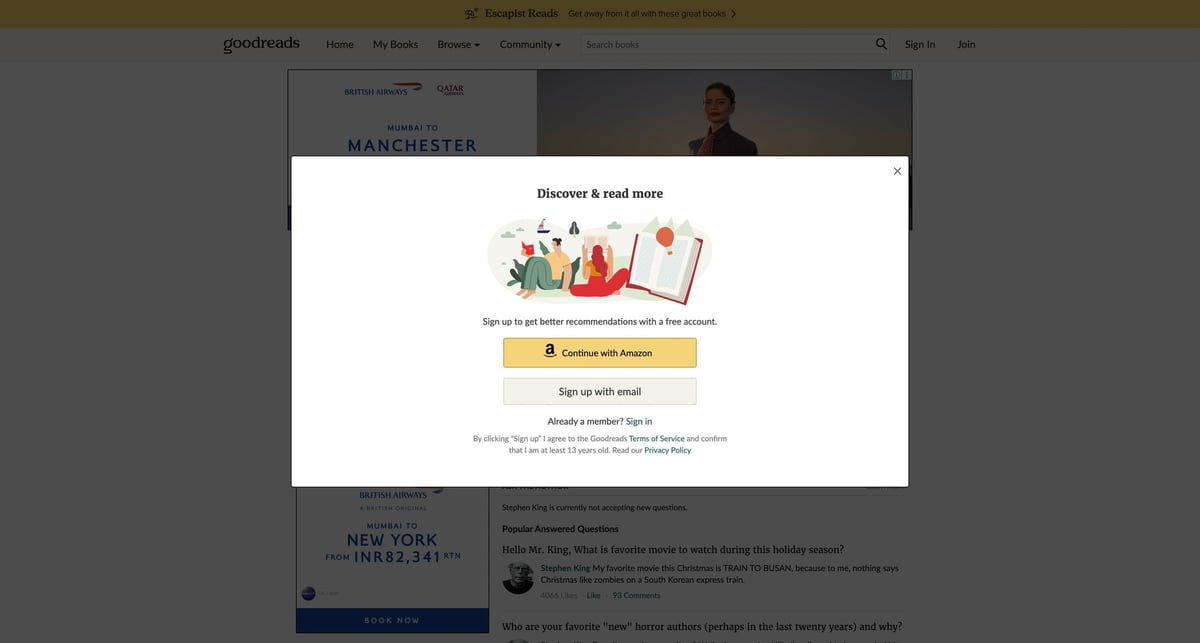
Goodreads pages can be inconsistent (A/B layouts, throttling, bot checks). ProxiesAPI gives you a simple proxy-backed fetch layer so your scraper can focus on parsing and data quality.
What we are scraping
Author pages commonly look like:
The book list can appear in different layouts. The strategy here is:
- Prefer structured book list containers (when present).
- Fall back to scanning for book links and extracting nearby metadata.
- Keep the parser defensive and data-first.
Setup
python3 -m venv .venv
source .venv/bin/activate
pip install requests beautifulsoup4 lxml
Step 1: ProxiesAPI fetch helper (retries and basic block detection)
Canonical request:
curl -s "http://api.proxiesapi.com/?key=API_KEY&url=https://www.goodreads.com/author/show/12345.Some_Author" | head
Python helper:
import random
import time
from urllib.parse import quote_plus

import requests

TIMEOUT = (10, 60)


def proxiesapi_url(target_url: str, api_key: str) -> str:
    return f"http://api.proxiesapi.com/?key={quote_plus(api_key)}&url={quote_plus(target_url)}"


def looks_blocked(html: str) -> bool:
    t = (html or "").lower()
    markers = ["captcha", "unusual traffic", "verify you are a human", "robot", "access denied"]
    return any(m in t for m in markers)


def fetch_html(target_url: str, api_key: str, *, max_attempts: int = 6) -> str:
    session = requests.Session()
    headers = {
        "User-Agent": (
            "Mozilla/5.0 (Macintosh; Intel Mac OS X 10_15_7) "
            "AppleWebKit/537.36 (KHTML, like Gecko) "
            "Chrome/124.0.0.0 Safari/537.36"
        ),
        "Accept-Language": "en-US,en;q=0.9",
    }

    last_err = None
    for attempt in range(1, max_attempts + 1):
        try:
            url = proxiesapi_url(target_url, api_key)
            r = session.get(url, timeout=TIMEOUT, headers=headers)

            if r.status_code >= 400:
                raise requests.HTTPError(f"HTTP {r.status_code}")

            html = r.text or ""
            if looks_blocked(html):
                raise RuntimeError("blocked or captcha detected")

            return html

        except Exception as e:
            last_err = e
            sleep_s = min(40, (2 ** attempt)) + random.random()
            time.sleep(sleep_s)

    raise RuntimeError(f"fetch failed: {last_err}")
Step 2: Parse author and books (real selectors with fallbacks)
Goodreads is not a stable DOM, so we use multiple selectors and keep a fallback that scans for book links.
import json
import re
from dataclasses import dataclass, asdict
from urllib.parse import urljoin

from bs4 import BeautifulSoup

BASE = "https://www.goodreads.com"


def clean_int(text: str) -> int | None:
    m = re.search(r"(\\d[\\d,]*)", text or "")
    if not m:
        return None
    return int(m.group(1).replace(",", ""))


def clean_float(text: str) -> float | None:
    m = re.search(r"(\\d+(?:\\.\\d+)?)", text or "")
    return float(m.group(1)) if m else None


@dataclass
class Book:
    title: str | None
    url: str | None
    avg_rating: float | None
    ratings_count: int | None


def pick_text(soup: BeautifulSoup, selectors: list[str]) -> str | None:
    for sel in selectors:
        el = soup.select_one(sel)
        if not el:
            continue
        t = el.get_text(" ", strip=True)
        if t:
            return t
    return None


def parse_author_page(html: str, author_url: str) -> dict:
    soup = BeautifulSoup(html, "lxml")

    author_name = pick_text(
        soup,
        [
            "h1.authorName",
            "h1[data-testid=authorName]",
            "div.authorName h1",
            "h1",
        ],
    )

    about = pick_text(
        soup,
        [
            "div.aboutAuthorInfo span",
            "div#freeTextContainer",
            "div.authorProfile__about",
            "div[data-testid=authorAbout]",
        ],
    )

    books: list[Book] = []
    seen_urls: set[str] = set()

    card_selectors = [
        "div.authorBookBox",
        "div.bookCard",
        "div.BookListItem",
        "tr[itemtype*=Book]",
    ]

    for sel in card_selectors:
        for card in soup.select(sel):
            a = card.select_one("a[href*=\"/book/show/\"]")
            href = a.get("href") if a else None
            book_url = urljoin(BASE, href) if href else None
            if not book_url or book_url in seen_urls:
                continue

            title = a.get_text(" ", strip=True) if a else None
            meta = card.get_text(" ", strip=True)

            seen_urls.add(book_url)
            books.append(
                Book(
                    title=title or None,
                    url=book_url,
                    avg_rating=clean_float(meta),
                    ratings_count=clean_int(meta),
                )
            )

    if not books:
        for a in soup.select("a[href*=\"/book/show/\"]"):
            href = a.get("href")
            if not href:
                continue
            book_url = urljoin(BASE, href)
            if book_url in seen_urls:
                continue

            title = (a.get_text(" ", strip=True) or "").strip() or None
            if not title or len(title) < 2:
                continue

            container = a.find_parent(["div", "tr", "li"]) or a
            meta = container.get_text(" ", strip=True)

            seen_urls.add(book_url)
            books.append(
                Book(
                    title=title,
                    url=book_url,
                    avg_rating=clean_float(meta),
                    ratings_count=clean_int(meta),
                )
            )

    return {
        "author": {"name": author_name, "url": author_url, "about": about},
        "books": [asdict(b) for b in books],
    }
Step 3: Export JSON and CSV
import csv
import os


def write_csv(rows: list[dict], path: str) -> None:
    if not rows:
        return
    os.makedirs(os.path.dirname(path) or ".", exist_ok=True)
    with open(path, "w", newline="", encoding="utf-8") as f:
        w = csv.DictWriter(f, fieldnames=list(rows[0].keys()))
        w.writeheader()
        w.writerows(rows)


def main() -> None:
    api_key = os.environ.get("PROXIESAPI_KEY")
    if not api_key:
        raise SystemExit("Set PROXIESAPI_KEY in your environment")

    author_url = "https://www.goodreads.com/author/show/12345.Some_Author"
    html = fetch_html(author_url, api_key)
    data = parse_author_page(html, author_url)

    print("books:", len(data["books"]))

    with open("goodreads-author.json", "w", encoding="utf-8") as f:
        json.dump(data, f, ensure_ascii=False, indent=2)

    write_csv(data["books"], "goodreads-author-books.csv")


if __name__ == "__main__":
    main()
Run:
export PROXIESAPI_KEY="YOUR_KEY"
python goodreads_author_scraper.py
Common issues
- Layout changes: keep multiple selectors and prefer extracting links plus nearby text.
- Captcha or block pages: detect markers early and retry with jittered backoff.
- Duplicates: dedupe by canonical book URL, not by title.
Goodreads pages can be inconsistent (A/B layouts, throttling, bot checks). ProxiesAPI gives you a simple proxy-backed fetch layer so your scraper can focus on parsing and data quality.