
Scrape Rightmove Rental Listings and Letting Prices
If you want a reusable UK rentals dataset, Rightmove is one of the most valuable starting points:
- fresh listing inventory
- monthly rent values
- bedroom counts
- agent / branch names
- listing links you can revisit later
The nice surprise is that you do not need to reverse-engineer every visual card on the page.
On current Rightmove rental result pages, the most stable source of truth is the embedded Next.js payload in __NEXT_DATA__. That JSON already contains the fields most scrapers want:
displayAddresspropertyTypeFullDescriptionbedroomspricecustomer.branchDisplayNamepropertyUrl
That means the cleanest scraper is:
- fetch a rental results page
- parse
__NEXT_DATA__ - normalize the
searchResults.propertiesarray - follow pagination
- export CSV / JSON
Rightmove list pages are workable directly, but bigger rental crawls mean many paginated requests and detail-page follow-ups. ProxiesAPI gives you a cleaner fetch layer before those runs get flaky.
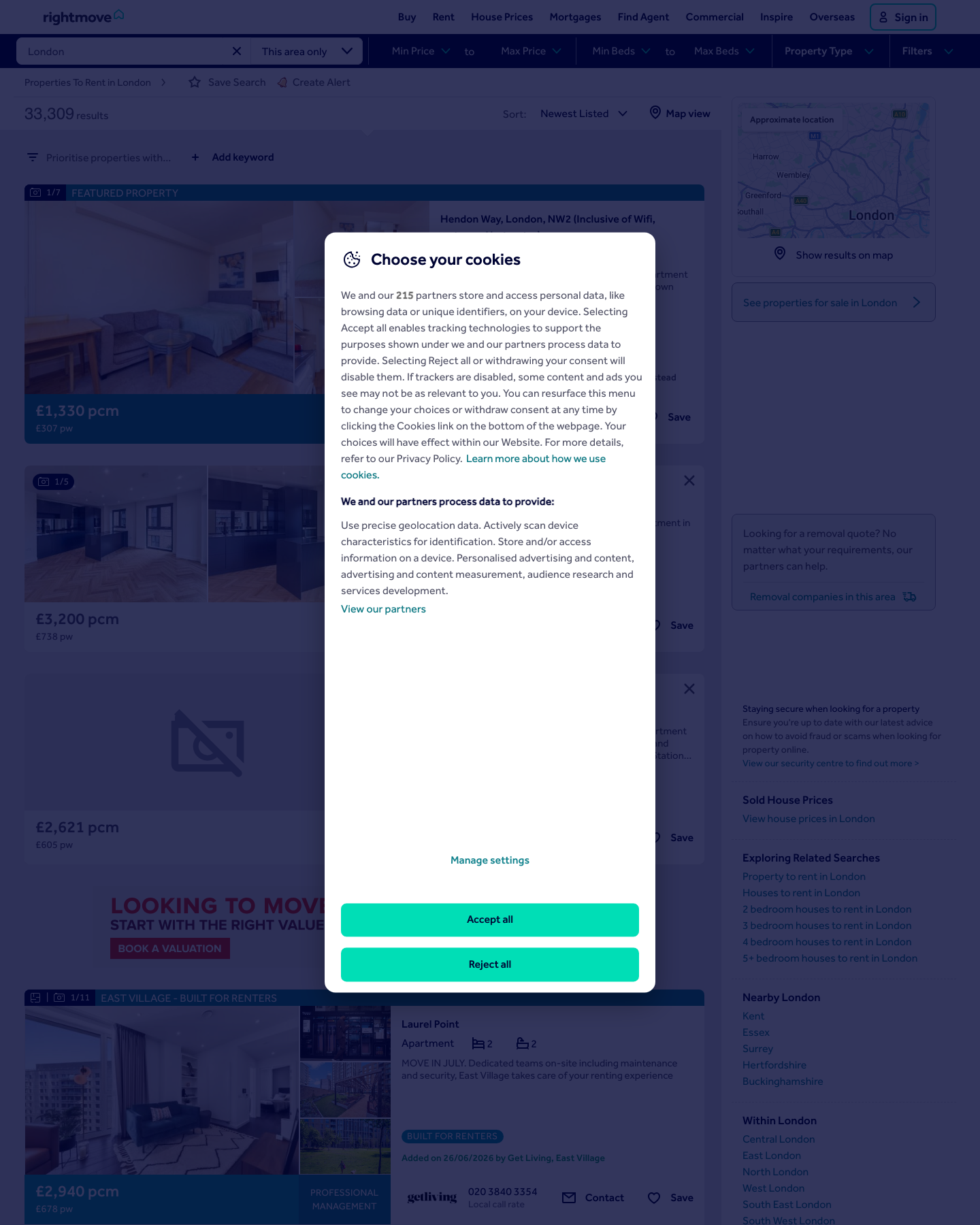
What the page looks like today
A live Rightmove rental search URL looks like this:
https://www.rightmove.co.uk/property-to-rent/find.html?locationIdentifier=REGION%5E87490&index=0&propertyTypes=&includeLetAgreed=false&mustHave=&dontShow=&furnishTypes=&keywords=
In the HTML response, we can verify:
- a visible results list container like
data-testid="results-list" - card wrappers like
data-testid="propertyCard-vrt-0" - a large
__NEXT_DATA__block with the fullsearchResults.propertiesarray
For scraping, the JSON payload is the better target because it is more structured than the presentation layer.
Setup
python3 -m venv .venv
source .venv/bin/activate
pip install requests beautifulsoup4 lxml
Optional:
export PROXIESAPI_KEY="YOUR_KEY"
Step 1: Fetch a results page
We will keep the fetch layer simple and optional.
from __future__ import annotations

import csv
import json
import os
import re
from dataclasses import dataclass, asdict
from typing import Any
from urllib.parse import quote, urljoin

import requests
from bs4 import BeautifulSoup

BASE = "https://www.rightmove.co.uk"
TIMEOUT = (10, 30)

session = requests.Session()
session.headers.update(
    {
        "User-Agent": (
            "Mozilla/5.0 (Macintosh; Intel Mac OS X 10_15_7) "
            "AppleWebKit/537.36 (KHTML, like Gecko) "
            "Chrome/137.0.0.0 Safari/537.36"
        ),
        "Accept-Language": "en-GB,en;q=0.9",
    }
)


def build_fetch_url(target_url: str) -> str:
    api_key = os.getenv("PROXIESAPI_KEY", "").strip()
    if not api_key:
        return target_url
    return (
        "https://api.proxiesapi.com/?auth_key="
        + quote(api_key, safe="")
        + "&url="
        + quote(target_url, safe="")
    )


def fetch_html(url: str) -> str:
    r = session.get(build_fetch_url(url), timeout=TIMEOUT)
    r.raise_for_status()
    return r.text
Step 2: Extract __NEXT_DATA__
The current Rightmove rental page ships a large script block:
<script id="__NEXT_DATA__" type="application/json">...</script>
That is where the useful listing data lives.
NEXT_DATA_RE = re.compile(
    r'<script id="__NEXT_DATA__" type="application/json">(.*?)</script>',
    re.S,
)


def extract_next_data(html: str) -> dict[str, Any]:
    soup = BeautifulSoup(html, "lxml")
    node = soup.select_one('script#__NEXT_DATA__[type="application/json"]')
    text = node.string if node and node.string else None

    if not text:
        m = NEXT_DATA_RE.search(html)
        if not m:
            raise RuntimeError("Rightmove __NEXT_DATA__ block not found")
        text = m.group(1)

    return json.loads(text)
Step 3: Normalize the rental listings
Inside the payload, the main list is usually at:
props.pageProps.searchResults.properties
Each property record already contains the fields we need for a rental dataset.
@dataclass
class RentalListing:
    property_id: int
    title: str | None
    address: str | None
    monthly_rent_display: str | None
    monthly_rent_amount: int | None
    weekly_rent_display: str | None
    bedrooms: int | None
    bathrooms: int | None
    summary: str | None
    agent_name: str | None
    listing_url: str
    added_or_reduced: str | None


def deep_get(obj: dict[str, Any], *path: str) -> Any:
    cur: Any = obj
    for part in path:
        if not isinstance(cur, dict):
            return None
        cur = cur.get(part)
    return cur


def normalize_property(prop: dict[str, Any]) -> RentalListing:
    display_prices = deep_get(prop, "price", "displayPrices") or []
    monthly_display = display_prices[0]["displayPrice"] if len(display_prices) > 0 else None
    weekly_display = display_prices[1]["displayPrice"] if len(display_prices) > 1 else None

    listing_href = (prop.get("propertyUrl") or "").split("#", 1)[0]

    return RentalListing(
        property_id=prop["id"],
        title=prop.get("propertyTypeFullDescription"),
        address=prop.get("displayAddress"),
        monthly_rent_display=monthly_display,
        monthly_rent_amount=deep_get(prop, "price", "amount"),
        weekly_rent_display=weekly_display,
        bedrooms=prop.get("bedrooms"),
        bathrooms=prop.get("bathrooms"),
        summary=prop.get("summary"),
        agent_name=deep_get(prop, "customer", "branchDisplayName"),
        listing_url=urljoin(BASE, listing_href),
        added_or_reduced=prop.get("addedOrReduced"),
    )


def parse_results_page(html: str) -> tuple[list[RentalListing], str | None]:
    payload = extract_next_data(html)
    page_props = deep_get(payload, "props", "pageProps") or {}
    properties = deep_get(page_props, "searchResults", "properties") or []

    rows = [normalize_property(prop) for prop in properties]

    next_url = deep_get(page_props, "headMetaData", "nextUrl")
    if next_url:
        next_url = urljoin(BASE, next_url)

    return rows, next_url
That gives you:
- title like
2 bedroom flat - a formatted rent like
£4,995 pcm - bedroom / bathroom counts
- branch name such as
Austin Homes London, London - a stable listing URL under
/properties/...
Step 4: Crawl multiple result pages
def crawl_results(start_url: str, max_pages: int = 3) -> list[RentalListing]:
    listings: list[RentalListing] = []
    seen: set[int] = set()
    next_url = start_url

    for _ in range(max_pages):
        html = fetch_html(next_url)
        batch, next_candidate = parse_results_page(html)

        for row in batch:
            if row.property_id in seen:
                continue
            seen.add(row.property_id)
            listings.append(row)

        if not next_candidate:
            break
        next_url = next_candidate

    return listings
Example:
START_URL = (
    "https://www.rightmove.co.uk/property-to-rent/find.html"
    "?locationIdentifier=REGION%5E87490"
    "&index=0"
    "&propertyTypes="
    "&includeLetAgreed=false"
    "&mustHave="
    "&dontShow="
    "&furnishTypes="
    "&keywords="
)

rows = crawl_results(START_URL, max_pages=2)
print("rows:", len(rows))
print(asdict(rows[0]))
Typical row:
{
  'property_id': 90274485,
  'title': '2 bedroom flat',
  'address': 'Marsh Wall, Hampton Tower, E14',
  'monthly_rent_display': '£4,995 pcm',
  'monthly_rent_amount': 4995,
  'weekly_rent_display': '£1,153 pw',
  'bedrooms': 2,
  'bathrooms': 2,
  'agent_name': 'Austin Homes London, London',
  'listing_url': 'https://www.rightmove.co.uk/properties/90274485'
}
Step 5: Export to CSV
def write_csv(rows: list[RentalListing], path: str) -> None:
    if not rows:
        return

    fieldnames = list(asdict(rows[0]).keys())
    with open(path, "w", newline="", encoding="utf-8") as f:
        writer = csv.DictWriter(f, fieldnames=fieldnames)
        writer.writeheader()
        for row in rows:
            writer.writerow(asdict(row))


if __name__ == "__main__":
    rows = crawl_results(START_URL, max_pages=2)
    write_csv(rows, "rightmove_rentals_london.csv")
    print("wrote", len(rows), "rental rows")
Why __NEXT_DATA__ is better than card scraping here
You can scrape the visible card HTML, but the JSON payload is better because:
| Need | Card HTML | __NEXT_DATA__ |
|---|---|---|
| Address | Possible | Direct field |
| Bedrooms | Sometimes text parsing | Numeric field |
| Rent amount | Often formatted only | Numeric + formatted |
| Agent name | Requires selector tuning | Nested customer object |
| Pagination | Sometimes link hunting | headMetaData.nextUrl |
For a production rental dataset, JSON wins.
Practical advice for Rightmove rental crawls
- Crawl a few pages first and inspect the CSV before scaling out.
- Cache pages locally during development because the payload is large.
- Keep request rates low and follow the site's terms and local legal constraints.
- If you later need amenities or full descriptions, follow the
listing_urlpages as a second stage instead of trying to capture everything from the list view.
When to add ProxiesAPI
For a small local test, direct requests may be enough.
Add ProxiesAPI when:
- you are crawling many regions
- you need better retry behavior
- you are seeing intermittent fetch failures
- you want the fetch layer to be configurable without rewriting your parser
The parser above stays the same either way. That is the nice part. Rightmove rental data becomes a straightforward JSON extraction job instead of a brittle CSS-selector exercise.
Rightmove list pages are workable directly, but bigger rental crawls mean many paginated requests and detail-page follow-ups. ProxiesAPI gives you a cleaner fetch layer before those runs get flaky.