
Scrape Government Contract Data from SAM.gov with Python (Green List #4)
SAM.gov is the US government’s central portal for federal contracting. If you build tools for suppliers, BD teams, or market intelligence, you often need a dataset of:
- opportunity title
- notice id
- posted date / response deadline
- agency
- location
- link to full details
In this tutorial we’ll build a scraper in Python that collects contract opportunity listings and exports clean JSON/CSV.
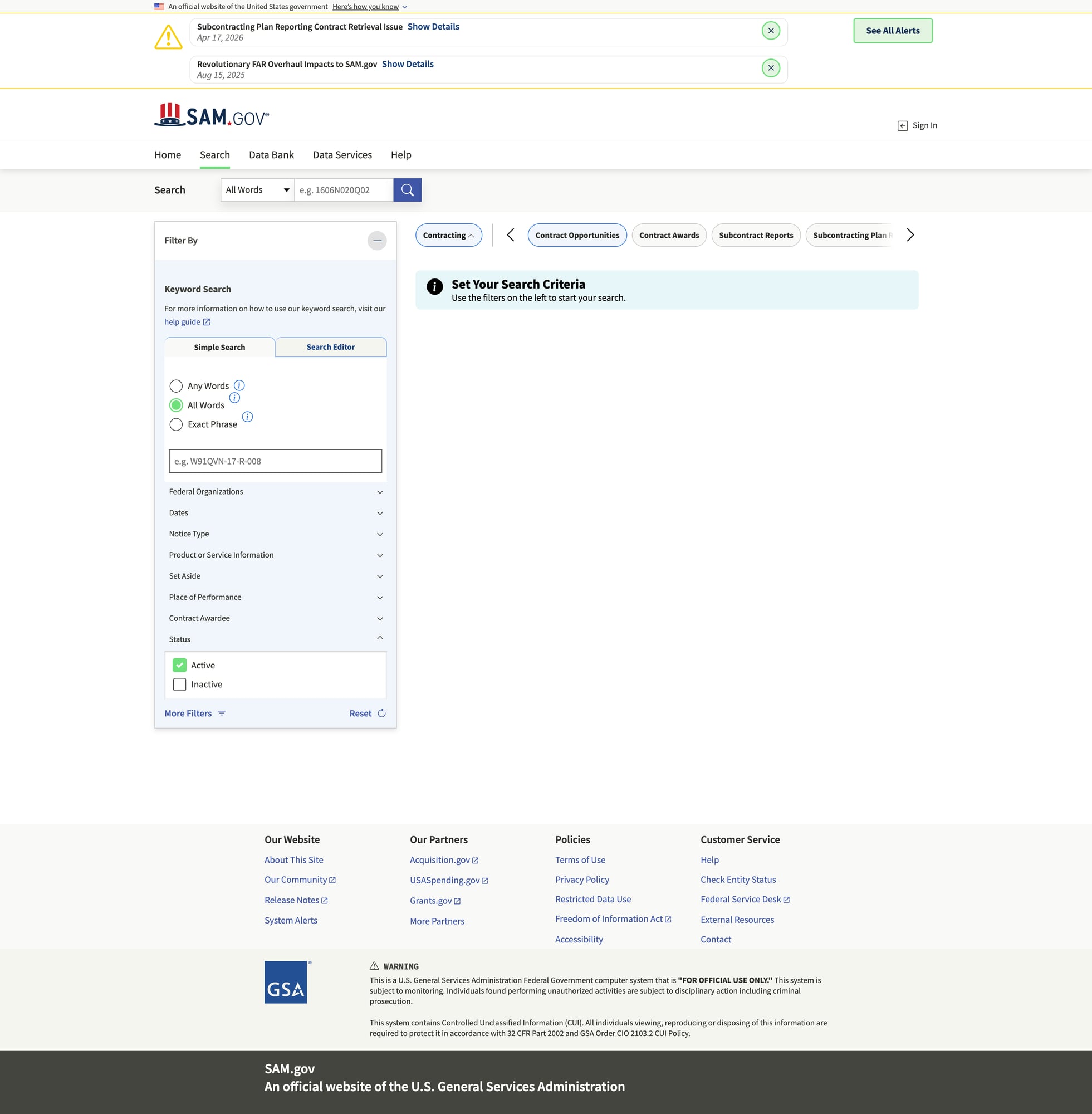
SAM.gov pages can be heavy and request patterns can trigger throttling when you paginate. ProxiesAPI lets you route fetches through a consistent wrapper so you can focus on extraction and data quality.
A quick reality check: SAM.gov is not “static HTML”
SAM.gov uses modern web app patterns. Depending on the page and region, you may see:
- server-rendered HTML for listing scaffolding
- JSON embedded in the page
- XHR calls to backend APIs
The most robust approach is:
- start from a real browser URL that shows search results you care about
- inspect the Network tab to see if an internal JSON endpoint returns results
- if you can find a stable JSON endpoint, scrape that (best)
- otherwise, scrape the HTML listing cards (works, but more brittle)
This guide includes both: API-first and HTML fallback.
Setup
python -m venv .venv
source .venv/bin/activate
pip install requests tenacity pandas beautifulsoup4 lxml
Step 1: Fetch helper (timeouts + retries)
from __future__ import annotations

import random
import time
from urllib.parse import quote

import requests
from tenacity import retry, stop_after_attempt, wait_exponential, retry_if_exception_type

TIMEOUT = (10, 60)
UA = "Mozilla/5.0 (compatible; ProxiesAPI-Guides/1.0)"

session = requests.Session()
session.headers.update({
    "User-Agent": UA,
    "Accept": "text/html,application/json;q=0.9,*/*;q=0.8",
    "Accept-Language": "en-US,en;q=0.9",
})


class FetchError(RuntimeError):
    pass


@retry(
    reraise=True,
    stop=stop_after_attempt(6),
    wait=wait_exponential(multiplier=1, min=1, max=30),
    retry=retry_if_exception_type((requests.RequestException, FetchError)),
)
def fetch(url: str) -> requests.Response:
    r = session.get(url, timeout=TIMEOUT)
    if r.status_code in (403, 429):
        raise FetchError(f"blocked status={r.status_code}")
    r.raise_for_status()

    # small jitter helps reduce bursts
    time.sleep(0.3 + random.random() * 0.5)
    return r


def proxiesapi_url(target_url: str, api_key: str) -> str:
    return "http://api.proxiesapi.com/?key=" + quote(api_key) + "&url=" + quote(target_url, safe="")
Step 2 (preferred): Find and use a JSON results endpoint
Open the opportunities search in your browser and apply filters (keyword, NAICS, set-aside, etc.).
Then open DevTools → Network and look for XHR calls that return JSON results.
Many modern sites expose an internal endpoint like:
/api/search//opportunities/search(names vary)
Once you find the endpoint + required query params, scraping becomes much more reliable.
Template: scrape an internal JSON endpoint
This is a template you’ll adapt once you identify the real endpoint and params.
import json


def fetch_json(url: str) -> dict:
    r = fetch(url)
    ct = r.headers.get("content-type", "")
    if "json" not in ct.lower():
        raise FetchError(f"expected json, got content-type={ct}")
    return r.json()


def parse_opportunities_from_json(payload: dict) -> list[dict]:
    """Normalize a list of opportunities from a JSON payload.

    Update field paths based on the payload you observe.
    """
    items = payload.get("items") or payload.get("results") or []

    out = []
    for it in items:
        out.append({
            "notice_id": it.get("noticeId") or it.get("id"),
            "title": it.get("title"),
            "agency": it.get("agency") or it.get("department"),
            "posted_date": it.get("postedDate") or it.get("posted"),
            "response_deadline": it.get("responseDeadline") or it.get("dueDate"),
            "url": it.get("url"),
        })

    return out
If you can do JSON-first, do it. Your scraper will be faster and less brittle.
Step 3 (fallback): Scrape listings from HTML
If you can’t find (or can’t reliably call) the JSON endpoint, you can still scrape HTML listing cards.
from bs4 import BeautifulSoup
from urllib.parse import urljoin

BASE = "https://sam.gov"


def parse_opportunity_cards(html: str) -> list[dict]:
    soup = BeautifulSoup(html, "lxml")

    out: list[dict] = []

    # Many sites use headings/anchors for card titles.
    # We collect plausible listing anchors and then enrich by nearby text.
    for a in soup.select("a[href]"):
        href = a.get("href") or ""
        text = a.get_text(" ", strip=True)
        if not text:
            continue

        # Heuristic: opportunity detail URLs often contain "opportunity" or "notice".
        if "opportunity" in href or "notice" in href:
            url = urljoin(BASE, href)

            # attempt to find the parent card container and pull nearby metadata
            card = a.find_parent(["div", "article", "li"]) or a
            card_text = card.get_text("\n", strip=True)

            out.append({
                "title": text,
                "url": url,
                "raw": card_text[:800],
            })

    # Deduplicate by URL
    seen = set()
    uniq = []
    for row in out:
        if row["url"] in seen:
            continue
        seen.add(row["url"])
        uniq.append(row)

    return uniq
Pagination
SAM.gov search pages commonly expose pagination controls; find a “Next” link or an updated page= parameter.
import re
from urllib.parse import urlparse, parse_qs, urlencode, urlunparse


def bump_page(url: str, page: int) -> str:
    """Generic helper for URLs with a page query parameter."""
    parts = urlparse(url)
    q = parse_qs(parts.query)
    q["page"] = [str(page)]
    new_query = urlencode(q, doseq=True)
    return urlunparse(parts._replace(query=new_query))


def parse_next_link(html: str, current_url: str) -> str | None:
    soup = BeautifulSoup(html, "lxml")
    for a in soup.select("a[href]"):
        txt = a.get_text(" ", strip=True).lower()
        if txt in {"next", "next page", "›"} or re.fullmatch(r"next\s*›?", txt):
            return urljoin(current_url, a.get("href"))

    rel = soup.select_one("a[rel='next']")
    if rel and rel.get("href"):
        return urljoin(current_url, rel.get("href"))

    return None
Step 4: Crawl and export
Pick ONE approach:
- API-first:
fetch_json()+parse_opportunities_from_json() - HTML fallback:
parse_opportunity_cards()
Here’s an HTML-based crawler you can run today (then upgrade to API-first when you identify it).
import json


def crawl_html(start_url: str, max_pages: int = 5, api_key: str | None = None) -> list[dict]:
    rows: list[dict] = []
    seen = set()

    current = start_url
    page = 0

    while current and page < max_pages:
        page += 1

        url = proxiesapi_url(current, api_key) if api_key else current
        r = fetch(url)
        html = r.text

        batch = parse_opportunity_cards(html)
        for row in batch:
            if row["url"] in seen:
                continue
            seen.add(row["url"])
            rows.append(row)

        next_url = parse_next_link(html, current)
        print(f"page={page} found={len(batch)} total={len(rows)} next={bool(next_url)}")
        current = next_url

    return rows


if __name__ == "__main__":
    START_URL = "PASTE_A_SAM_GOV_SEARCH_RESULTS_URL_HERE"

    data = crawl_html(START_URL, max_pages=3, api_key=None)  # set api_key to use ProxiesAPI

    with open("sam_opportunities.json", "w", encoding="utf-8") as f:
        json.dump(data, f, ensure_ascii=False, indent=2)

    try:
        import pandas as pd
        pd.DataFrame(data).to_csv("sam_opportunities.csv", index=False)
        print("wrote sam_opportunities.csv")
    except Exception as e:
        print("CSV export skipped:", e)

    print("wrote sam_opportunities.json", len(data))
Where ProxiesAPI fits (honestly)
SAM.gov is the kind of site where a crawl becomes unstable when you:
- paginate through many result pages
- run the job on a schedule
- fetch detail pages for each notice
ProxiesAPI doesn’t magically bypass all defenses, but it can make your network layer more consistent so your scraper fails less often — especially once you add retries + backoff.
QA checklist
- You can open
START_URLin your browser and see opportunities - Your first run finds a non-zero number of cards
- You’re deduplicating by URL/notice id
- You can export JSON and spot-check 5 rows
- If HTML is too brittle, you switch to API-first via Network inspection
SAM.gov pages can be heavy and request patterns can trigger throttling when you paginate. ProxiesAPI lets you route fetches through a consistent wrapper so you can focus on extraction and data quality.