
Scrape Government Contract Data from SAM.gov
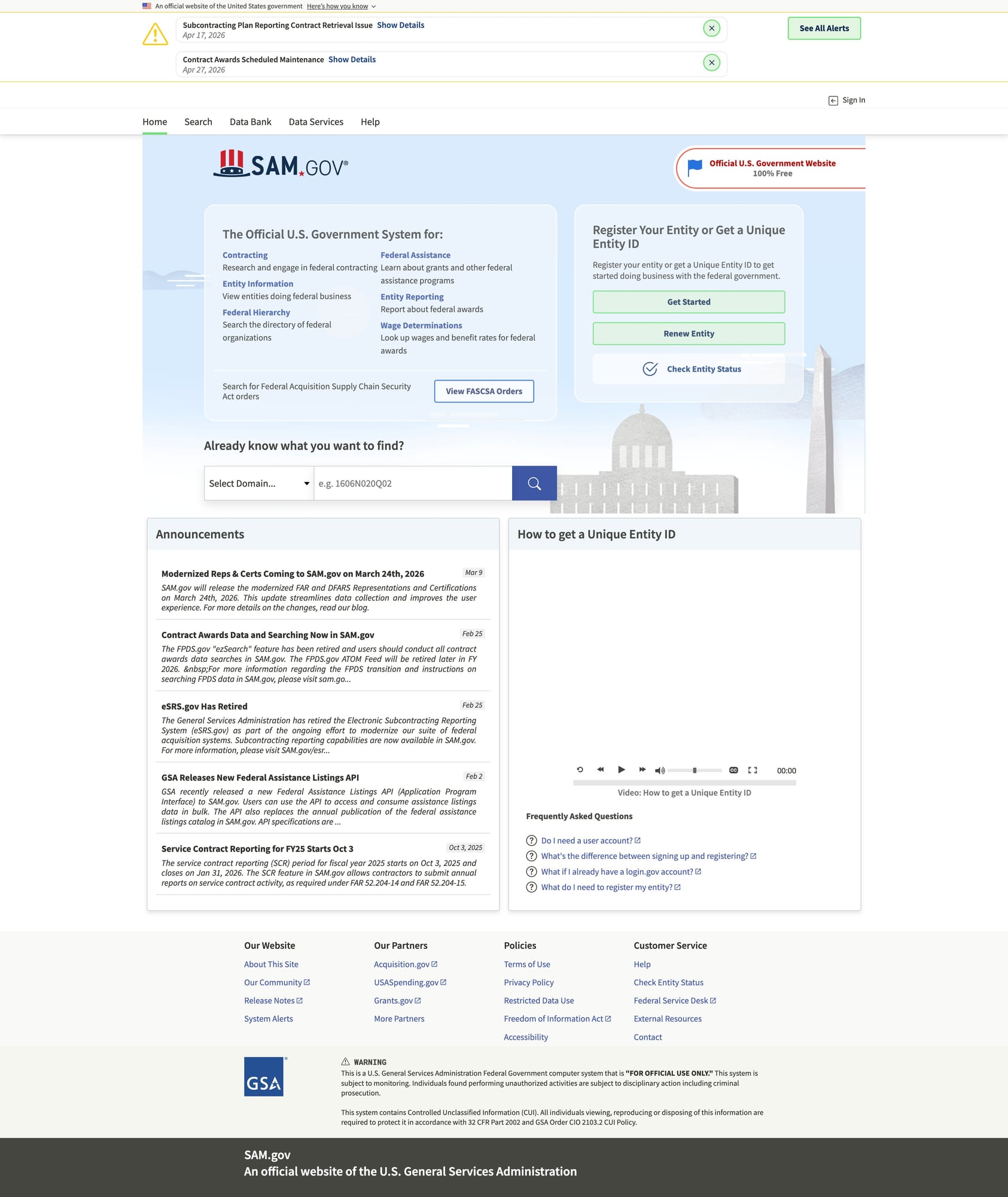
SAM.gov is the main US government portal for contract opportunities. If you’re building a market intelligence dataset (opportunity titles, NAICS codes, agencies, due dates, attachments, etc.), you’ll usually need to collect:
- search results (lists of opportunities)
- detail pages (the full opportunity record)
In this tutorial we’ll build a repeatable dataset builder:
- fetch results using a stable search URL pattern (configurable)
- paginate
- extract opportunity URLs/IDs
- fetch + parse details
- export clean JSON and CSV
Government portals can be slow and rate-limited. ProxiesAPI can help keep long-running opportunity crawls stable when you’re collecting many pages and detail URLs.
A reality check: SAM.gov has APIs (use them if you can)
Before scraping, check whether your use case can use official APIs.
Scraping is still useful when:
- you need fields not exposed in the API
- you’re prototyping quickly
- you need to validate UI-visible data
But if the API works for your requirements, it’ll be more stable long-term.
This guide focuses on building a scraping pipeline that you can adapt, not on promising permanence.
Setup
python3 -m venv .venv
source .venv/bin/activate
pip install requests beautifulsoup4 lxml tenacity
Step 1: Networking layer (timeouts + retries)
import random
import time
from dataclasses import dataclass

import requests
from tenacity import retry, stop_after_attempt, wait_exponential, retry_if_exception_type

TIMEOUT = (10, 40)

DEFAULT_HEADERS = {
    "User-Agent": (
        "Mozilla/5.0 (Macintosh; Intel Mac OS X 10_15_7) "
        "AppleWebKit/537.36 (KHTML, like Gecko) "
        "Chrome/124.0.0.0 Safari/537.36"
    ),
    "Accept": "text/html,application/xhtml+xml,application/xml;q=0.9,*/*;q=0.8",
    "Accept-Language": "en-US,en;q=0.9",
}


class FetchError(Exception):
    pass


@dataclass
class FetchResult:
    url: str
    status_code: int
    text: str


@retry(
    reraise=True,
    stop=stop_after_attempt(5),
    wait=wait_exponential(multiplier=1, min=1, max=30),
    retry=retry_if_exception_type(FetchError),
)
def fetch_html(session: requests.Session, url: str) -> FetchResult:
    r = session.get(url, headers=DEFAULT_HEADERS, timeout=TIMEOUT)

    if r.status_code in (403, 429):
        raise FetchError(f"blocked: {r.status_code}")
    if r.status_code >= 500:
        raise FetchError(f"server error: {r.status_code}")

    r.raise_for_status()
    return FetchResult(url=url, status_code=r.status_code, text=r.text)


def polite_sleep(min_s: float = 0.8, max_s: float = 2.0) -> None:
    time.sleep(random.uniform(min_s, max_s))
Step 2: Start from a known-good search URL (filters)
SAM.gov search is filter-driven. The most reliable approach is:
- set your filters in the UI
- copy the resulting URL
- use that as
START_URL
That way you’re not guessing query parameters.
Examples of filters you might apply:
- posted date range (last 30 days)
- NAICS code(s)
- set-aside type
- place of performance
For the scraper, we treat the start URL as a configurable input:
START_URL = "PASTE_SAMGOV_OPPORTUNITIES_SEARCH_URL_HERE"
Step 3: Extract opportunity detail URLs from the results page
SAM.gov is a modern web app. Depending on how it renders for you, you may see:
- server-rendered HTML with usable links
- client-rendered content (harder with raw
requests)
This tutorial uses a best-effort HTML extraction approach, plus a fallback to Playwright later if needed.
import re
from bs4 import BeautifulSoup
from urllib.parse import urljoin

BASE = "https://sam.gov"

# Heuristic: opportunity links often include an "opp" path.
OPP_LINK_RE = re.compile(r"/opp/|/opportunities/")


def extract_opportunity_urls(results_html: str) -> list[str]:
    soup = BeautifulSoup(results_html, "lxml")

    urls: list[str] = []
    seen: set[str] = set()

    for a in soup.select("a[href]"):
        href = a.get("href")
        if not href:
            continue

        if not OPP_LINK_RE.search(href):
            continue

        abs_url = urljoin(BASE, href)
        if abs_url not in seen:
            seen.add(abs_url)
            urls.append(abs_url)

    return urls
Sanity check
session = requests.Session()
res = fetch_html(session, START_URL)
urls = extract_opportunity_urls(res.text)
print("found", len(urls), "opportunity urls")
print(urls[:5])
If you get 0, you likely need a browser-based fetch (Playwright) for the initial HTML.
Step 4: Parse opportunity details (HTML-first, JSON-when-available)
Opportunity pages often contain structured labels (“Agency”, “Posted Date”, etc.).
A practical parser strategy:
- capture the page title
- extract a small set of labeled fields from definition lists / table rows
- keep the raw URL + scrape timestamp
from datetime import datetime, timezone


def normalize_space(s: str | None) -> str | None:
    if s is None:
        return None
    return " ".join(s.split())


def parse_labeled_fields(soup: BeautifulSoup) -> dict[str, str]:
    out: dict[str, str] = {}

    # Generic approach: look for label/value pairs in the DOM.
    # This is intentionally flexible; adjust selectors based on what you see.
    for row in soup.select("div, li, tr"):
        text = row.get_text(" ", strip=True)
        if not text:
            continue

        # Very lightweight heuristics for common fields.
        if "Posted Date" in text and "|" not in text:
            out.setdefault("posted_date_text", text)
        if "Response Date" in text and "|" not in text:
            out.setdefault("response_date_text", text)
        if "NAICS" in text:
            out.setdefault("naics_text", text)
        if "Set Aside" in text:
            out.setdefault("set_aside_text", text)

    return out


def parse_opportunity_detail(html: str, url: str) -> dict:
    soup = BeautifulSoup(html, "lxml")

    title = soup.title.get_text(strip=True) if soup.title else None
    h1 = soup.select_one("h1")
    h1_text = normalize_space(h1.get_text(" ", strip=True) if h1 else None)

    fields = parse_labeled_fields(soup)

    return {
        "url": url,
        "title_tag": title,
        "title": h1_text,
        "scraped_at": datetime.now(timezone.utc).isoformat(),
        **fields,
    }
Step 5: Crawl results → crawl details → export
This is the dataset builder loop.
import csv
import json


def crawl_opportunities(start_url: str, max_items: int = 50) -> list[dict]:
    session = requests.Session()

    res = fetch_html(session, start_url)
    opp_urls = extract_opportunity_urls(res.text)

    rows: list[dict] = []

    for i, url in enumerate(opp_urls[:max_items], start=1):
        try:
            polite_sleep(1.0, 2.0)
            detail = fetch_html(session, url)
            rows.append(parse_opportunity_detail(detail.text, url))
            print(f"[{i}/{min(len(opp_urls), max_items)}] ok {url}")
        except Exception as e:
            print(f"[{i}] failed {url}: {e}")

    return rows


def export_json(path: str, rows: list[dict]) -> None:
    with open(path, "w", encoding="utf-8") as f:
        json.dump(rows, f, ensure_ascii=False, indent=2)


def export_csv(path: str, rows: list[dict]) -> None:
    if not rows:
        return
    keys = sorted({k for r in rows for k in r.keys()})
    with open(path, "w", newline="", encoding="utf-8") as f:
        w = csv.DictWriter(f, fieldnames=keys)
        w.writeheader()
        w.writerows(rows)


rows = crawl_opportunities(START_URL, max_items=30)
export_json("samgov_opportunities.json", rows)
export_csv("samgov_opportunities.csv", rows)
print("wrote", len(rows), "rows")
If HTML extraction fails: use Playwright for rendering
If SAM.gov returns minimal HTML, you’ll need a browser.
A pragmatic hybrid:
- use Playwright to fetch the rendered HTML (or intercept the JSON XHR)
- keep the rest of the pipeline identical
Skeleton:
# pip install playwright
# playwright install

from playwright.sync_api import sync_playwright


def fetch_rendered_html(url: str) -> str:
    with sync_playwright() as p:
        browser = p.chromium.launch(headless=True)
        page = browser.new_page()
        page.goto(url, wait_until="networkidle")
        html = page.content()
        browser.close()
        return html

# html = fetch_rendered_html(START_URL)
# urls = extract_opportunity_urls(html)
Where ProxiesAPI fits
For SAM.gov datasets, you’ll typically run long jobs:
- many search pages
- many detail URLs
- occasional failures
ProxiesAPI can help by stabilizing the fetch step when you encounter throttling.
A simple pattern is to route requests through ProxiesAPI while leaving your parsing unchanged.
import os

PROXIESAPI_KEY = os.getenv("PROXIESAPI_KEY")


def fetch_html_via_proxiesapi(session: requests.Session, url: str) -> FetchResult:
    if not PROXIESAPI_KEY:
        raise RuntimeError("Set PROXIESAPI_KEY")

    proxiesapi_url = "https://api.proxiesapi.com"
    params = {"auth_key": PROXIESAPI_KEY, "url": url}

    r = session.get(proxiesapi_url, params=params, headers=DEFAULT_HEADERS, timeout=TIMEOUT)
    r.raise_for_status()
    return FetchResult(url=url, status_code=r.status_code, text=r.text)
QA checklist
- start URL loads consistently (not blocked)
- opportunity URLs extracted > 0
- detail parser returns non-empty titles for several items
- exports load cleanly
- you’re sleeping between requests
Next upgrades
- paginate results pages (iterate your search URL parameters)
- extract structured fields by observing exact labels in the DOM
- intercept JSON API calls in Playwright for the cleanest data
- store in SQLite/Postgres for incremental updates
Government portals can be slow and rate-limited. ProxiesAPI can help keep long-running opportunity crawls stable when you’re collecting many pages and detail URLs.