
Scrape Government Contract Opportunities from SAM.gov (Python + ProxiesAPI)
SAM.gov is the US government’s official site for federal contract opportunities. If you’re building:
- a niche contracting newsletter
- a lead list for a specific NAICS code
- a dashboard of opportunities by agency/location
…you typically want structured listings in a CSV/DB.
In this tutorial we’ll build a practical scraper that:
- starts from a saved search URL
- paginates through listings
- extracts core fields (title, notice ID, agency, posted date, response deadline)
- writes a clean CSV
- uses robust retries and realistic headers
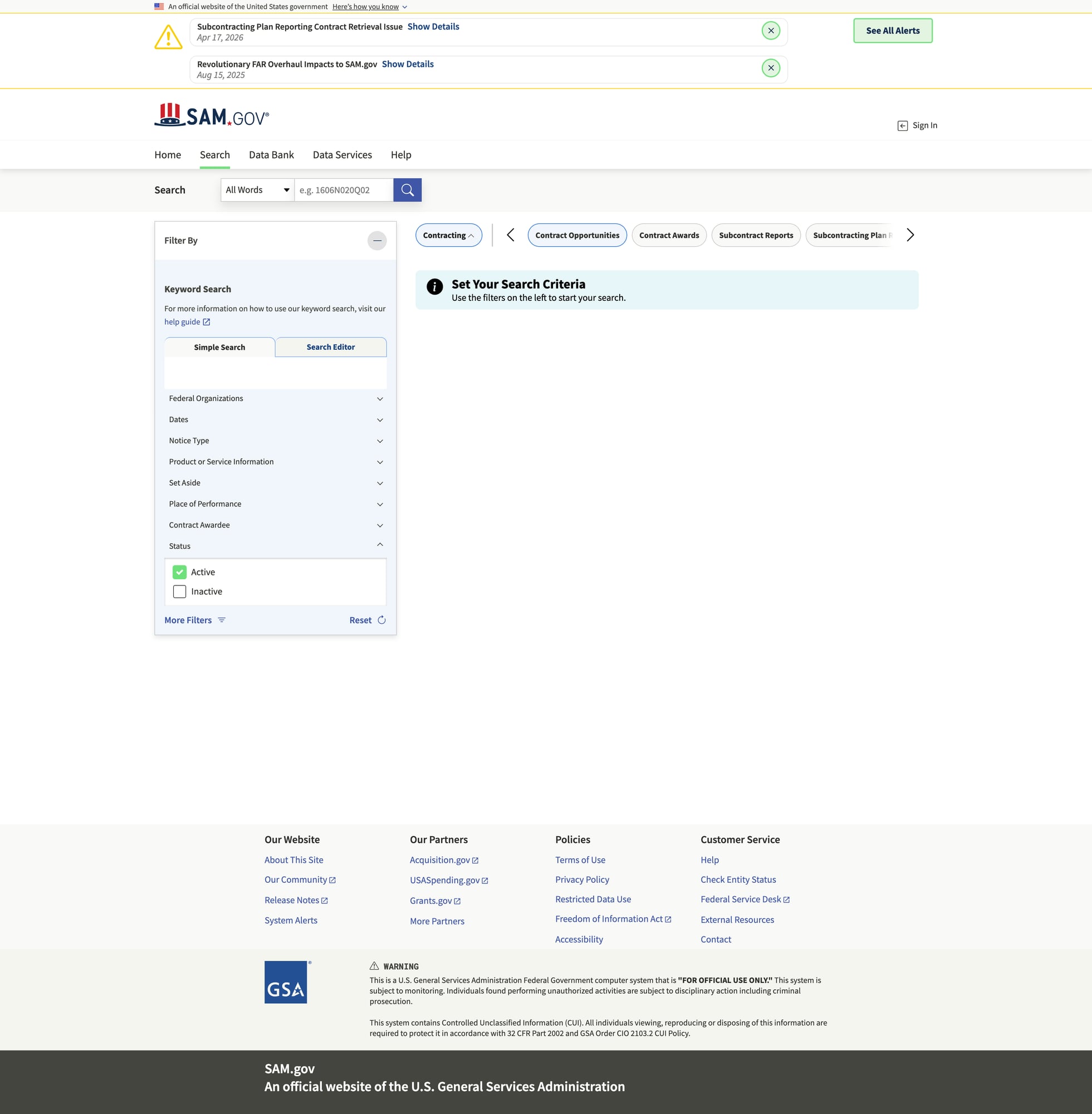
Opportunity searches can involve lots of pagination and repeated requests. ProxiesAPI helps reduce random throttles and failed pages so your CSV exports complete reliably.
A quick note on SAM.gov data access
SAM.gov has both web pages and official APIs. If an official API meets your needs, it’s often the best long-term choice.
That said, teams still scrape because:
- the UI surfaces fields/filters differently than an API
- API quotas/auth can be painful for quick prototypes
- you want “what the browser shows” for monitoring
We’ll build the scraper in a way that’s transparent and debuggable.
Setup
python -m venv .venv
source .venv/bin/activate
pip install requests beautifulsoup4 lxml tenacity python-dotenv
Step 1: A resilient fetch() (timeouts + retries + optional ProxiesAPI)
from __future__ import annotations

import os
import random
import time
from dataclasses import dataclass

import requests
from tenacity import retry, stop_after_attempt, wait_exponential_jitter, retry_if_exception_type

TIMEOUT = (10, 40)
BASE_HEADERS = {
    "User-Agent": (
        "Mozilla/5.0 (Macintosh; Intel Mac OS X 10_15_7) "
        "AppleWebKit/537.36 (KHTML, like Gecko) "
        "Chrome/123.0.0.0 Safari/537.36"
    ),
    "Accept": "text/html,application/xhtml+xml,application/xml;q=0.9,*/*;q=0.8",
    "Accept-Language": "en-US,en;q=0.9",
    "Connection": "keep-alive",
}


class FetchError(RuntimeError):
    pass


@dataclass
class HttpClient:
    session: requests.Session
    proxiesapi_url: str | None = None

    def build_url(self, url: str) -> str:
        if not self.proxiesapi_url:
            return url
        return f"{self.proxiesapi_url}{requests.utils.quote(url, safe='')}"

    @retry(
        reraise=True,
        stop=stop_after_attempt(6),
        wait=wait_exponential_jitter(initial=1, max=30),
        retry=retry_if_exception_type((requests.RequestException, FetchError)),
    )
    def get(self, url: str) -> str:
        time.sleep(random.uniform(0.15, 0.6))
        target = self.build_url(url)
        r = self.session.get(target, headers=BASE_HEADERS, timeout=TIMEOUT)

        if r.status_code in (429, 500, 502, 503, 504):
            raise FetchError(f"retryable status={r.status_code} url={url}")

        r.raise_for_status()
        return r.text


def make_client() -> HttpClient:
    s = requests.Session()
    return HttpClient(session=s, proxiesapi_url=os.getenv("PROXIESAPI_URL"))
Optional .env:
PROXIESAPI_URL="https://api.proxiesapi.com/v1/?api_key=YOUR_KEY&url="
Step 2: Start from a SAM.gov search URL
The easiest way is:
- open SAM.gov Opportunities
- apply filters (keyword, agency, NAICS, place of performance, etc.)
- copy the results URL
Your goal is to treat the URL as an input to your job.
Step 3: Parse listings from a results page
SAM.gov markup can be dynamic, but result pages generally render cards/rows with:
- title
- notice/opportunity ID
- posted date
- response deadline
- agency
We’ll parse using best-effort selectors and text-based fallbacks.
import re
from bs4 import BeautifulSoup
from urllib.parse import urljoin

BASE = "https://sam.gov"


def clean(text: str | None) -> str | None:
    if not text:
        return None
    t = re.sub(r"\s+", " ", text).strip()
    return t or None


def parse_results(html: str) -> tuple[list[dict], str | None]:
    soup = BeautifulSoup(html, "lxml")

    listings: list[dict] = []

    # Cards/rows often contain links to notice pages
    for a in soup.select("a[href*='/opp/']"):
        href = a.get("href")
        if not href:
            continue
        url = urljoin(BASE, href)

        title = clean(a.get_text(" ", strip=True))
        if not title or len(title) < 6:
            continue

        # The card container is usually a parent; walk up a bit.
        card = a
        for _ in range(6):
            card = card.parent
            if not card:
                break

        blob_text = clean(card.get_text("\n", strip=True) if card else "") or ""

        # heuristic extraction from nearby text
        notice_id = None
        m_id = re.search(r"Notice\s*ID\s*[:\-]?\s*([A-Z0-9\-_.]+)", blob_text, re.I)
        if m_id:
            notice_id = m_id.group(1)

        posted = None
        m_posted = re.search(r"Posted\s*Date\s*[:\-]?\s*([A-Za-z]{3}\s+\d{1,2},\s+\d{4})", blob_text)
        if m_posted:
            posted = m_posted.group(1)

        deadline = None
        m_deadline = re.search(r"Response\s*Deadline\s*[:\-]?\s*([A-Za-z]{3}\s+\d{1,2},\s+\d{4})", blob_text)
        if m_deadline:
            deadline = m_deadline.group(1)

        agency = None
        m_agency = re.search(r"Department/Ind\.\s*Agency\s*[:\-]?\s*(.+)", blob_text)
        if m_agency:
            agency = clean(m_agency.group(1).split("\n")[0])

        listings.append({
            "title": title,
            "url": url,
            "notice_id": notice_id,
            "posted_date": posted,
            "response_deadline": deadline,
            "agency": agency,
        })

    # de-dupe by URL
    seen = set()
    out = []
    for it in listings:
        if it["url"] in seen:
            continue
        seen.add(it["url"])
        out.append(it)

    # next page: try rel=next, then a "Next" button link
    next_a = soup.select_one("a[rel='next']")
    if not next_a:
        next_a = soup.find("a", string=re.compile(r"Next", re.I))

    next_url = None
    if next_a and next_a.get("href"):
        next_url = urljoin(BASE, next_a.get("href"))

    return out, next_url
Step 4: Crawl pagination and export CSV
import csv
from pathlib import Path


def crawl_and_export(seed_url: str, out_csv: str = "samgov_opportunities.csv", max_pages: int = 20):
    client = make_client()

    all_rows: list[dict] = []
    seen_urls: set[str] = set()

    page = 0
    next_url = seed_url

    while next_url and page < max_pages:
        page += 1
        html = client.get(next_url)
        rows, next_url = parse_results(html)

        added = 0
        for r in rows:
            if r["url"] in seen_urls:
                continue
            seen_urls.add(r["url"])
            all_rows.append(r)
            added += 1

        print(f"page={page} scraped={len(rows)} added={added} total={len(all_rows)}")

        if added == 0 and page >= 2:
            break

    # Write CSV
    out_path = Path(out_csv)
    fieldnames = ["title", "notice_id", "agency", "posted_date", "response_deadline", "url"]
    with out_path.open("w", newline="", encoding="utf-8") as f:
        w = csv.DictWriter(f, fieldnames=fieldnames)
        w.writeheader()
        for r in all_rows:
            w.writerow({k: r.get(k) for k in fieldnames})

    print("wrote", out_path, "rows=", len(all_rows))


if __name__ == "__main__":
    seed = "https://sam.gov/search/?index=opp"  # replace with your filtered search URL
    crawl_and_export(seed_url=seed, out_csv="samgov_opportunities.csv", max_pages=10)
Practical scraping advice for SAM.gov
- Save the HTML you fetched when parsing fails. Most “my selectors don’t work” problems are “I’m not getting the page I think I’m getting.”
- If your job runs hourly, add caching (ETag/If-Modified-Since) or store seen URLs in SQLite.
- Keep concurrency low. Pagination + fan-out can trigger throttles fast.
Where ProxiesAPI fits (honestly)
If you’re pulling a couple pages, direct requests might work.
ProxiesAPI becomes useful when you:
- paginate deeper
- run on a schedule
- crawl multiple queries (keywords/NAICS)
- see inconsistent failures (random 403/429/5xx)
It won’t magically “solve” bad parsing, but it can make your network layer more consistent so your scraper can do its job.
Next upgrades
- parse the opportunity detail page for NAICS, set-asides, and contact info
- normalize dates to ISO 8601
- store results in SQLite and only fetch new notices
- add a notifier (email/Slack) for matching opportunities
Opportunity searches can involve lots of pagination and repeated requests. ProxiesAPI helps reduce random throttles and failed pages so your CSV exports complete reliably.