
Scrape UK Property Prices from Rightmove with Python (Green List #17): Dataset Builder
Rightmove’s Sold House Prices section is a goldmine if you’re doing UK property research — but turning it into a usable dataset means doing three things well:
- crawl the sold results pages
- paginate safely (without duplicates)
- fetch each property detail page and normalize the fields
In this guide we’ll build a production-style Python scraper that exports a clean dataset (CSV + JSON). We’ll also show exactly where ProxiesAPI fits: as a wrapper around the HTTP fetch so your parsing logic doesn’t change.
Rightmove scrapes often fail when you paginate and open lots of listing pages. ProxiesAPI gives you a simple fetch wrapper so your scraper stays focused on parsing — while the network layer stays stable.
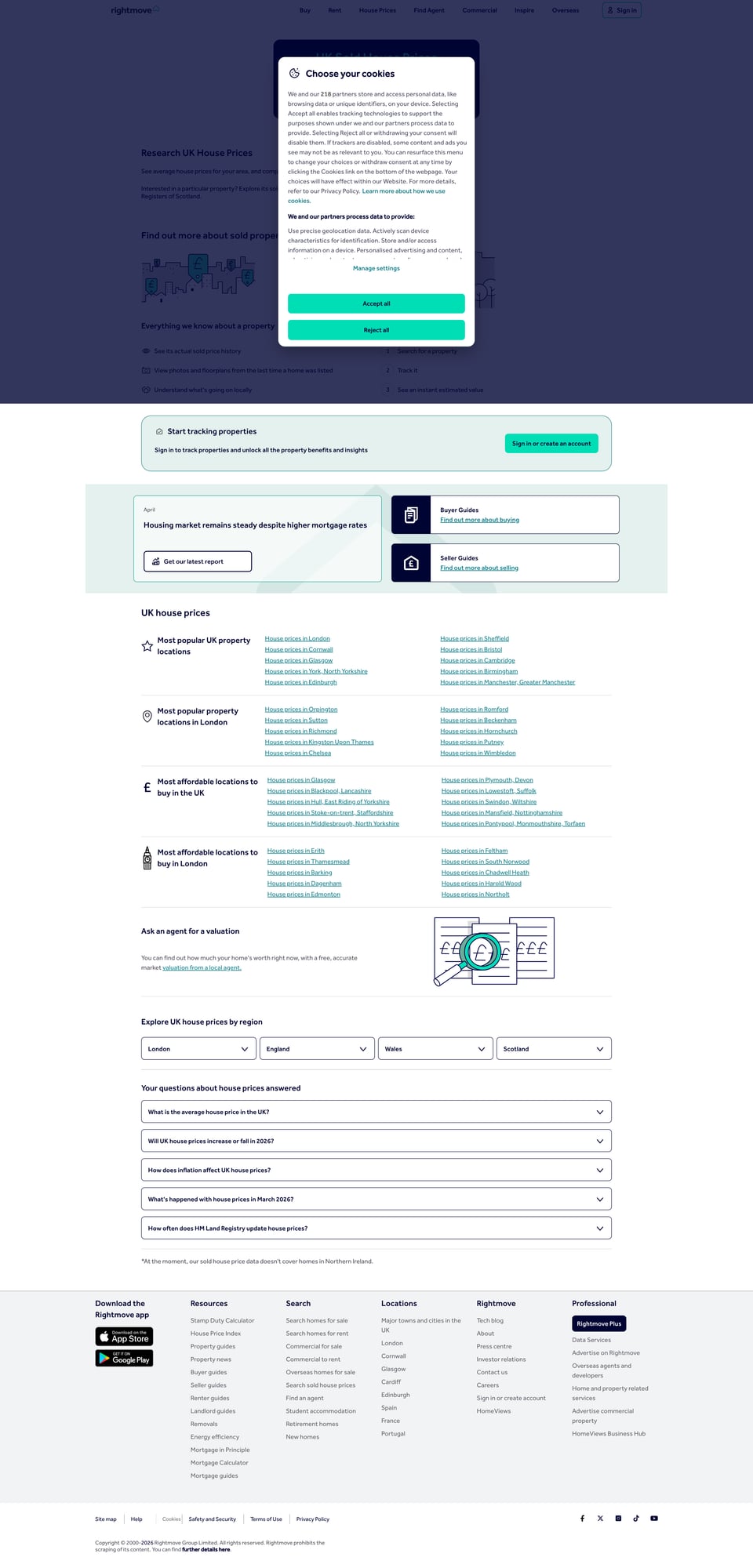
What we’re scraping (Rightmove Sold House Prices)
Rightmove’s sold prices experience typically starts at:
https://www.rightmove.co.uk/house-prices.html
From there, you click into an area/street and you’ll land on a sold results page that contains:
- a list of sold properties (cards / rows)
- links to property detail pages
- pagination (often as a “next” link or page numbers)
Important: Rightmove’s HTML can vary slightly between areas and over time. The workflow below is robust because it:
- extracts links based on stable anchors (not brittle nth-child selectors)
- deduplicates by property URL/id
- retries network failures
Before we code: grab one real start URL
Open Rightmove in your browser and navigate to a sold prices results page you care about.
Example shape (yours will differ):
https://www.rightmove.co.uk/house-prices/London.html?type=DETACHED&soldIn=1(illustrative)
Copy that URL — we’ll use it as START_URL.
Setup
python -m venv .venv
source .venv/bin/activate
pip install requests beautifulsoup4 lxml tenacity pandas
We’ll use:
requestsfor HTTPBeautifulSoup(lxml)for HTML parsingtenacityfor clean retriespandasfor CSV output (optional but convenient)
Step 1: A fetch() function with timeouts + retries
Scrapers fail more often because of networking than parsing. Start with a solid fetch.
from __future__ import annotations

import random
import time
from urllib.parse import quote

import requests
from tenacity import retry, stop_after_attempt, wait_exponential, retry_if_exception_type

TIMEOUT = (10, 40)  # connect, read
UA = "Mozilla/5.0 (compatible; ProxiesAPI-Guides/1.0)"

session = requests.Session()
session.headers.update({"User-Agent": UA, "Accept-Language": "en-GB,en;q=0.9"})


class FetchError(RuntimeError):
    pass


@retry(
    reraise=True,
    stop=stop_after_attempt(6),
    wait=wait_exponential(multiplier=1, min=1, max=20),
    retry=retry_if_exception_type((requests.RequestException, FetchError)),
)
def fetch(url: str) -> str:
    r = session.get(url, timeout=TIMEOUT)

    # basic anti-bot / unexpected response handling
    if r.status_code in (403, 429):
        raise FetchError(f"blocked status={r.status_code}")

    r.raise_for_status()

    if not r.text or len(r.text) < 5000:
        # tiny pages can be interstitials / error shells
        raise FetchError("unexpectedly small HTML")

    # polite jitter
    time.sleep(0.4 + random.random() * 0.6)

    return r.text
This is the baseline. Next, we’ll drop in ProxiesAPI with zero parser changes.
Step 2: Wrap requests with ProxiesAPI (optional but recommended at scale)
ProxiesAPI works as a URL wrapper:
http://api.proxiesapi.com/?key=API_KEY&url=ENCODED_TARGET_URL
In Python:
def proxiesapi_url(target_url: str, api_key: str) -> str:
    return "http://api.proxiesapi.com/?key=" + quote(api_key) + "&url=" + quote(target_url, safe="")

# example
# wrapped = proxiesapi_url("https://www.rightmove.co.uk/house-prices.html", "API_KEY")
To use ProxiesAPI, you only change the URL you pass to fetch().
Step 3: Parse the sold results page for property links
Rightmove sold results pages contain links to property pages. We’ll extract unique property URLs.
from bs4 import BeautifulSoup
from urllib.parse import urljoin, urlparse

BASE = "https://www.rightmove.co.uk"


def parse_property_links(html: str) -> list[str]:
    soup = BeautifulSoup(html, "lxml")

    links: set[str] = set()

    # Strategy: collect anchors that look like property pages.
    # Rightmove often uses /house-prices/ or /property/ style paths.
    for a in soup.select("a[href]"):
        href = a.get("href")
        if not href:
            continue

        abs_url = urljoin(BASE, href)
        path = urlparse(abs_url).path

        # Heuristic filter (adjust if your observed paths differ)
        if "/house-prices/" in path or "/property/" in path:
            # avoid index-like pages
            if abs_url.startswith(BASE):
                links.add(abs_url)

    return sorted(links)
Pagination: find the “next page” URL
Rather than guessing page numbers, try to find a “Next” link (common pattern on many sites).
import re


def parse_next_page(html: str, current_url: str) -> str | None:
    soup = BeautifulSoup(html, "lxml")

    # Look for anchor text that suggests next.
    for a in soup.select("a[href]"):
        txt = a.get_text(" ", strip=True).lower()
        if txt in {"next", "next page", "›"} or re.fullmatch(r"next\s*›?", txt):
            return urljoin(current_url, a.get("href"))

    # Fallback: common rel attribute
    rel = soup.select_one("a[rel='next']")
    if rel and rel.get("href"):
        return urljoin(current_url, rel.get("href"))

    return None
Because Rightmove can change markup, you may need to tweak this function after a quick HTML inspection.
Step 4: Parse a property detail page (sold price + date + address)
Property detail pages are where the real value lives. We’ll parse a handful of fields:
- address
- sold price
- sold date
- property type (if present)
import re


def clean_money(text: str) -> int | None:
    if not text:
        return None
    digits = re.sub(r"[^0-9]", "", text)
    return int(digits) if digits else None


def parse_property_page(html: str, url: str) -> dict:
    soup = BeautifulSoup(html, "lxml")

    # Address is often in a heading near the top
    h1 = soup.select_one("h1")
    address = h1.get_text(" ", strip=True) if h1 else None

    text = soup.get_text("\n", strip=True)

    # Heuristics for sold price/date inside page text.
    # (You should verify these against the live page and refine selectors.)
    price = None
    m = re.search(r"Sold\s+for\s+£\s*([0-9,]+)", text, flags=re.IGNORECASE)
    if m:
        price = clean_money("£" + m.group(1))

    sold_date = None
    m2 = re.search(r"Sold\s+on\s+([0-9]{1,2}\s+[A-Za-z]+\s+[0-9]{4})", text, flags=re.IGNORECASE)
    if m2:
        sold_date = m2.group(1)

    return {
        "url": url,
        "address": address,
        "sold_price_gbp": price,
        "sold_date": sold_date,
    }
This is intentionally conservative: HTML structure varies. If you inspect the page and find stable attributes (like data-test), prefer those over regex.
Step 5: Crawl results → fetch property pages → export a dataset
Now we wire it up:
- Start at
START_URL - Extract property links on each page
- Follow pagination until
max_pages - Fetch each property page and parse fields
- Write JSON + CSV
import json
from dataclasses import dataclass


@dataclass
class CrawlConfig:
    start_url: str
    max_pages: int = 10
    max_properties: int = 200
    proxiesapi_key: str | None = None


def maybe_wrap(url: str, api_key: str | None) -> str:
    if not api_key:
        return url
    return proxiesapi_url(url, api_key)


def crawl(config: CrawlConfig) -> list[dict]:
    current = config.start_url
    page = 0

    seen_properties: set[str] = set()
    rows: list[dict] = []

    while current and page < config.max_pages and len(rows) < config.max_properties:
        page += 1
        html = fetch(maybe_wrap(current, config.proxiesapi_key))

        prop_links = parse_property_links(html)
        next_url = parse_next_page(html, current)

        print(f"page={page} properties_found={len(prop_links)} next={bool(next_url)}")

        for url in prop_links:
            if url in seen_properties:
                continue
            seen_properties.add(url)

            p_html = fetch(maybe_wrap(url, config.proxiesapi_key))
            row = parse_property_page(p_html, url)
            rows.append(row)

            if len(rows) >= config.max_properties:
                break

        current = next_url

    return rows


if __name__ == "__main__":
    START_URL = "PASTE_YOUR_RIGHTMOVE_SOLD_RESULTS_URL_HERE"

    cfg = CrawlConfig(
        start_url=START_URL,
        max_pages=8,
        max_properties=150,
        proxiesapi_key=None,  # set to "YOUR_KEY" to use ProxiesAPI
    )

    data = crawl(cfg)
    print("rows:", len(data))

    with open("rightmove_sold_prices.json", "w", encoding="utf-8") as f:
        json.dump(data, f, ensure_ascii=False, indent=2)

    try:
        import pandas as pd

        pd.DataFrame(data).to_csv("rightmove_sold_prices.csv", index=False)
        print("wrote rightmove_sold_prices.csv")
    except Exception as e:
        print("CSV export skipped:", e)

    print("wrote rightmove_sold_prices.json")
Practical notes (Rightmove scraping hygiene)
1) Respect crawl limits
Even if you can crawl thousands of pages, you probably don’t need to.
Start with:
max_pages=3max_properties=50
Validate your extraction, then scale.
2) Deduplicate aggressively
Rightmove pages can repeat listings or show the same property in multiple contexts.
Always dedupe by:
- property URL
- (or) property id if you can reliably extract it
3) Expect some empty fields
Some properties won’t show a “Sold on” date or will have content loaded differently.
That’s okay — build a dataset that tolerates None.
Where ProxiesAPI fits (honestly)
Rightmove is not a “hello world” site — when you:
- paginate
- open lots of details pages
- run the job repeatedly
…you’ll hit more throttling and flaky responses.
ProxiesAPI helps by giving you a consistent fetch wrapper so you can keep your code focused on parsing + data modeling.
QA checklist
- Start URL opens in your browser and shows sold listings
-
parse_property_links()returns real property links (print first 5) - Pagination finds a next page (or you tweak
parse_next_page()) - Parsed rows contain plausible addresses + prices
- JSON/CSV files write successfully
Rightmove scrapes often fail when you paginate and open lots of listing pages. ProxiesAPI gives you a simple fetch wrapper so your scraper stays focused on parsing — while the network layer stays stable.