
Scrape Yahoo Finance ETF Holdings and Sector Weights with Python
Yahoo Finance is one of the easiest places to inspect an ETF before you buy it, but the page becomes far more useful once you turn it into a dataset.
For ETF research, the most practical fields are usually:
- top holdings
- sector weights
- expense ratio
- category and issuer
- asset-allocation mix
In this guide we will scrape those fields from Yahoo Finance with Python and export two flat datasets:
- one row per ETF snapshot
- one row per holding / sector slice
Mandatory screenshot of the target site:
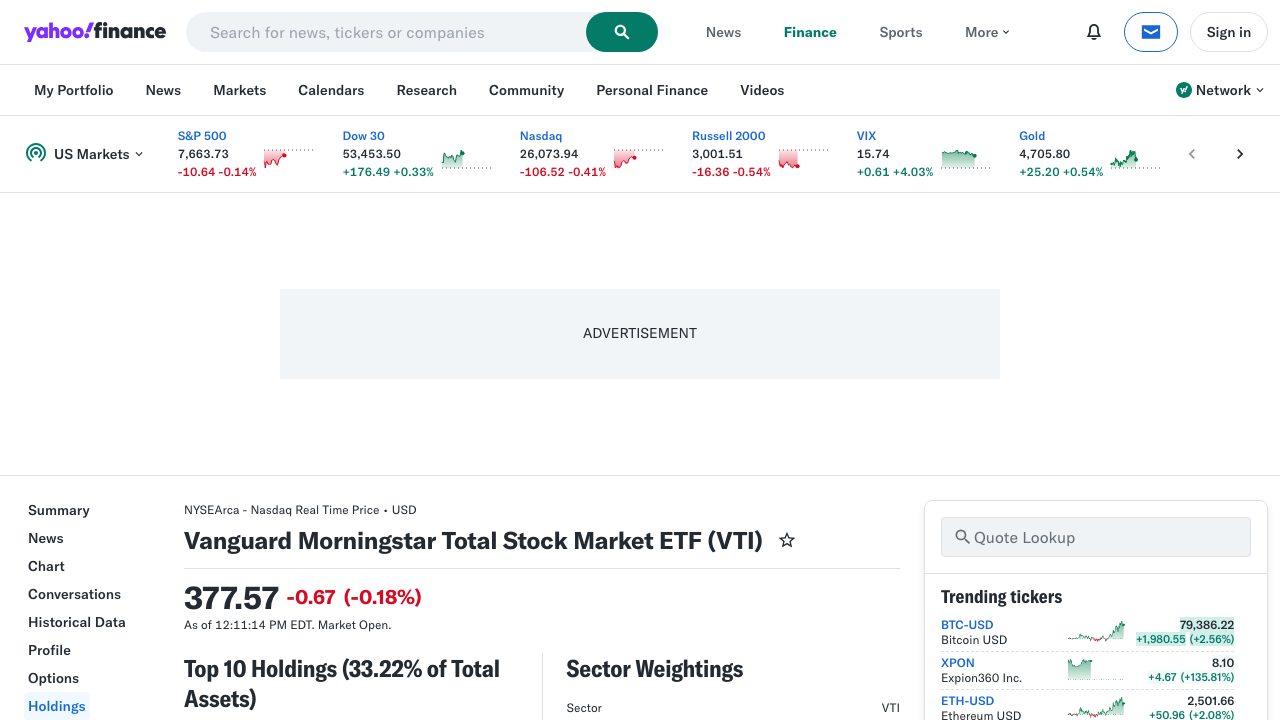
Yahoo Finance works for exploratory scraping, but reliability drops once you crawl many funds on a schedule. ProxiesAPI gives you a cleaner network layer so your parser can stay simple.
What we are scraping
For a fund like VTI, the human-facing page is:
https://finance.yahoo.com/quote/VTI/
The holdings UI is backed by Yahoo's internal JSON endpoints. That is the better scraping target because:
- holdings already arrive as structured objects
- sector weights are returned as percentages
- you avoid brittle table selectors in rendered HTML
The catch is authentication state. Yahoo often rejects generic clients with Invalid Crumb, so the winning pattern is:
- warm a browser-like session on the quote page
- request Yahoo's crumb token
- call the quote summary endpoint with the same session
Setup
python3 -m venv .venv
source .venv/bin/activate
pip install curl_cffi pandas
Why curl_cffi instead of plain requests?
Because Yahoo Finance is much happier when the client impersonates a modern browser. In testing, a plain request to the quote summary endpoint returned 401 Unauthorized with Invalid Crumb, while curl_cffi with session cookies worked.
Step 1: Build a Yahoo Finance client
from __future__ import annotations

import os
from datetime import datetime, timezone
from urllib.parse import quote

from curl_cffi import requests

PROXIESAPI_KEY = os.getenv("PROXIESAPI_KEY", "")
TIMEOUT = 30


class YahooEtfClient:
    def __init__(self, use_proxiesapi: bool = False) -> None:
        self.use_proxiesapi = use_proxiesapi
        self.session = requests.Session(impersonate="chrome124")
        self.session.headers.update({
            "Accept-Language": "en-US,en;q=0.9",
            "User-Agent": (
                "Mozilla/5.0 (Macintosh; Intel Mac OS X 10_15_7) "
                "AppleWebKit/537.36 (KHTML, like Gecko) "
                "Chrome/124.0.0.0 Safari/537.36"
            ),
        })
        self.crumb: str | None = None

    def proxiesapi_url(self, target_url: str) -> str:
        if not PROXIESAPI_KEY:
            raise RuntimeError("Set PROXIESAPI_KEY before enabling ProxiesAPI")
        return (
            "https://api.proxiesapi.com/?auth_key="
            + quote(PROXIESAPI_KEY, safe="")
            + "&url="
            + quote(target_url, safe="")
        )

    def warm_session(self, symbol: str) -> None:
        quote_url = f"https://finance.yahoo.com/quote/{symbol}/"
        boot_url = self.proxiesapi_url(quote_url) if self.use_proxiesapi else quote_url

        page = self.session.get(boot_url, timeout=TIMEOUT)
        page.raise_for_status()

        crumb_resp = self.session.get(
            "https://query1.finance.yahoo.com/v1/test/getcrumb",
            headers={"Referer": quote_url},
            timeout=TIMEOUT,
        )
        crumb_resp.raise_for_status()
        self.crumb = crumb_resp.text.strip()

    def fetch_summary(self, symbol: str) -> dict:
        if not self.crumb:
            self.warm_session(symbol)

        quote_url = f"https://finance.yahoo.com/quote/{symbol}/"
        resp = self.session.get(
            f"https://query1.finance.yahoo.com/v10/finance/quoteSummary/{symbol}",
            params={
                "modules": "topHoldings,fundProfile",
                "crumb": self.crumb,
            },
            headers={"Referer": quote_url},
            timeout=TIMEOUT,
        )
        resp.raise_for_status()
        payload = resp.json()
        return payload["quoteSummary"]["result"][0]
That modules=topHoldings,fundProfile combination gives you most of what an ETF research workflow needs.
Step 2: Normalize holdings, sectors, and fund metadata
Yahoo's payload is nested. We want clean rows.
def pct(field: dict | None) -> float | None:
    if not field:
        return None
    raw = field.get("raw")
    return round(raw * 100, 4) if isinstance(raw, (int, float)) else None


def text_or_none(field: dict | None) -> str | None:
    if not field:
        return None
    return field.get("fmt") or field.get("longFmt")


def normalize_sector_weights(items: list[dict]) -> list[dict]:
    rows = []
    for item in items or []:
        sector_name, sector_value = next(iter(item.items()))
        rows.append({
            "sector": sector_name.replace("_", " "),
            "weight_pct": pct(sector_value),
        })
    return rows


def parse_etf_snapshot(symbol: str, payload: dict) -> tuple[dict, list[dict], list[dict]]:
    top = payload["topHoldings"]
    profile = payload["fundProfile"]
    as_of = datetime.now(timezone.utc).isoformat()

    snapshot = {
        "symbol": symbol,
        "scraped_at_utc": as_of,
        "fund_family": profile.get("family"),
        "category_name": profile.get("categoryName"),
        "legal_type": profile.get("legalType"),
        "expense_ratio_pct": pct(profile.get("feesExpensesInvestment", {}).get("annualReportExpenseRatio")),
        "cash_position_pct": pct(top.get("cashPosition")),
        "stock_position_pct": pct(top.get("stockPosition")),
        "bond_position_pct": pct(top.get("bondPosition")),
        "other_position_pct": pct(top.get("otherPosition")),
    }

    holdings_rows = []
    for holding in top.get("holdings", []):
        holdings_rows.append({
            "symbol": symbol,
            "scraped_at_utc": as_of,
            "holding_symbol": holding.get("symbol"),
            "holding_name": holding.get("holdingName"),
            "holding_weight_pct": pct(holding.get("holdingPercent")),
        })

    sector_rows = []
    for row in normalize_sector_weights(top.get("sectorWeightings", [])):
        row["symbol"] = symbol
        row["scraped_at_utc"] = as_of
        sector_rows.append(row)

    return snapshot, holdings_rows, sector_rows
Two fields are worth calling out:
holdingsusually contains the top 10 positionssectorWeightingsis a list of one-key objects like{"technology": {"raw": 0.3506, "fmt": "35.06%"}}
That means a tiny normalization helper pays off.
Step 3: Scrape multiple ETFs and export CSV files
import csv


def write_csv(path: str, rows: list[dict]) -> None:
    if not rows:
        return
    with open(path, "w", newline="", encoding="utf-8") as handle:
        writer = csv.DictWriter(handle, fieldnames=list(rows[0].keys()))
        writer.writeheader()
        writer.writerows(rows)


def scrape_etfs(symbols: list[str], *, use_proxiesapi: bool = False) -> None:
    client = YahooEtfClient(use_proxiesapi=use_proxiesapi)

    snapshots: list[dict] = []
    holdings: list[dict] = []
    sectors: list[dict] = []

    for symbol in symbols:
        payload = client.fetch_summary(symbol)
        snapshot, holding_rows, sector_rows = parse_etf_snapshot(symbol, payload)
        snapshots.append(snapshot)
        holdings.extend(holding_rows)
        sectors.extend(sector_rows)
        print(symbol, len(holding_rows), "holdings", len(sector_rows), "sectors")

    write_csv("etf_snapshots.csv", snapshots)
    write_csv("etf_top_holdings.csv", holdings)
    write_csv("etf_sector_weights.csv", sectors)


if __name__ == "__main__":
    scrape_etfs(["VTI", "VOO", "QQQ"], use_proxiesapi=False)
Typical output looks like:
VTI 10 holdings 11 sectors
VOO 10 holdings 11 sectors
QQQ 10 holdings 11 sectors
At that point you have:
etf_snapshots.csvfor fund-level metadataetf_top_holdings.csvfor position-level analysisetf_sector_weights.csvfor allocation dashboards
Step 4: Rank the largest sector exposures
Once the data is flat, analysis becomes simple.
import pandas as pd


def top_sectors(csv_path: str = "etf_sector_weights.csv") -> pd.DataFrame:
    df = pd.read_csv(csv_path)
    ranked = (
        df.sort_values(["symbol", "weight_pct"], ascending=[True, False])
          .groupby("symbol")
          .head(5)
    )
    return ranked[["symbol", "sector", "weight_pct"]]


print(top_sectors())
That is enough for:
- ETF comparison dashboards
- sector concentration alerts
- periodic rebalance snapshots
- blog or newsletter tables
Practical notes for Yahoo Finance scraping
1. Do not guess that plain requests will work
The endpoint is easy to parse, but session setup matters. If you see Invalid Crumb, fix the client flow before changing the parser.
2. Treat each run as a dated snapshot
Top holdings and sector weights change. Add scraped_at_utc to every row so you can compare one run to the next.
3. Keep the parser JSON-first
The visible holdings page is useful for screenshots and human inspection, but the structured payload is far more stable than scraping rendered tables.
4. Add ProxiesAPI when you scale beyond a handful of symbols
If you move from 3 ETFs to 3,000, reliability becomes a network problem:
- cloud IPs can get throttled
- retries start to matter
- schedules amplify small failure rates
That is where a proxy-backed fetch layer helps.
Where ProxiesAPI fits
This tutorial works without ProxiesAPI for small runs.
But if your production job needs to scrape many ETF pages repeatedly, the architecture improves when the network layer is isolated from the parser:
- parser logic stays the same
- retry / routing logic lives in the fetch layer
- failures are easier to reason about
The integration point is the proxiesapi_url() wrapper in warm_session(). You can keep the rest of the client unchanged.
FAQ
Is this an official market data API?
No. This is a scraper against Yahoo Finance pages and internal endpoints. Structure and access rules can change.
Why not scrape the holdings HTML table directly?
Because the quote summary endpoint already returns top holdings and sector weights as structured JSON. It is less brittle than guessing selectors from rendered markup.
Can I use this for daily ETF monitoring?
Yes, as long as you store timestamps, expect occasional site changes, and add retries plus a more reliable network layer when your crawl volume grows.
Summary
If your goal is to scrape Yahoo Finance ETF holdings and sector weights with Python, the robust pattern is:
- warm a browser-like Yahoo session
- fetch the crumb token
- request
quoteSummarywithtopHoldings,fundProfile - flatten holdings and sector weights into CSV snapshots
That gets you from "interesting page" to "reusable ETF dataset" without overcomplicating the scraper.
Yahoo Finance works for exploratory scraping, but reliability drops once you crawl many funds on a schedule. ProxiesAPI gives you a cleaner network layer so your parser can stay simple.