
Scrape Currency Exchange Rates with Python (Daily FX Dataset) + ProxiesAPI
A daily “FX rates dataset” is one of the simplest scraping pipelines that’s actually useful.
You can use it to:
- power dashboards (spend in USD vs INR)
- normalize revenue across markets
- backtest pricing strategies
- feed downstream analytics jobs
In this guide we’ll build a small, production-friendly pipeline that fetches daily exchange rates for:
- USD → EUR
- USD → INR
- EUR → INR
…and writes:
fx_daily.csvfx_daily.jsonl
We’ll also add:
- retries, timeouts, and basic validation
- idempotent daily writes (don’t duplicate rows)
- a network layer you can optionally route through ProxiesAPI
Even simple daily pipelines fail in the real world (timeouts, transient 5xx, geo issues). ProxiesAPI can help keep the network layer consistent so your daily dataset doesn’t develop gaps.
Choose a data source (what “scrape” means here)
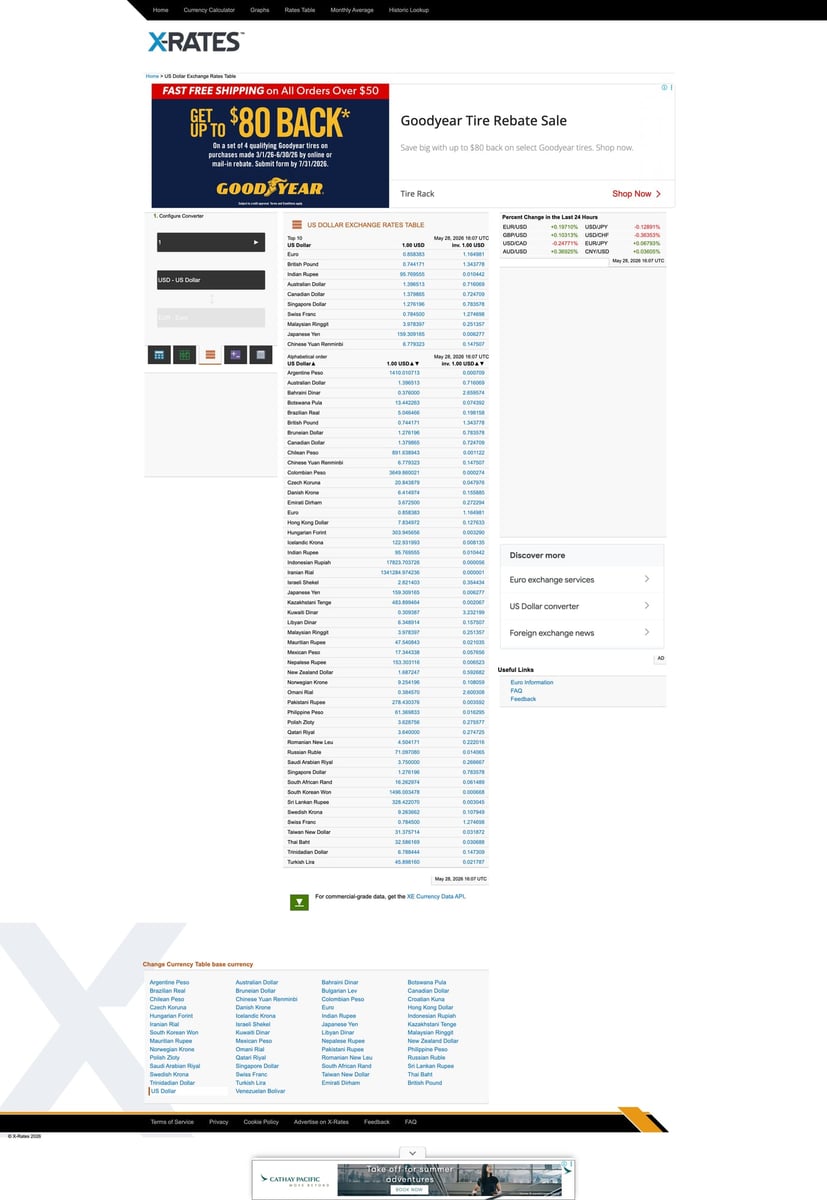
For exchange rates you have two broad options:
- Scrape a website that renders rates in HTML (higher risk: layout changes)
- Use a public API endpoint (still “fetching data”, but more stable)
For data pipelines, stability matters. A good compromise is to use a public endpoint that returns JSON.
In this tutorial we’ll use an exchange-rate endpoint that returns JSON with a base currency and a rates map.
If you already have a preferred provider, you can swap the URL and keep the same pipeline structure.
Setup
python3 -m venv .venv
source .venv/bin/activate
pip install requests tenacity pandas python-dateutil
Step 1: A robust HTTP client (with optional ProxiesAPI)
from __future__ import annotations

import os
import random
import time
from dataclasses import dataclass

import requests
from tenacity import retry, stop_after_attempt, wait_exponential_jitter


DEFAULT_HEADERS = {
    "User-Agent": (
        "Mozilla/5.0 (Macintosh; Intel Mac OS X 10_15_7) "
        "AppleWebKit/537.36 (KHTML, like Gecko) "
        "Chrome/122.0.0.0 Safari/537.36"
    ),
    "Accept": "application/json,text/plain,*/*",
    "Accept-Language": "en-US,en;q=0.9",
}


def build_proxies() -> dict | None:
    # Example only. Replace with your ProxiesAPI proxy URL(s) if you use them.
    proxy = os.getenv("PROXIESAPI_PROXY_URL")
    if not proxy:
        return None
    return {"http": proxy, "https": proxy}


@dataclass
class FetchConfig:
    timeout: tuple[int, int] = (10, 30)
    max_attempts: int = 4
    min_sleep: float = 0.2
    max_sleep: float = 0.8


class HttpClient:
    def __init__(self, config: FetchConfig | None = None):
        self.config = config or FetchConfig()
        self.session = requests.Session()
        self.proxies = build_proxies()

    @retry(
        stop=stop_after_attempt(4),
        wait=wait_exponential_jitter(initial=1, max=12),
        reraise=True,
    )
    def get_json(self, url: str) -> dict:
        time.sleep(random.uniform(self.config.min_sleep, self.config.max_sleep))
        r = self.session.get(
            url,
            headers=DEFAULT_HEADERS,
            timeout=self.config.timeout,
            proxies=self.proxies,
        )
        r.raise_for_status()
        return r.json()
If you don’t set PROXIESAPI_PROXY_URL, the pipeline runs without proxies.
Step 2: Fetch base rates (USD base) and derive cross rates
A common JSON structure looks like:
{
  "base": "USD",
  "date": "2026-03-29",
  "rates": {"EUR": 0.92, "INR": 83.21}
}
We’ll fetch USD base and compute EUR→INR using:
EURINR = (USDINR / USDEUR)
from datetime import date


def fetch_usd_base_rates(client: HttpClient) -> dict:
    # Example endpoint pattern. Swap this URL to your chosen provider.
    # Keep the contract: base=USD, rates for EUR and INR.
    url = "https://open.er-api.com/v6/latest/USD"
    data = client.get_json(url)

    # Normalize to a simple dict regardless of provider naming.
    rates = data.get("rates") or {}

    usd_eur = rates.get("EUR")
    usd_inr = rates.get("INR")

    if usd_eur is None or usd_inr is None:
        raise ValueError("Missing EUR/INR in rates payload")

    usd_eur = float(usd_eur)
    usd_inr = float(usd_inr)

    if usd_eur <= 0 or usd_inr <= 0:
        raise ValueError("Non-positive rate returned")

    eur_inr = usd_inr / usd_eur

    # Choose a dataset date; prefer provider date if present.
    ds_date = data.get("time_last_update_utc")
    # If provider date parsing is messy, fall back to local date.
    ds_day = date.today().isoformat()

    return {
        "date": ds_day,
        "usd_eur": round(usd_eur, 6),
        "usd_inr": round(usd_inr, 6),
        "eur_inr": round(eur_inr, 6),
        "source": "open.er-api.com",
    }
This is intentionally simple: one request per day, one record.
Step 3: Validate and write daily records (CSV + JSONL)
We want to avoid duplicates if the job runs twice.
import json
from pathlib import Path

import pandas as pd


CSV_PATH = Path("fx_daily.csv")
JSONL_PATH = Path("fx_daily.jsonl")


def load_existing_dates() -> set[str]:
    if not CSV_PATH.exists():
        return set()
    try:
        df = pd.read_csv(CSV_PATH)
        if "date" not in df.columns:
            return set()
        return set(str(x) for x in df["date"].dropna().tolist())
    except Exception:
        return set()


def append_record(record: dict) -> None:
    # Minimal schema validation
    required = ["date", "usd_eur", "usd_inr", "eur_inr", "source"]
    for k in required:
        if k not in record:
            raise ValueError(f"Missing field: {k}")

    # Idempotency
    existing = load_existing_dates()
    if record["date"] in existing:
        print("already have", record["date"], "— skipping")
        return

    # Append CSV
    df_new = pd.DataFrame([record])
    if CSV_PATH.exists():
        df_old = pd.read_csv(CSV_PATH)
        df_all = pd.concat([df_old, df_new], ignore_index=True)
    else:
        df_all = df_new

    # Keep sorted by date for sanity
    if "date" in df_all.columns:
        df_all = df_all.sort_values("date")

    df_all.to_csv(CSV_PATH, index=False)

    # Append JSONL (one line per record)
    with JSONL_PATH.open("a", encoding="utf-8") as f:
        f.write(json.dumps(record, ensure_ascii=False) + "\n")

    print("wrote", record["date"], "→", CSV_PATH, "and", JSONL_PATH)
Step 4: The runnable job
def main() -> None:
    client = HttpClient()

    record = fetch_usd_base_rates(client)
    print("fetched", record)

    # Basic “sanity bounds” validation to catch weird responses
    # These are not financial guarantees — just guardrails.
    if not (0.5 < record["usd_eur"] < 2.0):
        raise ValueError("usd_eur out of expected range")
    if not (10.0 < record["usd_inr"] < 500.0):
        raise ValueError("usd_inr out of expected range")

    append_record(record)


if __name__ == "__main__":
    main()
Run it:
python fx_pipeline.py
You’ll get:
fx_daily.csv(easy for spreadsheets)fx_daily.jsonl(streaming-friendly)
Schedule it daily (cron)
On a Linux server/macOS machine:
crontab -e
Example: run every day at 02:05:
5 2 * * * /usr/bin/env bash -lc 'cd /path/to/project && source .venv/bin/activate && python fx_pipeline.py >> fx_pipeline.log 2>&1'
Where ProxiesAPI helps (honestly)
A once-a-day JSON fetch is rarely blocked.
But pipelines fail for messy reasons:
- transient networking issues
- provider rate limits
- geo-related behavior (depending on source)
If you later expand this job to:
- scrape multiple providers for redundancy
- fetch multiple base currencies
- crawl historical pages / HTML sources
…then ProxiesAPI can improve reliability by stabilizing your outbound requests.
Next upgrades
- store in SQLite instead of CSV
- add alerting when the job fails (Telegram/Slack)
- fetch multiple sources and reconcile (median)
- backfill missing dates with a “historical” endpoint (if available)
Even simple daily pipelines fail in the real world (timeouts, transient 5xx, geo issues). ProxiesAPI can help keep the network layer consistent so your daily dataset doesn’t develop gaps.