
Scrape Flight Prices from Google Flights (Python + ProxiesAPI)
Google Flights is one of the best places to compare prices — and one of the harder places to scrape at scale.
Two important notes before we start:
- Google can change markup and anti-bot behavior frequently.
- You should scrape responsibly (low rate, caching, and only what you need).
In this tutorial we’ll build a production-grade Python scraper that:
- generates a Google Flights URL for a route + dates
- fetches HTML using a session, realistic headers, timeouts, and retries
- parses the page for price “cards” (best-effort; we’ll also extract stable metadata)
- exports clean JSON
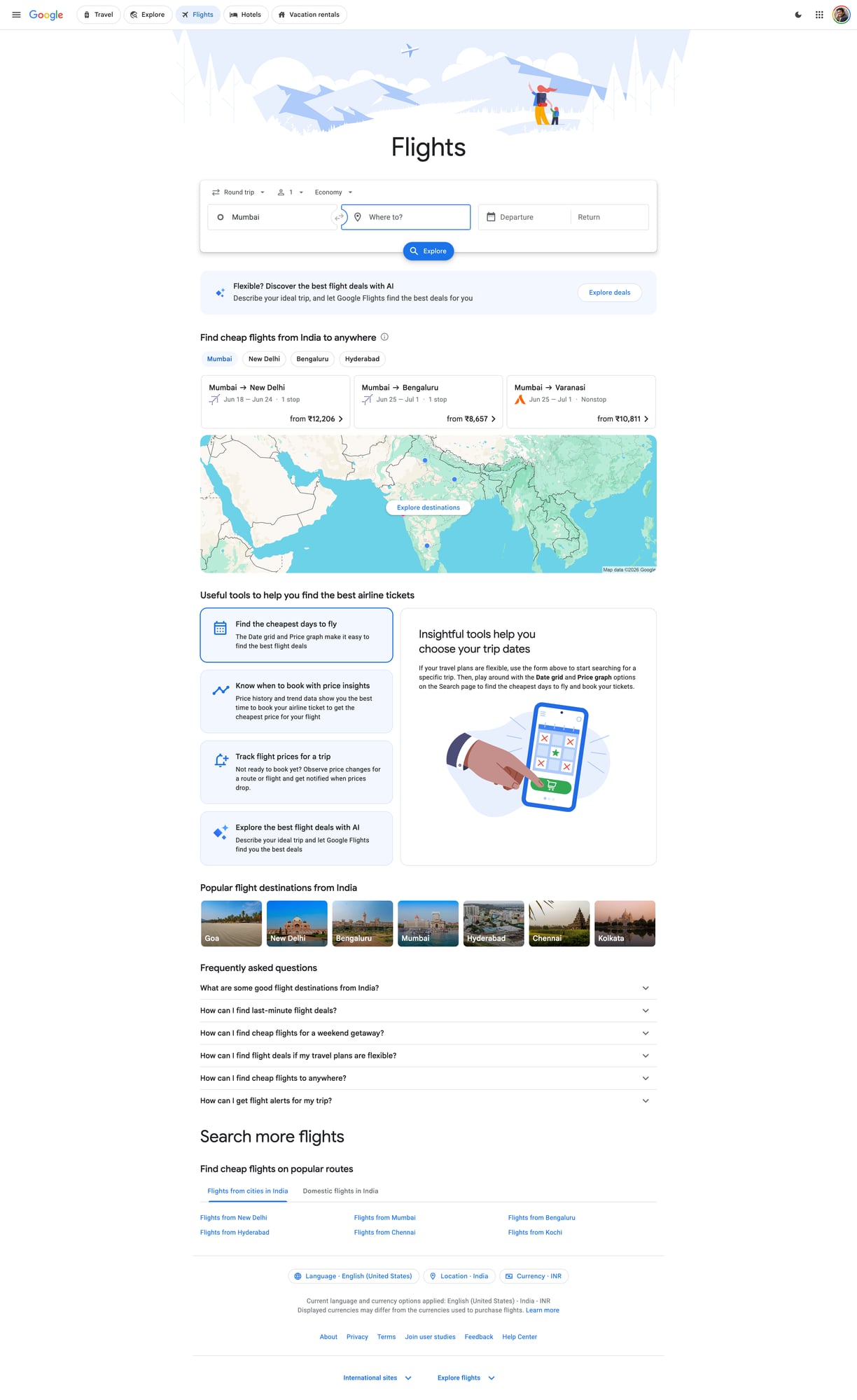
- includes a screenshot proof of the target page
Flight pricing pages are high-churn and aggressively protected. ProxiesAPI helps keep your collection stable as you scale origins, destinations, and date ranges.
What we’re scraping (and why it’s tricky)
Google Flights is a JS-heavy application. In many cases:
- the server response contains some HTML scaffolding
- much of the data is rendered client-side
- the DOM can vary by country, A/B test, and logged-in state
So the right approach is:
- try HTTP-first (cheap, fast)
- detect “not enough data” scenarios
- optionally switch to a browser-rendering approach for specific jobs
This guide focuses on HTTP-first scraping plus the checks you need to know when to escalate.
Setup
python -m venv .venv
source .venv/bin/activate
pip install requests beautifulsoup4 lxml tenacity
We’ll use:
requestsfor HTTPBeautifulSoup(lxml)for parsingtenacityfor clean retries
Step 1: Build a Google Flights URL
Google Flights URLs can be complex. A pragmatic pattern that works well is:
- start from a normal search in your browser
- copy the URL
- parametrize only the parts you need (origin, destination, dates)
For many one-way searches, a URL shaped like this is common:
https://www.google.com/travel/flights?hl=en#flt=DEL.SFO.2026-06-10;c:INR;e:1;sd:1;t:f
Where:
DEL= origin airportSFO= destination airport2026-06-10= departure datec:INR= currency preference
We’ll generate a URL using this pattern.
from dataclasses import dataclass
from urllib.parse import quote


@dataclass
class FlightQuery:
    origin: str
    destination: str
    depart_date: str  # YYYY-MM-DD
    currency: str = "USD"
    hl: str = "en"


def build_google_flights_url(q: FlightQuery) -> str:
    # One-way pattern. Google may change this; treat as best-effort.
    fragment = f"flt={q.origin}.{q.destination}.{q.depart_date};c:{q.currency};e:1;sd:1;t:f"
    return f"https://www.google.com/travel/flights?hl={quote(q.hl)}#" + quote(fragment, safe="=.;:#")


print(build_google_flights_url(FlightQuery("DEL", "SFO", "2026-06-10", currency="INR")))
Step 2: Fetch HTML reliably (timeouts + headers + retries)
If you scrape Google with a bare requests.get(), you’ll quickly hit:
- 429s (rate limits)
- 403s (bot challenges)
- “unusual traffic” pages
- inconsistent localization
We’ll do four things:
- use a persistent
requests.Session() - send realistic headers
- use timeouts (never hang)
- add retries with backoff on transient failures
ProxiesAPI integration (network layer)
ProxiesAPI typically provides a proxy endpoint or gateway you route requests through.
Because teams configure ProxiesAPI differently (token auth vs IP allowlist; HTTP vs HTTPS proxy), the safest way to write “real code” without guessing your secret values is to:
- read credentials from environment variables
- wire them into
requestsusing the standardproxies={...}mechanism
import os
import random
import requests
from tenacity import retry, stop_after_attempt, wait_exponential, retry_if_exception_type

TIMEOUT = (10, 30)  # connect, read

DEFAULT_HEADERS = {
    "User-Agent": (
        "Mozilla/5.0 (Macintosh; Intel Mac OS X 10_15_7) "
        "AppleWebKit/537.36 (KHTML, like Gecko) "
        "Chrome/125.0.0.0 Safari/537.36"
    ),
    "Accept": "text/html,application/xhtml+xml,application/xml;q=0.9,image/avif,image/webp,*/*;q=0.8",
    "Accept-Language": "en-US,en;q=0.9",
    "Cache-Control": "no-cache",
    "Pragma": "no-cache",
}


class FetchError(RuntimeError):
    pass


def build_proxies_from_env() -> dict | None:
    """Reads ProxiesAPI proxy URL(s) from env.

    Set one of:
      - PROXIESAPI_PROXY_URL (recommended) e.g. http://USER:PASS@proxy.proxiesapi.com:1234
      - PROXIESAPI_HTTP_PROXY / PROXIESAPI_HTTPS_PROXY
    """
    p = os.getenv("PROXIESAPI_PROXY_URL")
    if p:
        return {"http": p, "https": p}

    http_p = os.getenv("PROXIESAPI_HTTP_PROXY")
    https_p = os.getenv("PROXIESAPI_HTTPS_PROXY")
    if http_p or https_p:
        return {
            "http": http_p or https_p,
            "https": https_p or http_p,
        }

    return None


session = requests.Session()
session.headers.update(DEFAULT_HEADERS)


def is_soft_block(html: str) -> bool:
    if not html:
        return True
    lowered = html.lower()
    # Heuristics only. Google changes copy frequently.
    return any(s in lowered for s in [
        "unusual traffic",
        "our systems have detected unusual traffic",
        "/sorry/",
        "captcha",
    ])


@retry(
    reraise=True,
    stop=stop_after_attempt(4),
    wait=wait_exponential(multiplier=1, min=2, max=20),
    retry=retry_if_exception_type((requests.RequestException, FetchError)),
)
def fetch_html(url: str) -> str:
    proxies = build_proxies_from_env()

    # Small random jitter to avoid looking perfectly periodic.
    # (Still keep your overall rate low.)
    session.headers["DNT"] = random.choice(["1", "0"])

    r = session.get(url, timeout=TIMEOUT, proxies=proxies, allow_redirects=True)

    # Hard blocks / throttles
    if r.status_code in (403, 429):
        raise FetchError(f"blocked/throttled: HTTP {r.status_code}")

    r.raise_for_status()

    text = r.text
    if is_soft_block(text):
        raise FetchError("soft-block page detected")

    return text
Step 3: Parse price cards (best-effort selectors + fallbacks)
Because Google Flights is JS-heavy, the “price cards” you see visually might not be present as static HTML.
When they are present (or partially present), you can often find:
- route metadata
- date metadata
- some price text
We’ll do two things:
- parse a few known container patterns using defensive selectors
- fall back to extracting price-like strings to verify that pricing data is present
import re
from bs4 import BeautifulSoup

PRICE_RE = re.compile(r"(?:₹|\$|€|£)\s?\d[\d,\.]*")


def extract_price_like_strings(text: str) -> list[str]:
    if not text:
        return []
    found = PRICE_RE.findall(text)
    # De-dupe but keep order
    out = []
    seen = set()
    for f in found:
        if f not in seen:
            seen.add(f)
            out.append(f)
    return out


def parse_google_flights(html: str) -> dict:
    soup = BeautifulSoup(html, "lxml")

    title = soup.title.get_text(" ", strip=True) if soup.title else None

    # Best-effort: look for elements that often contain prices.
    # These selectors may break; keep them isolated.
    price_nodes = []
    for sel in [
        "[aria-label*='Price']",
        "[role='text']:contains('₹')",
        "span:contains('$')",
        "span:contains('₹')",
    ]:
        try:
            price_nodes.extend(soup.select(sel))
        except Exception:
            # SoupSieve may not support :contains in some environments.
            continue

    prices = []
    for node in price_nodes:
        t = node.get_text(" ", strip=True)
        for p in extract_price_like_strings(t):
            prices.append(p)

    # Fallback: scan full text for price-like tokens
    if not prices:
        full_text = soup.get_text(" ", strip=True)
        prices = extract_price_like_strings(full_text)

    # Keep a small sample
    prices = prices[:25]

    return {
        "page_title": title,
        "price_tokens_sample": prices,
        "has_prices": bool(prices),
    }
Reality check: when HTTP-only isn’t enough
If has_prices is False, it usually means one of these:
- you got a bot/challenge page (soft-block)
- you got minimal HTML without the JS-rendered content
- your locale/currency/headers caused a different render
At that point you have two good options:
- reduce rate + improve proxy strategy + try again
- escalate to Playwright/Puppeteer for only the cases that need it
You can still use ProxiesAPI for the browser traffic by configuring the browser proxy.
Step 4: End-to-end scrape + export
import json


def scrape_flight_prices(origin: str, destination: str, depart_date: str, currency: str = "USD") -> dict:
    url = build_google_flights_url(FlightQuery(origin, destination, depart_date, currency=currency))
    html = fetch_html(url)
    parsed = parse_google_flights(html)

    return {
        "query": {
            "origin": origin,
            "destination": destination,
            "depart_date": depart_date,
            "currency": currency,
            "url": url,
        },
        "result": parsed,
    }


if __name__ == "__main__":
    data = scrape_flight_prices("DEL", "SFO", "2026-06-10", currency="INR")
    print(json.dumps(data, ensure_ascii=False, indent=2))

    with open("google_flights_sample.json", "w", encoding="utf-8") as f:
        json.dump(data, f, ensure_ascii=False, indent=2)

    print("wrote google_flights_sample.json")
QA checklist (don’t skip)
- You see non-empty HTML length (not a redirect shell)
- No “unusual traffic” soft-block detected
-
has_pricesis true for at least one query - You can run 10–20 queries with a low error rate (with backoff)
- You store results and avoid re-fetching the same URL repeatedly
Where ProxiesAPI fits (honestly)
Google Flights is a difficult target. ProxiesAPI won’t magically solve scraping by itself.
What it does help with is the part that breaks first in real crawls:
- stable routing through proxies
- consistent outbound IPs/rotation when needed
- fewer hard blocks as you scale request volume
Combine it with:
- HTTP-first + browser fallback
- conservative request rates
- caching
- strong retries with backoff
That’s the playbook that survives changes.
Flight pricing pages are high-churn and aggressively protected. ProxiesAPI helps keep your collection stable as you scale origins, destinations, and date ranges.