
Scrape Product Comparisons from CNET
CNET comparison pages are useful because they already do part of the data modeling for you. They group products side by side, label the important specs, and often include short verdict language you can reuse for research.
That makes them a strong source for:
- competitor comparison datasets
- internal buying guides
- feature matrices
- trend monitoring across product categories
In this guide we will build a Python scraper that:
- fetches a CNET comparison page
- extracts product names from the headline and page body
- captures HTML tables when they are present
- saves verdict or summary paragraphs
- normalizes the output to JSON and CSV-friendly rows
- optionally routes requests through ProxiesAPI
Editorial sites look stable until your scraper runs at volume. ProxiesAPI gives your fetch layer a cleaner path when retries and block handling start to matter.
What we are scraping
The safest CNET entry point for comparison content is:
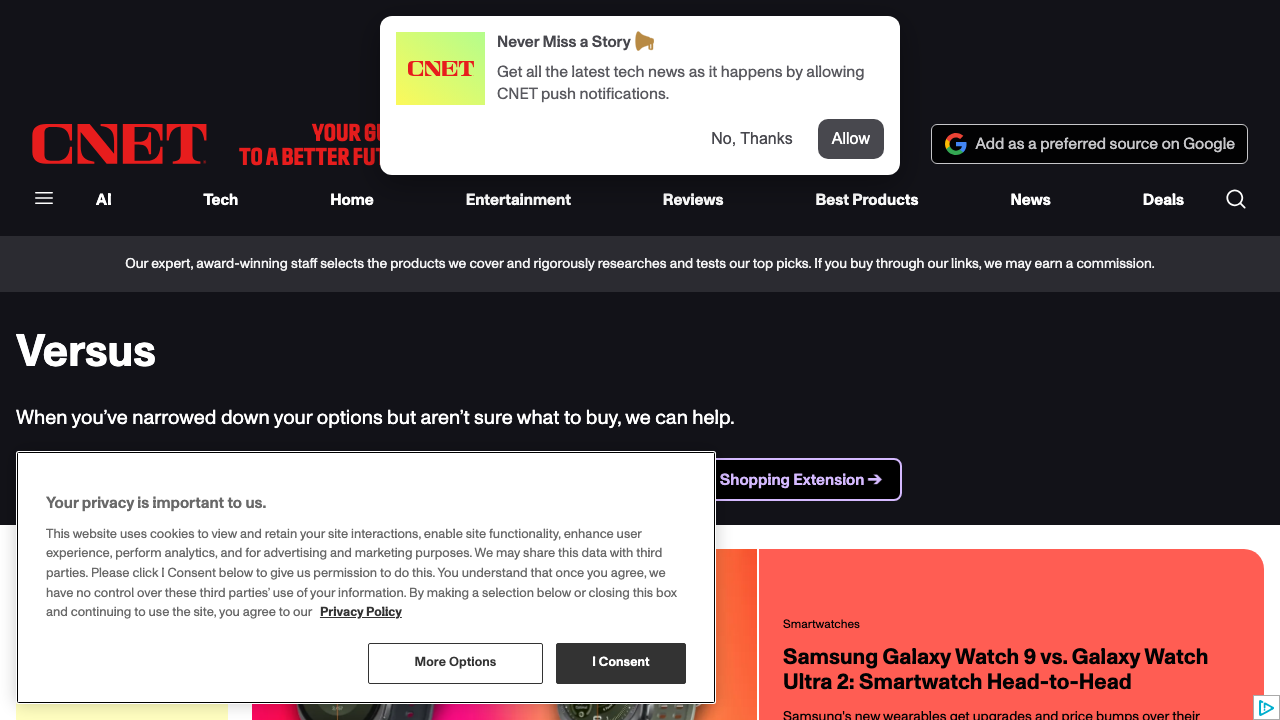
https://www.cnet.com/versus/
From there you can discover category pages or individual comparison stories.
In practice, CNET pages usually give you three scrapeable layers:
- page metadata in JSON-LD
- visible headings and summaries in the article body
- one or more HTML tables containing spec rows
That means a generic parser can go surprisingly far before you need category-specific selectors.
Setup
python3 -m venv .venv
source .venv/bin/activate
pip install requests beautifulsoup4 lxml pandas tenacity
Step 1: Create a fetch client with retries
import os
import random
from dataclasses import dataclass

import requests
from tenacity import retry, retry_if_exception_type, stop_after_attempt, wait_exponential_jitter

TIMEOUT = (10, 30)
USER_AGENTS = [
    "Mozilla/5.0 (Macintosh; Intel Mac OS X 10_15_7) AppleWebKit/537.36 (KHTML, like Gecko) Chrome/126.0.0.0 Safari/537.36",
    "Mozilla/5.0 (Windows NT 10.0; Win64; x64) AppleWebKit/537.36 (KHTML, like Gecko) Chrome/126.0.0.0 Safari/537.36",
]


class RetryableFetchError(Exception):
    pass


@dataclass
class FetchResult:
    url: str
    status_code: int
    text: str


def proxiesapi_proxy() -> dict[str, str] | None:
    key = os.getenv("PROXIESAPI_KEY")
    if not key:
        return None
    proxy = f"http://{key}:@proxy.proxiesapi.com:10000"
    return {"http": proxy, "https": proxy}


@retry(
    reraise=True,
    stop=stop_after_attempt(5),
    wait=wait_exponential_jitter(initial=1, max=20),
    retry=retry_if_exception_type(RetryableFetchError),
)
def fetch_html(session: requests.Session, url: str, use_proxiesapi: bool = False) -> FetchResult:
    headers = {
        "User-Agent": random.choice(USER_AGENTS),
        "Accept": "text/html,application/xhtml+xml,application/xml;q=0.9,*/*;q=0.8",
        "Accept-Language": "en-US,en;q=0.9",
    }
    response = session.get(url, headers=headers, timeout=TIMEOUT, proxies=proxiesapi_proxy() if use_proxiesapi else None)

    if response.status_code in (403, 429, 500, 502, 503, 504):
        raise RetryableFetchError(f"retryable status {response.status_code}")

    response.raise_for_status()
    return FetchResult(url=url, status_code=response.status_code, text=response.text)
Step 2: Parse page metadata and product names
CNET exposes helpful metadata in JSON-LD, and the visible headline often contains the comparison framing.
import json
import re
from bs4 import BeautifulSoup


def clean_text(value: str) -> str:
    return re.sub(r"\s+", " ", value).strip()


def load_jsonld(soup: BeautifulSoup) -> list[dict]:
    items = []
    for script in soup.select('script[type="application/ld+json"]'):
        raw = script.get_text(strip=True)
        if not raw:
            continue
        try:
            loaded = json.loads(raw)
        except json.JSONDecodeError:
            continue
        if isinstance(loaded, dict) and "@graph" in loaded:
            items.extend(obj for obj in loaded["@graph"] if isinstance(obj, dict))
        elif isinstance(loaded, dict):
            items.append(loaded)
    return items


def extract_page_metadata(html: str) -> dict:
    soup = BeautifulSoup(html, "lxml")
    jsonld = load_jsonld(soup)

    headline = clean_text(soup.select_one("h1").get_text(" ", strip=True)) if soup.select_one("h1") else None
    description = None

    for item in jsonld:
        if item.get("@type") in {"Article", "WebPage"}:
            description = description or item.get("description")

    product_names = []
    if headline and " vs " in headline.lower():
        product_names = [clean_text(part) for part in re.split(r"\bvs\.?\b", headline, flags=re.I) if clean_text(part)]

    return {
        "headline": headline,
        "description": description,
        "product_names": product_names,
    }
This gets you a clean baseline even on pages that are light on tables.
Step 3: Extract comparison tables
When a page renders a normal HTML table, parse it generically instead of hard-coding every spec row.
def html_table_to_rows(table) -> list[list[str]]:
    rows = []
    for tr in table.select("tr"):
        cells = [clean_text(cell.get_text(" ", strip=True)) for cell in tr.select("th, td")]
        if any(cells):
            rows.append(cells)
    return rows


def extract_tables(html: str) -> list[dict]:
    soup = BeautifulSoup(html, "lxml")
    tables = []

    for index, table in enumerate(soup.select("table")):
        rows = html_table_to_rows(table)
        if len(rows) < 2:
            continue

        caption = None
        caption_node = table.find_previous(["h2", "h3"])
        if caption_node:
            caption = clean_text(caption_node.get_text(" ", strip=True))

        tables.append({
            "index": index,
            "caption": caption,
            "rows": rows,
        })

    return tables
This strategy is robust because it does not assume CNET uses one perfect template forever.
Step 4: Capture verdict text and summary blocks
Comparison pages are not only about specs. The verdict language is often what you actually want for internal research.
def extract_summary_blocks(html: str) -> list[str]:
    soup = BeautifulSoup(html, "lxml")
    blocks = []

    for node in soup.select("main p, article p"):
        text = clean_text(node.get_text(" ", strip=True))
        if len(text) < 80:
            continue
        if text in blocks:
            continue
        blocks.append(text)

    return blocks[:12]
Now you have:
- product names
- table rows
- narrative summaries
That is enough to support most research or internal comparison use cases.
Step 5: Normalize the dataset
import pandas as pd


def scrape_cnet_comparison(url: str, use_proxiesapi: bool = False) -> dict:
    session = requests.Session()
    result = fetch_html(session, url, use_proxiesapi=use_proxiesapi)

    metadata = extract_page_metadata(result.text)
    tables = extract_tables(result.text)
    summaries = extract_summary_blocks(result.text)

    return {
        "source_url": url,
        "headline": metadata["headline"],
        "description": metadata["description"],
        "product_names": metadata["product_names"],
        "summaries": summaries,
        "tables": tables,
    }


def flatten_tables(scrape_result: dict) -> list[dict]:
    rows = []
    for table in scrape_result["tables"]:
        for row in table["rows"][1:]:
            rows.append({
                "source_url": scrape_result["source_url"],
                "headline": scrape_result["headline"],
                "table_caption": table["caption"],
                "spec_name": row[0] if row else None,
                "values": row[1:],
            })
    return rows


if __name__ == "__main__":
    data = scrape_cnet_comparison("https://www.cnet.com/versus/", use_proxiesapi=False)

    with open("cnet_comparison.json", "w", encoding="utf-8") as fh:
        json.dump(data, fh, ensure_ascii=False, indent=2)

    pd.DataFrame(flatten_tables(data)).to_csv("cnet_comparison_rows.csv", index=False)
    print("wrote cnet_comparison.json and cnet_comparison_rows.csv")
Discovering more comparison pages
Once your parser works on one page, you can crawl more URLs from the CNET Versus hub:
from urllib.parse import urljoin


def discover_comparison_urls(html: str, base_url: str = "https://www.cnet.com") -> list[str]:
    soup = BeautifulSoup(html, "lxml")
    seen = set()
    urls = []

    for a in soup.select("a[href]"):
        href = a.get("href", "")
        if "/versus/" not in href:
            continue
        absolute = urljoin(base_url, href)
        if absolute in seen:
            continue
        seen.add(absolute)
        urls.append(absolute)

    return urls
Keep the discovery and parsing stages separate. That makes it easier to test and easier to recover when one page template changes.
Where ProxiesAPI helps
For a single tutorial page, direct requests are usually enough. ProxiesAPI becomes useful when:
- you collect many comparison pages in one run
- you schedule recurring refreshes
- you start seeing intermittent block or throttling behavior
The fetch layer above keeps that upgrade simple:
data = scrape_cnet_comparison(url, use_proxiesapi=True)
No parser rewrite required.
Final takeaway
CNET comparison content is valuable because it already blends:
- structured spec rows
- editorial summaries
- clear product framing
If you separate your scraper into fetch, parse, and normalize steps, you get a maintainable dataset builder instead of a brittle one-off script.
Editorial sites look stable until your scraper runs at volume. ProxiesAPI gives your fetch layer a cleaner path when retries and block handling start to matter.
Editorial sites look stable until your scraper runs at volume. ProxiesAPI gives your fetch layer a cleaner path when retries and block handling start to matter.