
Scrape Wikipedia Article Data at Scale (Tables + Infobox + Links)
Wikipedia is one of the best “practice arenas” for web scraping: pages are server-rendered, HTML is consistent, and a lot of valuable data is already structured (infoboxes, tables, categories, and internal links).
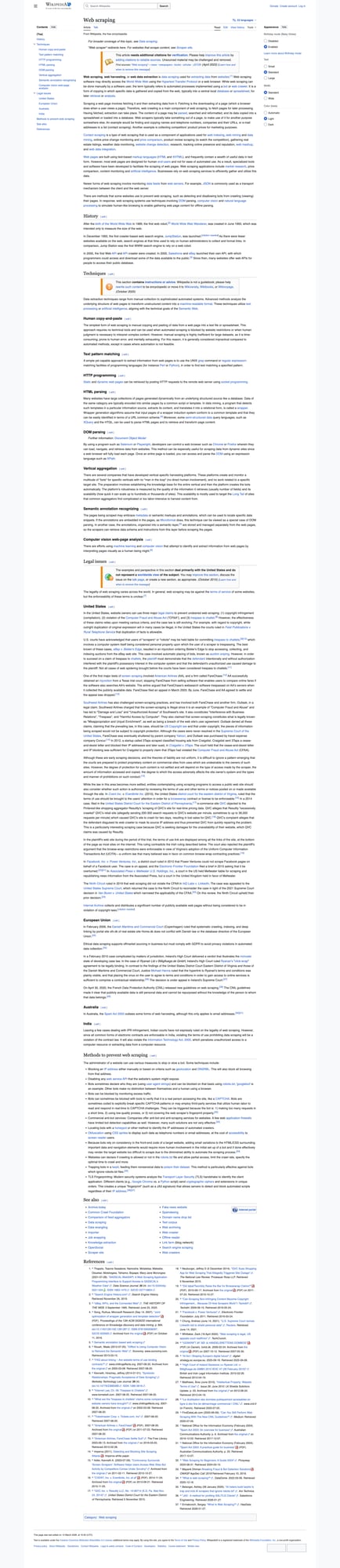
In this tutorial, you’ll build a scraper that can:
- fetch many Wikipedia article pages reliably
- extract infobox fields (key/value pairs)
- extract tables (like
wikitable) - extract internal links (for crawling)
- save results to JSON and CSV
We’ll use Python with requests + BeautifulSoup, and we’ll show exactly where ProxiesAPI fits in.
When you move from 10 pages to 10,000, the network layer becomes the bottleneck. ProxiesAPI gives you a simple, consistent fetch interface so your scraper code stays clean while your crawl scales.
What we’re scraping (Wikipedia page structure)
Most Wikipedia articles share a few structural patterns:
- The main content lives under
div#mw-content-text - The infobox is usually a
<table>with a class containinginfobox - Many structured tables use the
wikitableclass - Internal links are simple
<a href="/wiki/...">anchors
A simplified infobox looks like:
<table class="infobox ...">
  <tr>
    <th scope="row">Born</th>
    <td>...</td>
  </tr>
</table>
And a typical wikitable:
<table class="wikitable">
  <tr><th>Col 1</th><th>Col 2</th></tr>
  <tr><td>...</td><td>...</td></tr>
</table>
Setup
python3 -m venv .venv
source .venv/bin/activate
pip install requests beautifulsoup4 lxml
We’ll use:
requestsfor HTTPBeautifulSoup("lxml")for more reliable parsing than the default HTML parser
Step 1: Fetch HTML (direct vs ProxiesAPI)
Option A — direct fetch (good for small runs)
import requests

TIMEOUT = (10, 30)
session = requests.Session()


def fetch_direct(url: str) -> str:
    r = session.get(
        url,
        timeout=TIMEOUT,
        headers={
            "User-Agent": "Mozilla/5.0 (compatible; ProxiesAPI-Guides/1.0)"
        },
    )
    r.raise_for_status()
    return r.text
Option B — fetch via ProxiesAPI (recommended for scale)
ProxiesAPI gives you a single, consistent HTTP interface:
curl "http://api.proxiesapi.com/?key=API_KEY&url=https://en.wikipedia.org/wiki/Web_scraping" | head
In Python:
import urllib.parse
import requests

PROXIESAPI_KEY = "API_KEY"  # <- set your real key
TIMEOUT = (10, 60)


def fetch_via_proxiesapi(url: str) -> str:
    api = "http://api.proxiesapi.com/"
    params = {
        "key": PROXIESAPI_KEY,
        "url": url,
    }
    req_url = api + "?" + urllib.parse.urlencode(params)

    r = requests.get(
        req_url,
        timeout=TIMEOUT,
        headers={
            "User-Agent": "Mozilla/5.0 (compatible; ProxiesAPI-Guides/1.0)"
        },
    )
    r.raise_for_status()
    return r.text
In the rest of this tutorial, we’ll write our scraper to accept a fetch(url) function so you can switch between direct and ProxiesAPI easily.
Step 2: Parse an infobox into a dictionary
Here’s a robust approach:
- locate the first
tablewhose class containsinfobox - iterate
trrows - use
thas the key andtdas the value - normalize whitespace
from bs4 import BeautifulSoup


def clean_text(el) -> str:
    if not el:
        return ""
    # preserve small line breaks, strip footnote markers as plain text
    return " ".join(el.get_text(" ", strip=True).split())


def parse_infobox(html: str) -> dict:
    soup = BeautifulSoup(html, "lxml")

    box = soup.select_one("table.infobox")
    if not box:
        # Some pages use different infobox variants; try a contains match.
        box = soup.select_one("table[class*='infobox']")

    if not box:
        return {}

    data = {}
    for row in box.select("tr"):
        key = row.select_one("th")
        val = row.select_one("td")
        k = clean_text(key)
        v = clean_text(val)
        if k and v:
            data[k] = v

    return data
Quick sanity check
url = "https://en.wikipedia.org/wiki/Web_scraping"
html = fetch_via_proxiesapi(url)
infobox = parse_infobox(html)
print("infobox keys:", len(infobox))
print(list(infobox)[:8])
Typical output (varies by page):
infobox keys: 5
['Paradigm', 'Type', 'Developer(s)', 'Initial release', 'License']
Step 3: Extract all wikitable tables as rows
Wikipedia pages can contain many tables; we’ll focus on table.wikitable.
We’ll return tables as a list of dictionaries:
captionheadersrows(each row is a list of cell texts)
def parse_wikitables(html: str) -> list[dict]:
    soup = BeautifulSoup(html, "lxml")
    tables = []

    for t in soup.select("table.wikitable"):
        caption_el = t.select_one("caption")
        caption = clean_text(caption_el)

        # headers: first row with <th>
        headers = []
        header_row = t.select_one("tr")
        if header_row:
            headers = [clean_text(th) for th in header_row.select("th")]

        rows = []
        for tr in t.select("tr"):
            tds = tr.select("td")
            if not tds:
                continue
            rows.append([clean_text(td) for td in tds])

        tables.append({
            "caption": caption,
            "headers": headers,
            "rows": rows,
        })

    return tables
Step 4: Extract internal links for crawling
To crawl Wikipedia, you usually want to keep it scoped to:
/wiki/...links- skip special pages like
Help:orSpecial:
import re


def extract_internal_links(html: str, limit: int = 200) -> list[str]:
    soup = BeautifulSoup(html, "lxml")

    links = []
    seen = set()

    for a in soup.select("div#mw-content-text a[href]"):
        href = a.get("href")
        if not href:
            continue

        if not href.startswith("/wiki/"):
            continue

        # Skip special namespaces
        if re.search(r"^/wiki/(Special|Help|Talk|File|Category|Template):", href):
            continue

        if href in seen:
            continue

        seen.add(href)
        links.append("https://en.wikipedia.org" + href)

        if len(links) >= limit:
            break

    return links
Step 5: Put it together for one page
import json


def parse_article(url: str, html: str) -> dict:
    soup = BeautifulSoup(html, "lxml")

    title_el = soup.select_one("h1#firstHeading")
    title = clean_text(title_el)

    return {
        "url": url,
        "title": title,
        "infobox": parse_infobox(html),
        "wikitables": parse_wikitables(html),
        "internal_links": extract_internal_links(html, limit=200),
    }


url = "https://en.wikipedia.org/wiki/Web_scraping"
html = fetch_via_proxiesapi(url)
article = parse_article(url, html)

print(article["title"], "infobox:", len(article["infobox"]), "tables:", len(article["wikitables"]))

with open("wikipedia_article.json", "w", encoding="utf-8") as f:
    json.dump(article, f, ensure_ascii=False, indent=2)

print("wrote wikipedia_article.json")
Example run:
Web scraping infobox: 5 tables: 0
wrote wikipedia_article.json
(Your table count depends on the specific page you scrape.)
Step 6: Scale to many pages (batch + retries)
When you scrape at scale, two things matter most:
- you will hit transient failures (timeouts, occasional 429s, temporary network errors)
- you need a way to resume without losing progress
This simple pipeline:
- reads a list of URLs
- fetches each page with retries
- writes one JSON per URL (easy to resume)
- also writes a compact CSV summary
import csv
import time
import random
from pathlib import Path


def fetch_with_retries(fetch_fn, url: str, attempts: int = 4) -> str:
    last = None
    for i in range(1, attempts + 1):
        try:
            return fetch_fn(url)
        except Exception as e:
            last = e
            sleep = min(30, (2 ** i) + random.random())
            print(f"fetch failed (attempt {i}/{attempts}) {url}: {e}; sleeping {sleep:.1f}s")
            time.sleep(sleep)
    raise last


def run_batch(urls: list[str], out_dir: str = "out_wikipedia"):
    out = Path(out_dir)
    out.mkdir(parents=True, exist_ok=True)

    rows = []
    for idx, url in enumerate(urls, start=1):
        slug = url.split("/wiki/")[-1]
        out_path = out / f"{slug}.json"
        if out_path.exists():
            print("skip", url)
            continue

        html = fetch_with_retries(fetch_via_proxiesapi, url)
        article = parse_article(url, html)

        out_path.write_text(json.dumps(article, ensure_ascii=False, indent=2), encoding="utf-8")
        print(f"[{idx}/{len(urls)}] wrote", out_path)

        rows.append({
            "url": url,
            "title": article["title"],
            "infobox_keys": len(article["infobox"]),
            "tables": len(article["wikitables"]),
            "links": len(article["internal_links"]),
        })

    # summary CSV
    with open(out / "summary.csv", "w", newline="", encoding="utf-8") as f:
        w = csv.DictWriter(f, fieldnames=["url", "title", "infobox_keys", "tables", "links"])
        w.writeheader()
        w.writerows(rows)

    print("wrote", out / "summary.csv")
Try it with a small seed set:
seed = [
    "https://en.wikipedia.org/wiki/Web_scraping",
    "https://en.wikipedia.org/wiki/Beautiful_Soup_(HTML_parser)",
    "https://en.wikipedia.org/wiki/Requests_(software)",
]
run_batch(seed)
Practical notes (don’t skip these)
1) Be gentle with request rates
Even if a site is permissive, high burst traffic is rarely appreciated. Add pacing if you’re doing large crawls.
2) Prefer “write one file per URL” for resumability
Single huge JSON files are annoying to resume. One-file-per-URL makes retries and partial progress easy.
3) Keep your parsing defensive
Wikipedia templates vary. Your parse_infobox() returning {} is not a failure — it’s expected for pages without an infobox.
Where ProxiesAPI fits (honestly)
Wikipedia is relatively friendly. You can scrape it directly.
But the moment your workflow becomes:
- many URLs
- multiple retries
- multiple runs per day
…then the fetch layer becomes “the thing” you spend time debugging.
ProxiesAPI keeps the fetching interface simple so you can focus on parsing and data quality.
Checklist
- Fetch works with a timeout
- Infobox extraction returns sane key/value pairs
- Tables (if present) parse into headers + rows
- Link extractor stays within
/wiki/scope - Batch runner can resume by skipping existing files
When you move from 10 pages to 10,000, the network layer becomes the bottleneck. ProxiesAPI gives you a simple, consistent fetch interface so your scraper code stays clean while your crawl scales.