
Scrape Yahoo Finance Options Chains and Implied Volatility with Python
Yahoo Finance is one of the fastest ways to turn listed options into a dataset you can actually work with.
If you want to screen for contracts by:
- strike
- expiry
- implied volatility
- open interest
- bid/ask spread
...you do not need to click around the UI by hand.
In this guide we will build a Python scraper that:
- pulls the available expiration dates for a symbol
- fetches the full options chain for any expiry
- normalizes calls and puts into flat rows
- exports a CSV you can reuse in notebooks or downstream jobs
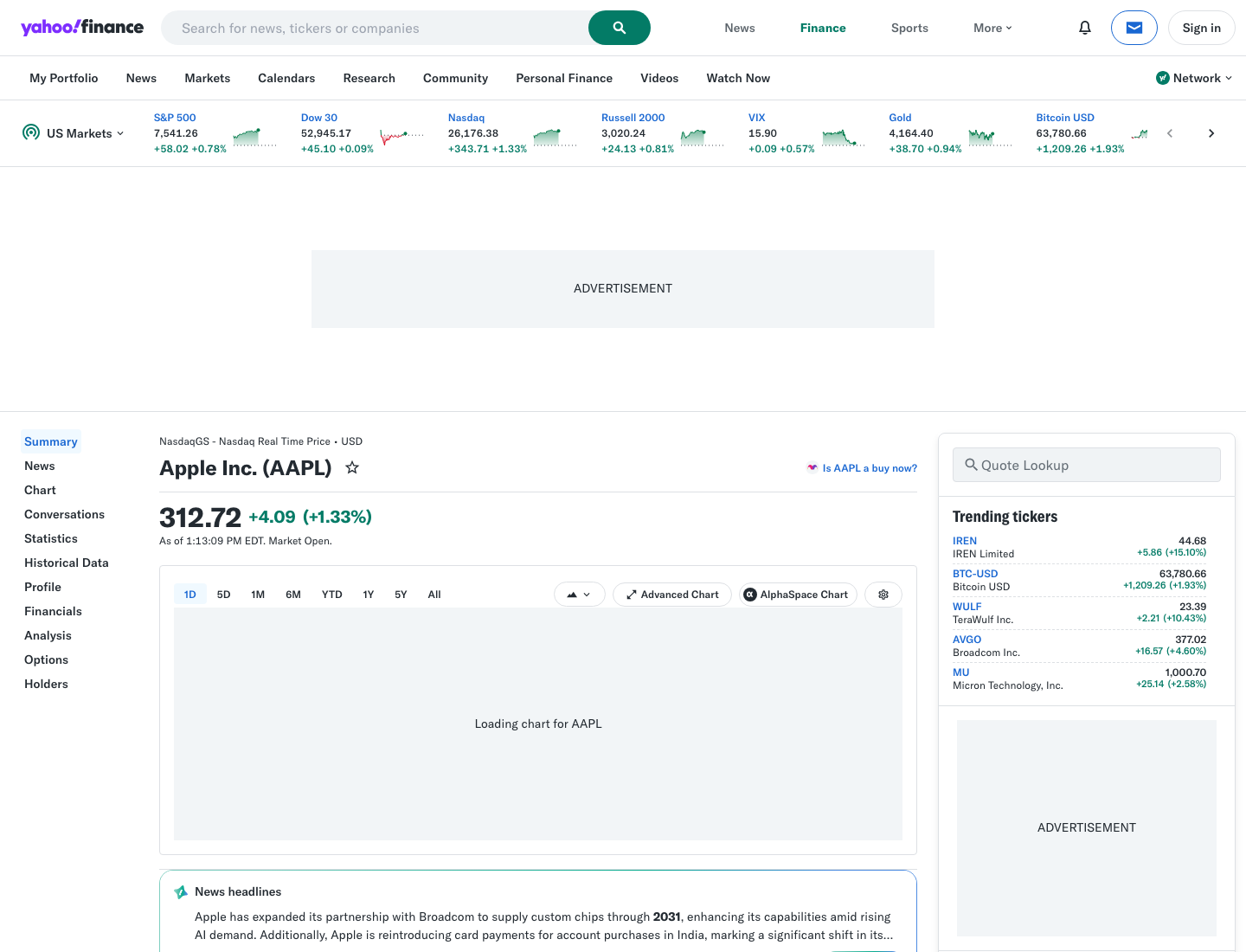
Mandatory screenshot of the target site:
Yahoo Finance is manageable at small volume, but finance scraping gets brittle fast once you crawl many symbols and expiries. ProxiesAPI gives you a clean fetch layer so retries and routing stay outside your parser.
What we are scraping
Yahoo Finance exposes options data through the same stack that powers the site UI.
Two practical realities matter:
- The quote page HTML loads normally for most users.
- The options data itself is easier to collect from Yahoo's underlying JSON endpoint than from the rendered table markup.
That gives us a reliable approach:
- use a browser-like client to get Yahoo's session cookies
- request the crumb token Yahoo expects
- fetch
v7/finance/options/{SYMBOL} - flatten the returned contracts into rows
This is still a Yahoo Finance scraper. We are just reading the structured payload behind the page instead of guessing table selectors that can change.
Setup
python3 -m venv .venv
source .venv/bin/activate
pip install curl_cffi pandas
Why curl_cffi instead of plain requests?
Because Yahoo's options endpoint often rejects generic HTTP clients with an Invalid Crumb or Invalid Cookie response. curl_cffi can impersonate a modern Chrome client and keep the cookie + crumb flow intact.
Step 1: Build a fetch layer
We will keep the scraper small:
curl_cffifor Yahoo session handling- optional ProxiesAPI wrapper for the initial quote-page fetch
- normal JSON parsing after that
from __future__ import annotations

import os
import time
from urllib.parse import quote

from curl_cffi import requests

PROXIESAPI_KEY = os.getenv("PROXIESAPI_KEY", "")
TIMEOUT = 30


class YahooOptionsClient:
    def __init__(self, use_proxiesapi: bool = False) -> None:
        self.use_proxiesapi = use_proxiesapi
        self.session = requests.Session(impersonate="chrome124")
        self.session.headers.update({
            "Accept-Language": "en-US,en;q=0.9",
            "User-Agent": (
                "Mozilla/5.0 (Macintosh; Intel Mac OS X 10_15_7) "
                "AppleWebKit/537.36 (KHTML, like Gecko) "
                "Chrome/124.0.0.0 Safari/537.36"
            ),
        })
        self.crumb: str | None = None

    def proxiesapi_url(self, target_url: str) -> str:
        if not PROXIESAPI_KEY:
            raise RuntimeError("Set PROXIESAPI_KEY before enabling ProxiesAPI")
        return (
            "https://api.proxiesapi.com/?auth_key="
            + quote(PROXIESAPI_KEY, safe="")
            + "&url="
            + quote(target_url, safe="")
        )

    def warm_session(self, symbol: str) -> None:
        quote_url = f"https://finance.yahoo.com/quote/{symbol}/"
        boot_url = self.proxiesapi_url(quote_url) if self.use_proxiesapi else quote_url

        page = self.session.get(boot_url, timeout=TIMEOUT)
        page.raise_for_status()

        crumb_resp = self.session.get(
            "https://query1.finance.yahoo.com/v1/test/getcrumb",
            headers={"Referer": quote_url},
            timeout=TIMEOUT,
        )
        crumb_resp.raise_for_status()
        self.crumb = crumb_resp.text.strip()

    def fetch_chain_json(self, symbol: str, epoch: int | None = None) -> dict:
        if not self.crumb:
            self.warm_session(symbol)

        params = {"crumb": self.crumb}
        if epoch is not None:
            params["date"] = epoch

        url = f"https://query1.finance.yahoo.com/v7/finance/options/{symbol}"
        resp = self.session.get(
            url,
            params=params,
            headers={"Referer": f"https://finance.yahoo.com/quote/{symbol}/"},
            timeout=TIMEOUT,
        )
        resp.raise_for_status()
        return resp.json()
If you test the endpoint with a plain client and get a 401, that is usually a client-fingerprint problem, not a parsing problem.
Step 2: Understand the payload
Yahoo returns one top-level optionChain object.
The fields we care about live here:
result[0]["expirationDates"]result[0]["quote"]result[0]["options"][0]["calls"]result[0]["options"][0]["puts"]
Each contract already includes what we want:
contractSymbolstrikelastPricebidaskimpliedVolatilityopenInterestvolumeexpirationinTheMoney
That means we can skip brittle HTML parsing entirely.
Step 3: Normalize calls and puts into flat rows
from datetime import datetime, timezone


def utc_date(epoch_seconds: int | None) -> str | None:
    if not epoch_seconds:
        return None
    return datetime.fromtimestamp(epoch_seconds, tz=timezone.utc).date().isoformat()


def normalize_contract(contract: dict, *, symbol: str, option_type: str) -> dict:
    return {
        "symbol": symbol,
        "option_type": option_type,
        "contract_symbol": contract.get("contractSymbol"),
        "strike": contract.get("strike"),
        "last_price": contract.get("lastPrice"),
        "bid": contract.get("bid"),
        "ask": contract.get("ask"),
        "volume": contract.get("volume"),
        "open_interest": contract.get("openInterest"),
        "implied_volatility": contract.get("impliedVolatility"),
        "in_the_money": contract.get("inTheMoney"),
        "currency": contract.get("currency"),
        "expiration": utc_date(contract.get("expiration")),
        "last_trade_date": utc_date(contract.get("lastTradeDate")),
    }


def parse_chain_payload(payload: dict) -> tuple[list[int], list[dict]]:
    result = payload["optionChain"]["result"][0]
    symbol = result["underlyingSymbol"]
    expirations = result.get("expirationDates", [])
    option_block = result["options"][0]

    rows: list[dict] = []
    for contract in option_block.get("calls", []):
        rows.append(normalize_contract(contract, symbol=symbol, option_type="call"))
    for contract in option_block.get("puts", []):
        rows.append(normalize_contract(contract, symbol=symbol, option_type="put"))

    return expirations, rows
What does implied volatility look like?
Yahoo returns IV as a decimal. For example:
0.2451means about24.51%3.3750means337.50%
So convert it before reporting or sorting.
def iv_percent(raw_iv: float | None) -> float | None:
    if raw_iv is None:
        return None
    return round(raw_iv * 100, 2)
Step 4: Fetch one expiry or many expiries
The first request returns the available expiration timestamps. Then you can loop through them.
import pandas as pd


def scrape_symbol(symbol: str, *, max_expiries: int | None = 3, use_proxiesapi: bool = False) -> pd.DataFrame:
    client = YahooOptionsClient(use_proxiesapi=use_proxiesapi)

    first_payload = client.fetch_chain_json(symbol)
    expirations, first_rows = parse_chain_payload(first_payload)
    all_rows = list(first_rows)

    for epoch in expirations[1:max_expiries]:
        time.sleep(0.8)
        payload = client.fetch_chain_json(symbol, epoch=epoch)
        _, rows = parse_chain_payload(payload)
        all_rows.extend(rows)

    df = pd.DataFrame(all_rows)
    df["implied_volatility_pct"] = df["implied_volatility"].apply(iv_percent)
    return df
Example run
if __name__ == "__main__":
    df = scrape_symbol("AAPL", max_expiries=4, use_proxiesapi=False)
    print(df.head(8).to_string(index=False))
    df.to_csv("aapl-options-chain.csv", index=False)
Typical columns:
symboloption_typecontract_symbolstrikelast_pricebidaskopen_interestvolumeimplied_volatility_pctexpiration
Step 5: Build a useful options screen
Raw chains are fine. A screen is better.
This filter finds relatively liquid contracts with a tight spread:
def screen_contracts(df: pd.DataFrame) -> pd.DataFrame:
    spread = df["ask"].fillna(0) - df["bid"].fillna(0)
    return (
        df.assign(spread=spread)
        .query("open_interest >= 100 and volume >= 10 and spread <= 1.5")
        .sort_values(["expiration", "option_type", "implied_volatility_pct"], ascending=[True, True, False])
    )
You can adjust that for your workflow:
- high IV scan
- covered call candidates
- unusually liquid weeklies
- puts with large open interest
Why ProxiesAPI still matters here
This tutorial uses Yahoo's JSON endpoint because it is the cleanest path to the data.
But the operational pain usually starts earlier:
- warming quote pages for many symbols
- retrying around intermittent throttling
- spreading traffic over time
That is where ProxiesAPI fits well. You can proxy the quote-page warmup step without rewriting the parser:
client = YahooOptionsClient(use_proxiesapi=True)
df = scrape_symbol("NVDA", max_expiries=2, use_proxiesapi=True)
The rule of thumb:
- for a few symbols, go direct first
- for repeated jobs across many tickers, move the fetch layer behind ProxiesAPI
Common failure modes
1) Invalid Crumb
Use a browser-like client and warm the session first. Plain requests often fails here.
2) Empty contracts for a date
Not every expiration has both dense calls and dense puts. Handle empty lists without crashing.
3) IV looks too large
Remember the value is decimal-form. Multiply by 100 for display.
4) You only need one expiry
Pass a single epoch from expirationDates and skip the loop.
Final takeaway
If your goal is to scrape Yahoo Finance options chains and implied volatility with Python, the winning pattern is:
- warm a Yahoo Finance session
- fetch the crumb
- call the options JSON endpoint
- flatten calls and puts into rows
- export a CSV you can screen however you want
That keeps the scraper stable, readable, and much easier to maintain than DOM-driven table scraping.
Yahoo Finance is manageable at small volume, but finance scraping gets brittle fast once you crawl many symbols and expiries. ProxiesAPI gives you a clean fetch layer so retries and routing stay outside your parser.