
Scrape Zillow Property Listings (Python + ProxiesAPI)
Zillow is one of the most-requested scraping targets in real estate.
It’s also one of the most aggressively protected consumer websites you’ll run into.
So this guide does two things:
- shows you a clean, production-grade scraping pipeline (fetch → parse → paginate → export) that works on typical server-rendered sites
- shows you the realistic options for Zillow specifically when your requests start getting blocked
If you’re here for a fast takeaway: you can build the parser and exporter today, but for Zillow you should expect blocking and plan for one of the “alternatives” described below.
Real-estate sites are noisy: rate limits, WAFs, and inconsistent responses are normal. ProxiesAPI helps you keep the fetch layer stable while you focus on parsing and data quality.
What we’re scraping (and why it’s hard)
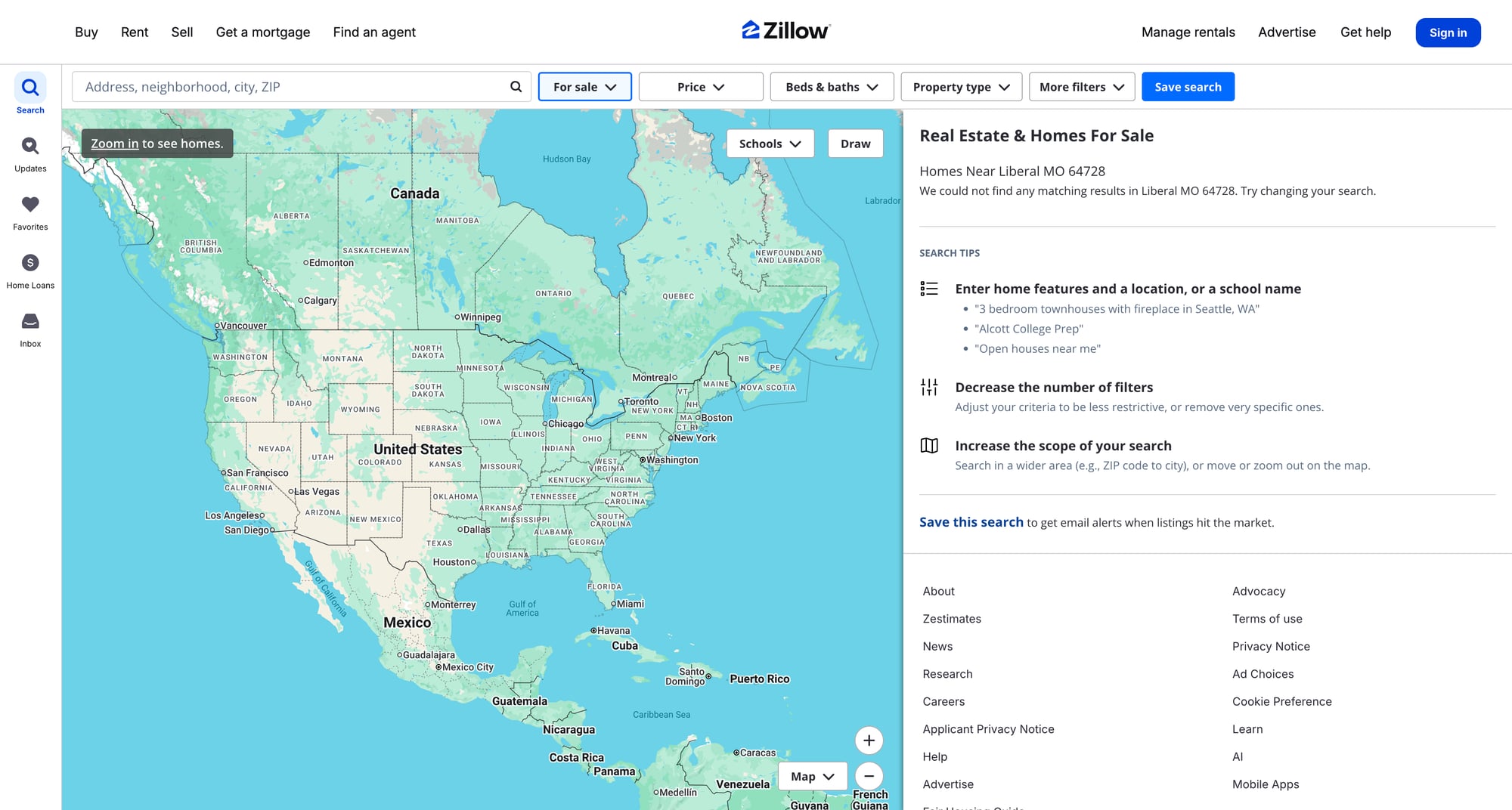
A typical Zillow search results page (SRP) contains:
- listing cards (address, price, beds, baths, sqft)
- listing URLs (detail pages)
- pagination / “next page” mechanics (often via internal state)
The problem: Zillow SRPs are frequently rendered with client-side app state + guarded behind anti-bot checks. Requests from data center IPs often receive:
403 Forbiddencaptcha/ interstitial pages- “Access Denied” HTML
- “temporarily unavailable” responses
Important honesty note: In this ProxiesAPI repo’s own whitelist (scraping-whitelist.md), Zillow is categorized as RED LIST (blocked through ProxiesAPI). That means you should treat Zillow scraping as “educational + best-effort,” not guaranteed.
What we can still do responsibly:
- show a robust fetch layer (timeouts, retries, content validation)
- show how to detect blocks and fail gracefully
- show how to parse the HTML when you do have it
- show alternative data acquisition paths for real-estate data
Setup
Create a virtualenv and install dependencies:
python3 -m venv .venv
source .venv/bin/activate
pip install requests beautifulsoup4 lxml
We’ll use:
requestsfor HTTPBeautifulSoup(lxml)for HTML parsing
ProxiesAPI fetch pattern (canonical)
ProxiesAPI works as a proxy-backed fetch endpoint:
curl "http://api.proxiesapi.com/?key=API_KEY&url=https://example.com" | head
In Python, we’ll build a helper that:
- wraps the target URL
- applies timeouts
- retries on transient failures
- detects “blocked” responses
import time
import random
import requests
from urllib.parse import quote_plus

TIMEOUT = (10, 60)  # connect, read


def proxiesapi_url(target_url: str, api_key: str) -> str:
    return f"http://api.proxiesapi.com/?key={quote_plus(api_key)}&url={quote_plus(target_url)}"


def looks_blocked(html: str) -> bool:
    if not html:
        return True

    t = html.lower()

    # Common block / interstitial hints (not exhaustive)
    block_markers = [
        "access denied",
        "forbidden",
        "unusual traffic",
        "verify you are human",
        "captcha",
        "blocked",
        "incapsula",
        "perimeterx",
        "akamai",
    ]
    return any(m in t for m in block_markers)


def fetch_html(target_url: str, api_key: str, *, max_attempts: int = 6) -> str | None:
    session = requests.Session()

    last_err = None

    for attempt in range(1, max_attempts + 1):
        try:
            url = proxiesapi_url(target_url, api_key)
            r = session.get(url, timeout=TIMEOUT, headers={
                "User-Agent": (
                    "Mozilla/5.0 (Macintosh; Intel Mac OS X 10_15_7) "
                    "AppleWebKit/537.36 (KHTML, like Gecko) "
                    "Chrome/124.0.0.0 Safari/537.36"
                )
            })

            # Even if status=200, content can be a block page
            if r.status_code >= 400:
                raise requests.HTTPError(f"HTTP {r.status_code}")

            html = r.text
            if looks_blocked(html):
                raise RuntimeError("blocked/interstitial detected")

            return html

        except Exception as e:
            last_err = e

            # exponential-ish backoff + jitter
            sleep_s = min(30, (2 ** attempt)) + random.random()
            time.sleep(sleep_s)

    print("failed after attempts:", max_attempts, "err:", last_err)
    return None
This fetch layer is intentionally conservative. Zillow-like targets punish aggressive retry loops.
Step 1: Choose a target URL
Zillow URLs vary by market and by the filters you apply.
Example patterns you may see in the wild:
- city search:
https://www.zillow.com/san-francisco-ca/ - rentals:
https://www.zillow.com/homes/for_rent/ - filtered results: includes query fragments + app state
For this tutorial, we’ll treat the search page as a URL you supply manually.
TARGET = "https://www.zillow.com/homes/for_sale/"  # replace with your actual SRP URL
API_KEY = "API_KEY"

html = fetch_html(TARGET, API_KEY)
print("got html:", None if html is None else len(html))
If html is None, skip ahead to “What to do when you’re blocked”.
Step 2: Extract listing cards (best-effort HTML parsing)
Zillow’s DOM is not stable and can change frequently.
So instead of hard-coding brittle selectors, we’ll:
- collect candidate listing links
- extract card text nearby (price + beds/baths/address) when present
Two realistic approaches:
- HTML-first: parse what’s visible on the page
- state-first: extract embedded JSON (if present) and parse from it
Below we implement both.
2A) HTML-first: listing link + nearby text
import re
from bs4 import BeautifulSoup
from urllib.parse import urljoin

BASE = "https://www.zillow.com"


def clean_text(s: str) -> str:
    return re.sub(r"\s+", " ", (s or "").strip())


def parse_listings_from_html(html: str) -> list[dict]:
    soup = BeautifulSoup(html, "lxml")

    out = []
    seen = set()

    # Zillow often uses relative links like /homedetails/... or /b/... etc.
    for a in soup.select("a[href]"):
        href = a.get("href") or ""

        # Heuristic: listing detail pages commonly contain '/homedetails/'
        if "/homedetails/" not in href:
            continue

        url = urljoin(BASE, href)
        if url in seen:
            continue
        seen.add(url)

        # Try to find a nearby card container
        card = a
        for _ in range(4):
            if card and getattr(card, "name", None) in ("article", "div", "li"):
                break
            card = card.parent

        card_text = clean_text(card.get_text(" ", strip=True) if card else "")

        # Best-effort extraction from card text
        price = None
        beds = None
        baths = None
        address = None

        m_price = re.search(r"\$[\d,.]+[KM]?", card_text)
        if m_price:
            price = m_price.group(0)

        m_beds = re.search(r"(\d+(?:\.\d+)?)\s+bd", card_text, re.I)
        if m_beds:
            beds = float(m_beds.group(1))

        m_baths = re.search(r"(\d+(?:\.\d+)?)\s+ba", card_text, re.I)
        if m_baths:
            baths = float(m_baths.group(1))

        # Address is hard — as a fallback, keep first ~80 chars of card text
        address = card_text[:80] if card_text else None

        out.append({
            "url": url,
            "price": price,
            "beds": beds,
            "baths": baths,
            "address_hint": address,
        })

    return out
2B) State-first: parse embedded JSON (when available)
Some Zillow pages include embedded JSON blobs in script tags.
This is not guaranteed, but when it exists it’s usually more structured than the HTML.
import json


def parse_json_blobs(html: str) -> list[dict]:
    soup = BeautifulSoup(html, "lxml")

    blobs = []
    for s in soup.select("script"):
        txt = (s.string or "").strip()
        if not txt:
            continue

        # heuristic: look for JSON-ish payloads
        if "{\"queryState\"" in txt or "\"searchResults\"" in txt or "\"cat1\"" in txt:
            # Some script tags are JS assignments, not pure JSON.
            # Try to find the first '{' and last '}' and parse that slice.
            start = txt.find("{")
            end = txt.rfind("}")
            if start != -1 and end != -1 and end > start:
                candidate = txt[start:end+1]
                try:
                    blobs.append(json.loads(candidate))
                except Exception:
                    pass

    return blobs
In practice, you’ll need to inspect the page source and tailor this extractor to the page’s current structure.
Step 3: Pagination (SRP pages)
Zillow pagination is not a simple ?page=2 on every variant.
However, many SRPs embed a “next page” URL somewhere in the HTML or internal state.
A robust approach is:
- parse listing URLs on the current page
- try to find a next page URL candidate
- repeat with a hard cap
Here’s a simple pattern you can adapt:
from urllib.parse import urlparse, urlunparse, parse_qs, urlencode


def with_page_param(url: str, page: int) -> str:
    """Best-effort helper for SRPs that support ?page=N"""
    p = urlparse(url)
    q = parse_qs(p.query)
    q["page"] = [str(page)]
    return urlunparse((p.scheme, p.netloc, p.path, p.params, urlencode(q, doseq=True), p.fragment))


def crawl_pages(start_url: str, api_key: str, pages: int = 3) -> list[dict]:
    all_rows = []
    seen_urls = set()

    for page in range(1, pages + 1):
        url = start_url if page == 1 else with_page_param(start_url, page)
        html = fetch_html(url, api_key)
        if not html:
            print("blocked/fail on page", page)
            break

        rows = parse_listings_from_html(html)
        for r in rows:
            u = r.get("url")
            if not u or u in seen_urls:
                continue
            seen_urls.add(u)
            all_rows.append(r)

        print("page", page, "rows", len(rows), "total", len(all_rows))

    return all_rows
Again: pagination on Zillow may not follow ?page=. If it doesn’t, you should switch to parsing a next-page token/URL from the embedded state.
Step 4: Export to CSV / JSON
import csv
import json


def export_csv(rows: list[dict], path: str) -> None:
    if not rows:
        return
    keys = sorted({k for r in rows for k in r.keys()})
    with open(path, "w", newline="", encoding="utf-8") as f:
        w = csv.DictWriter(f, fieldnames=keys)
        w.writeheader()
        w.writerows(rows)


def export_json(rows: list[dict], path: str) -> None:
    with open(path, "w", encoding="utf-8") as f:
        json.dump(rows, f, ensure_ascii=False, indent=2)
Usage:
rows = crawl_pages(TARGET, API_KEY, pages=3)
print("total listings:", len(rows))
export_csv(rows, "zillow_listings.csv")
export_json(rows, "zillow_listings.json")
print("saved files")
What to do when you’re blocked (practical options)
If Zillow blocks you consistently, don’t keep hammering it.
Here are practical paths that teams use instead:
1) Target a different source (often the best choice)
If your goal is “US property listings,” Zillow is only one source.
Depending on your market, consider:
- MLS feeds / data vendors (paid, but stable)
- local realtor portals
- government property records (often public)
- real estate marketplaces in your region
2) Reduce scope
Instead of scraping the SRP at scale:
- scrape a small number of detail pages you already have URLs for
- run very low-frequency crawls
- cache aggressively
3) Use official APIs / partners where available
For production applications, an official data source (even if paid) typically beats a brittle scraper.
4) Implement strong block detection + fallbacks
The fetch layer in this guide is designed to:
- detect interstitials
- stop early
- avoid wasting parse time on block pages
That’s not “defeating” anti-bot; it’s being a responsible engineer.
QA checklist
- Your fetch layer uses timeouts and retries
- You detect block pages (don’t parse garbage)
- You extracted at least a handful of real listing URLs
- Your exports produce valid CSV/JSON
- You respect the site (slow down, cache, avoid needless hits)
Final thoughts
The Zillow parser above is intentionally best-effort because Zillow’s HTML and defenses change often.
The bigger win is the architecture:
- a stable, observable fetch layer
- parsing that’s explicit about uncertainty
- pagination with caps
- clean export formats
If you want the same pipeline to work reliably every day, pick targets that are known to be scrapable (or use an official dataset provider).
Real-estate sites are noisy: rate limits, WAFs, and inconsistent responses are normal. ProxiesAPI helps you keep the fetch layer stable while you focus on parsing and data quality.